 on 5 September 2026
 Backup DoliPlus Dolibarr to Synology NAS
The backup to Synology NAS replicates your DoliPlus session data to your own NAS every night. This ensures you keep a local and secure copy of your documents and databases.
How the backup to Synology NAS works
The backup to Synology NAS relies on daily Rsync replication. Specifically, an overnight process copies your DoliPlus instance’s data folder to an authorised folder on your NAS.
To avoid heavy transfers, only changes (additions and deletions) are transmitted. Additionally, the exchange is secured via SSH. The data folder includes your files as well as database backups.
This service requires specific setup and a subscription. A public key, provided upon order, must be placed in your NAS user account.
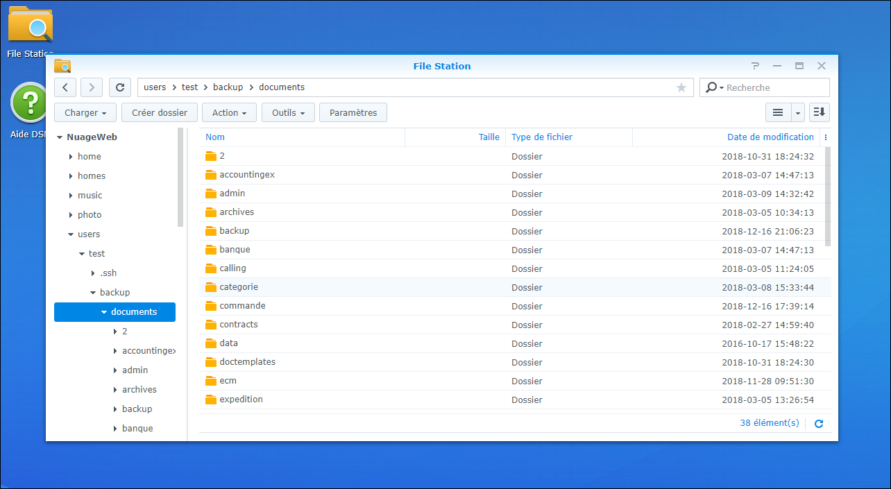
Setting up the Synology NAS
Configuring your NAS is highly technical and should be handled by a professional. We do not intervene on your machine, and executing commands remains your responsibility.
First, prepare the NAS:
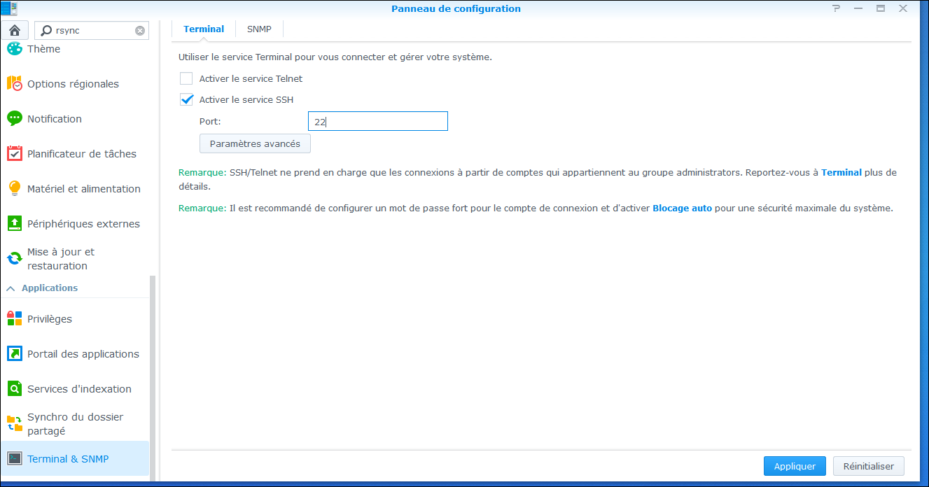
- enable the SSH service (a different port number is recommended);
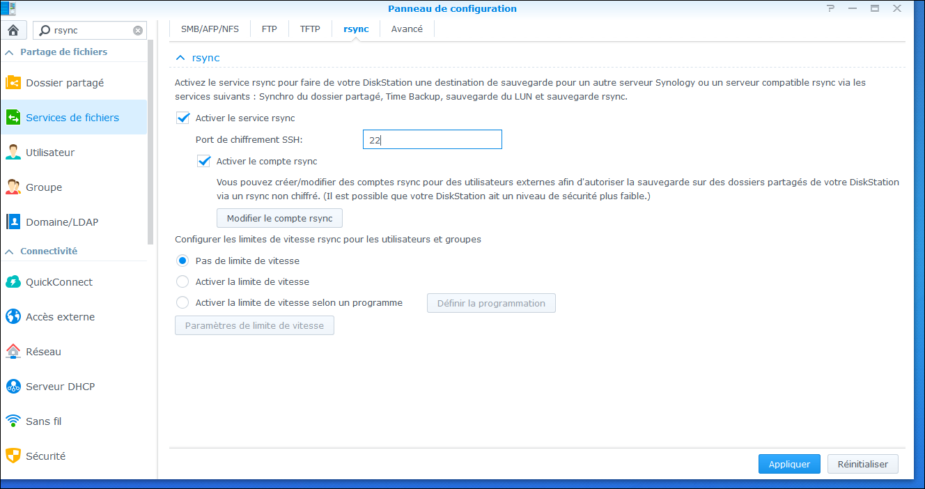
- enable Rsync, using the same port number;
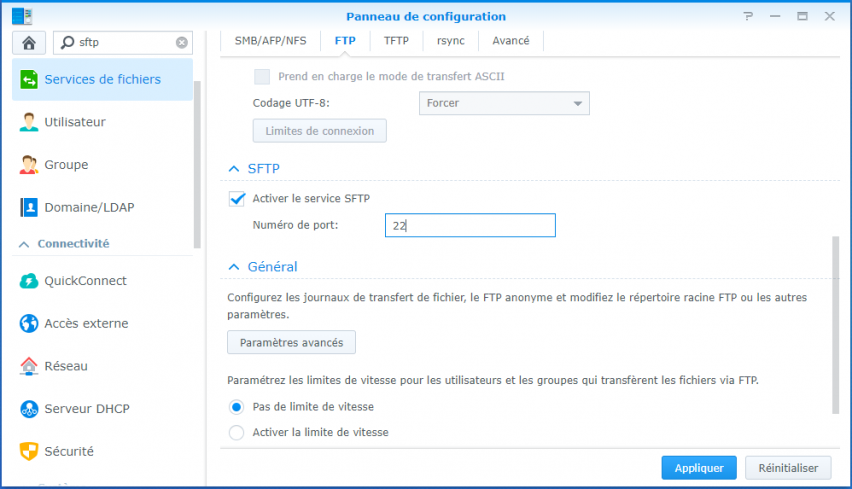
- enable SFTP and ensure the SSH port is open and correctly forwarded.
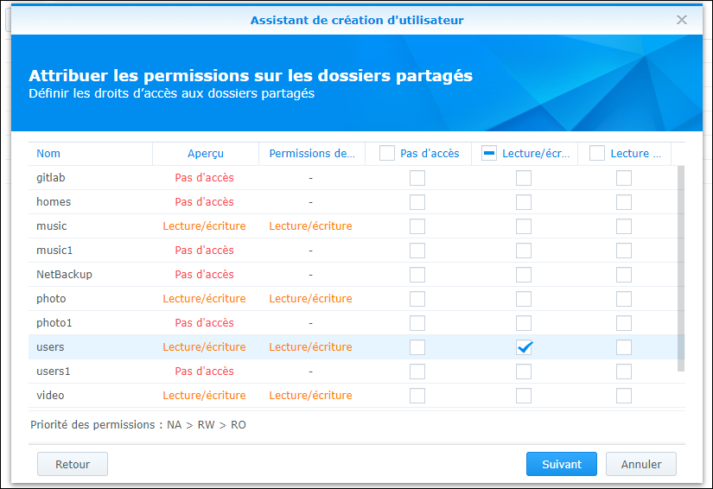
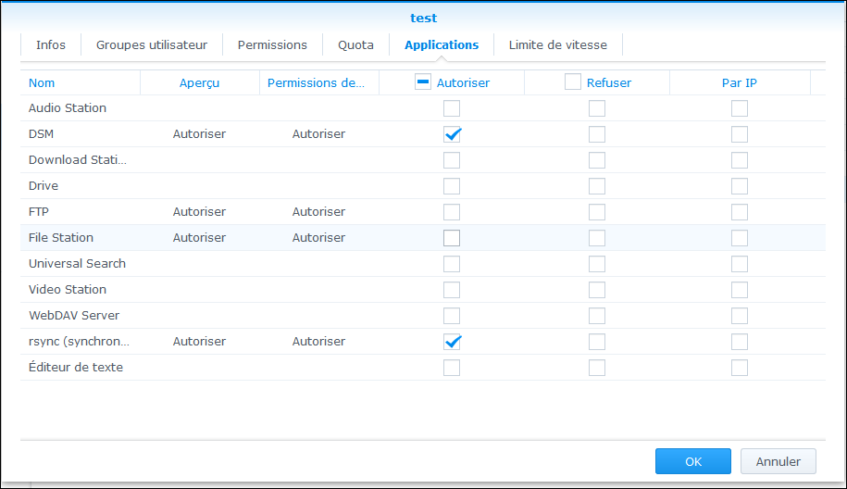
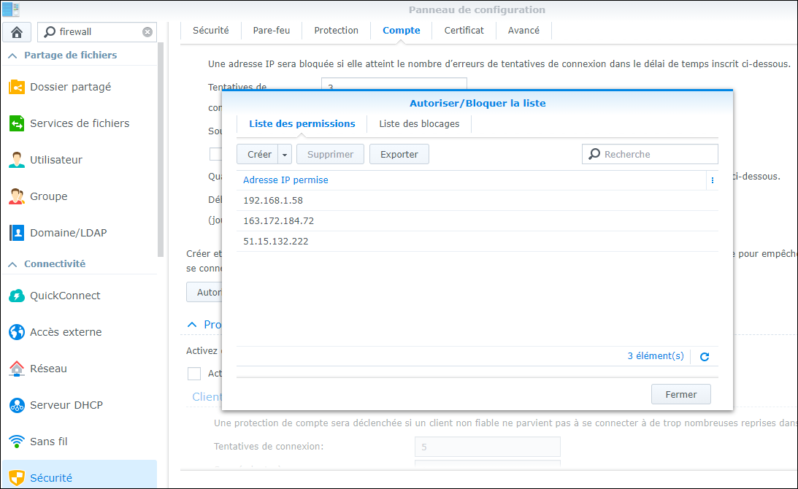
Next, create a dedicated Synology user. This allows precise control over access rights. Grant this user permissions to the backup folder, enable Rsync for them, then authorise your DoliPlus session’s IP address.
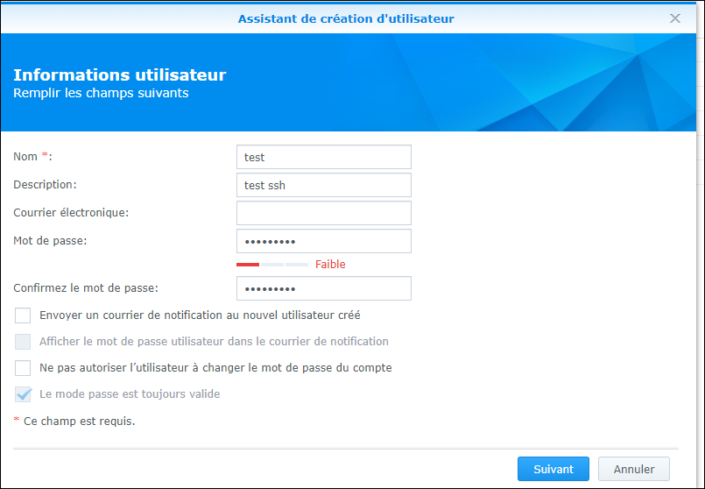
Finally, open a support ticket to activate the service. Specify the folder path, port, desired time, and the credentials of the created user.
Automating backup retention
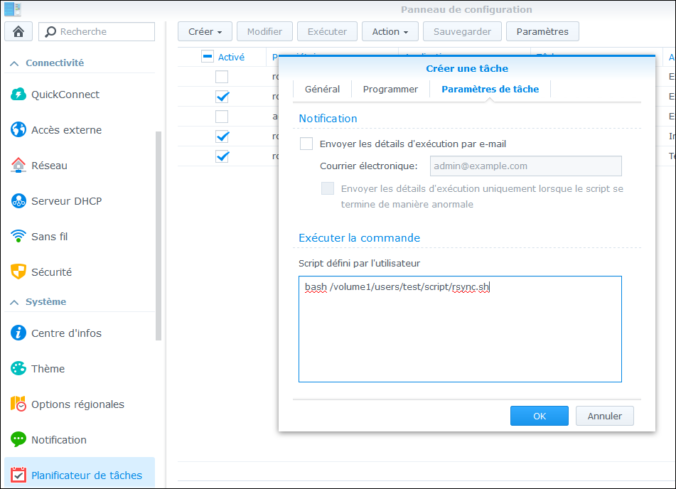
You can also maintain a longer backup history. To do this, create a scheduled task that runs a script. This script archives the sync folder, then deletes archives older than 120 days.
cd /volume1/users/test/backup/;
tar cvf /volume1/users/test/snapshots/snapshot-$(date +%Y-%m-%d).tgz * ;
find /volume1/users/test/snapshots -mtime +120 -type f -exec rm -f '{}' ;
Then add a scheduled task on the Synology to run this script at your desired frequency.
Why back up to your NAS?
Data only truly exists if it’s backed up elsewhere. Synology NAS backup provides that copy, at your premises, automatically.
You benefit in three ways:
- Local copy: your data stays within easy reach;
- Automatic replication: backups run nightly with no manual intervention;
- Controlled retention: keep your history for your chosen duration.
What information do we need to set up your backup?
Login@server: example test3@100.200.200.45
Password: Your_strong_password see article
Port: example 997
Folder: the full path of the destination disk, example /volume1/users/folder/backup
Control email recipient: the person on your side who will receive the email notifications
Going further
