 on 5 September 2026
 Automated Surface and Weight Calculation in Dolibarr + DoliPlus
The area and weight calculation feature allows you to sell your products by square metre, then automatically deduce the weight. This keeps your quotes and invoices accurate, with no manual calculations.
Area calculation on your documents
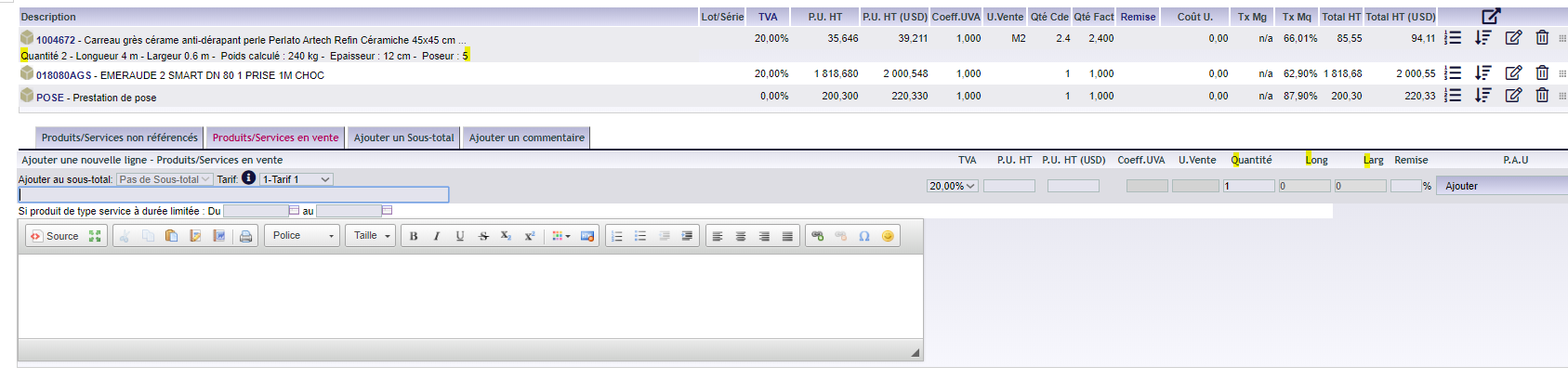
DoliPlus handles area calculations when a product is sold by the square metre (m²). In your quotes, orders and invoices, a dedicated input field appears. You enter the quantity, length and width, and DoliPlus calculates the total area sold.
What’s more, modifying a line allows for adjustments at any time. The details remain visible in the quote body, and the PDF includes additional information.
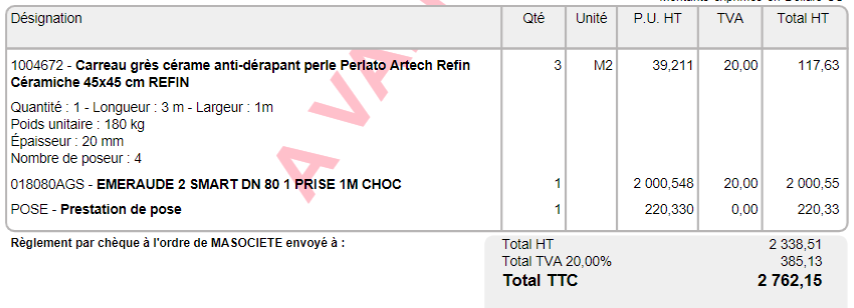
Weight calculation based on surface density
The module goes beyond just area. Once activated, you can configure it via the “Surface densities” tab in the root of the Products/Services categories. The area and weight calculation then relies on a surface density linked to the product’s thickness.
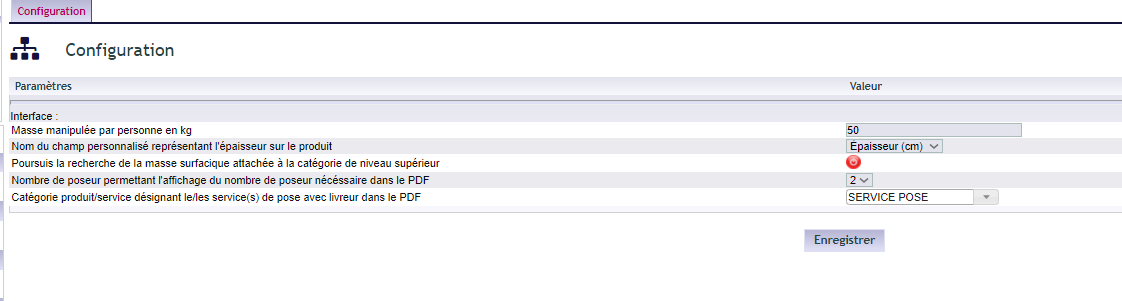
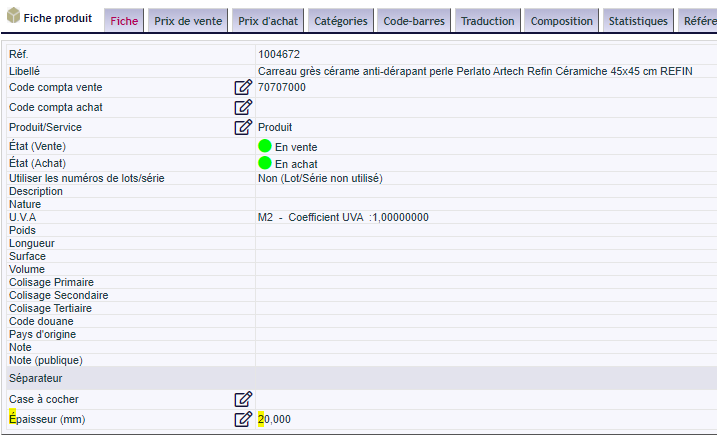
In practice, you define surface densities, then attach them to a product category. Next, you link your products to this category. Finally, a custom field specifies the thickness.
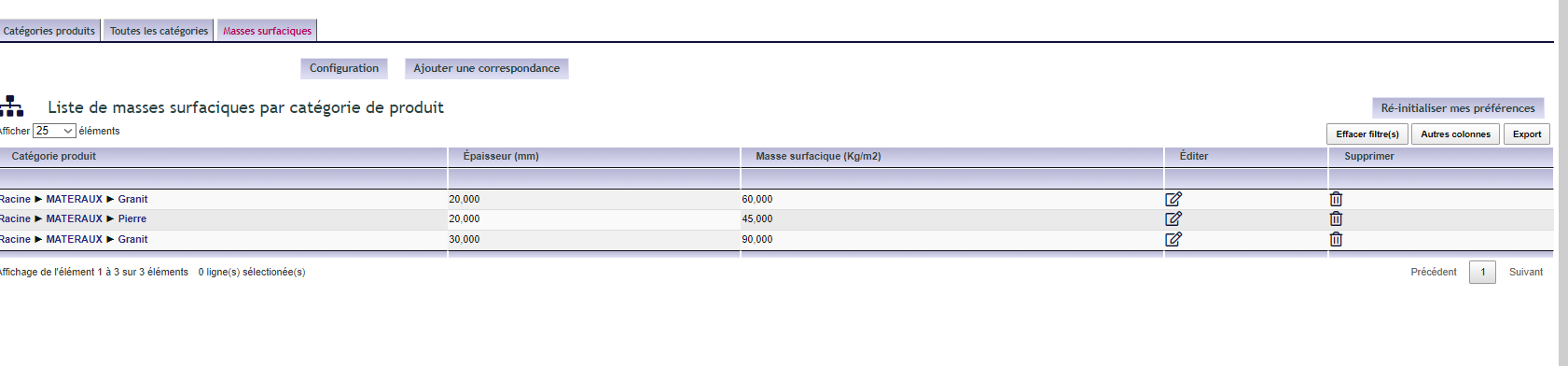

Several options further refine the area and weight calculation:
- search for surface density in the parent category if not defined in the subcategory;
- maximum weight manageable by an installer, to calculate the number of installers per product;
- service category (e.g. delivery) that displays the number of installers without restrictions.
Why automate area and weight calculations?
Manual area and weight calculations are time-consuming and error-prone. The automated area and weight calculation feature streamlines these operations, right at the point of sale.
You benefit in three ways:
- accurate quotes: area and weight calculate automatically;
- planned logistics: the number of installers is deduced from the weight;
- time savings: no more manual calculations, line by line.
Learn more about products and services
Further reading
