 on 5 September 2026
 Bulk price update via DoliPlus interface
Update your sales prices: save time on your rates
Updating sales prices quickly becomes time-consuming when your rates depend on volatile raw materials. That’s why DoliPlus offers a dedicated interface: you update your prices quickly, without opening each product record.
This approach is ideal for wholesalers and manufacturers, whose prices follow fluctuations in steel, copper, or components. It also suits any business that reviews its rates at the start of the year.
How does the sales price update work in DoliPlus?
The “Price Management” menu organises sales price updates into update reports. Each report groups a selection of products and keeps its history.
In practice, the process takes three steps:
- create an update report, then select the relevant products;
- enter the new pre-tax or post-tax prices, or apply a percentage increase/decrease across the entire report;
- finally, confirm: DoliPlus updates the corresponding sales prices in a single operation.
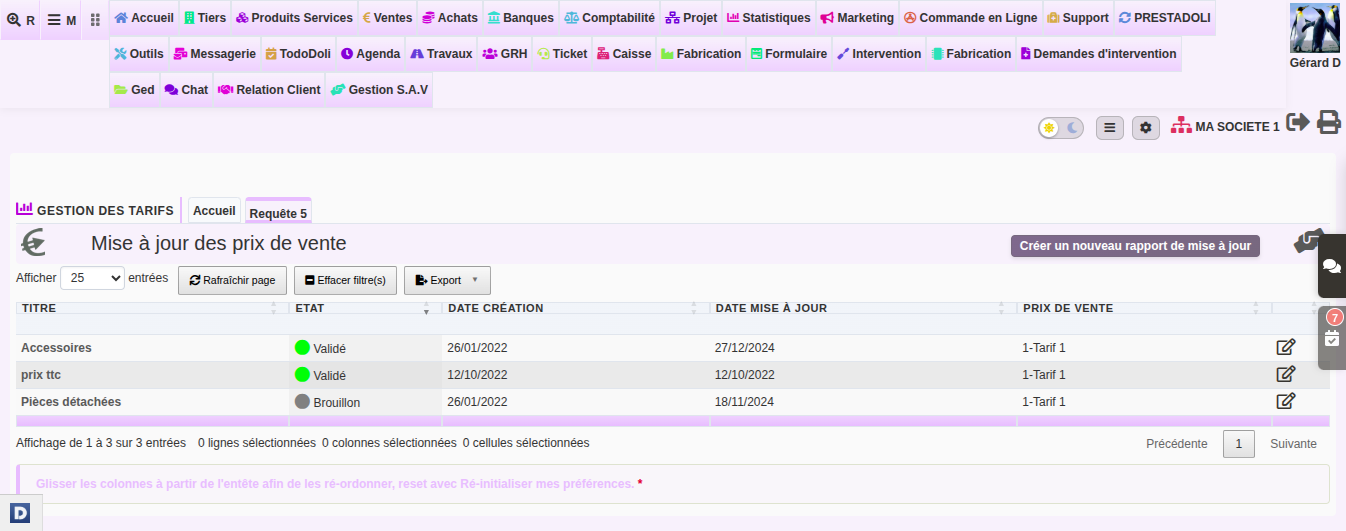
Additionally, each report keeps its creation date and update date. You always know when a rate changed and which product list was affected.
The video below demonstrates the tool in a real-world scenario:
Everyday benefits
- fast data entry: all prices are updated from a single screen;
- prepared work: the new price is entered next to the current price, then applied at your chosen time;
- full traceability: reports keep the history of each sales price update.
This way, your rates stay aligned with your costs, without tedious product-by-product re-entry.
Your pricing policy sometimes goes beyond occasional updates. For example, for prices automatically recalculated based on rules (raw material rates, markup on purchase price), DoliPlus also offers dynamic sales prices. Read the chapter
Further reading
