 on 5 September 2026
 Packaging Management
Packaging Management
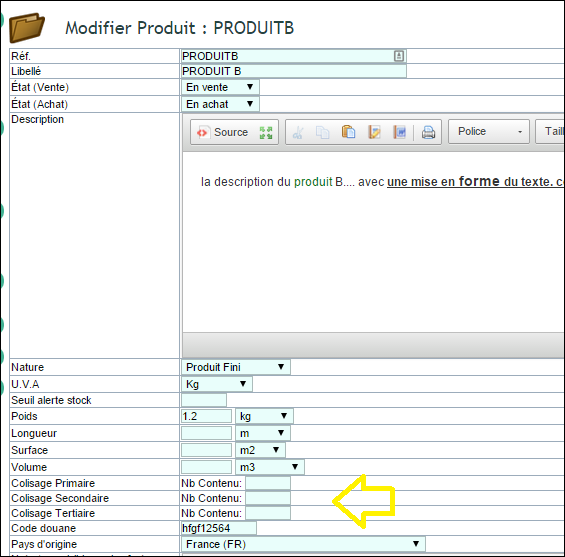
For your shipments, quotes, sample invoices, or pro forma documents, indicate on your documents the number of packages, pallets that make up your items.
To do this, simply enable the option in the PDF/Interface Settings configuration:
- 205 Enable primary, secondary,… packaging management
Enabling this option allows you to add packaging information to customer delivery notes, quotes, orders, and invoices according to the configuration options.
- 141 Display primary packaging under the description
- 142 Display secondary packaging under the description
- 143 Display tertiary packaging under the description
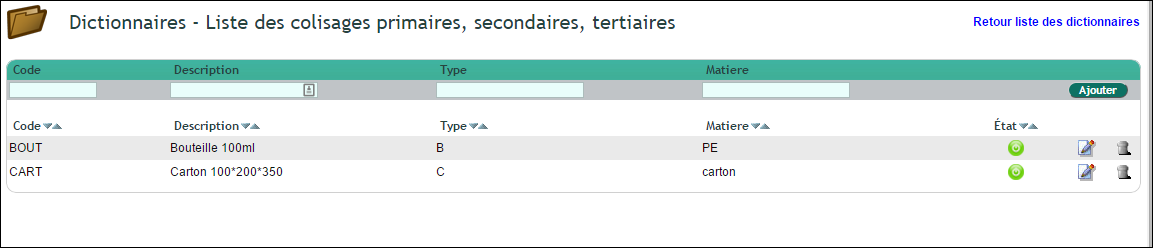
In the “Primary, secondary, tertiary packaging lists” dictionaries, you can modify, add as many packaging types as needed so they can appear in the selection lists
Note:
You can also enable other options in the PDF/Interface Settings configuration such as:
- Add the Weight column: 202 Display the unit weight of the product in quote, order, and invoice forms
- Add the Total Weight calculation: 203 Display the total weight in quote, order, and invoice forms
Display in PDF Documents
To support the display of packaging information in quotes, orders, and invoices, you need to enable these options in the PDF/Interface Settings configuration.

