 on 5 September 2026
 Product and service photos
Product images enhance your records in DoliPlus, and you can reuse them directly in your quotes. This way, your customers instantly visualise what you’re offering them.
Adding product and service images
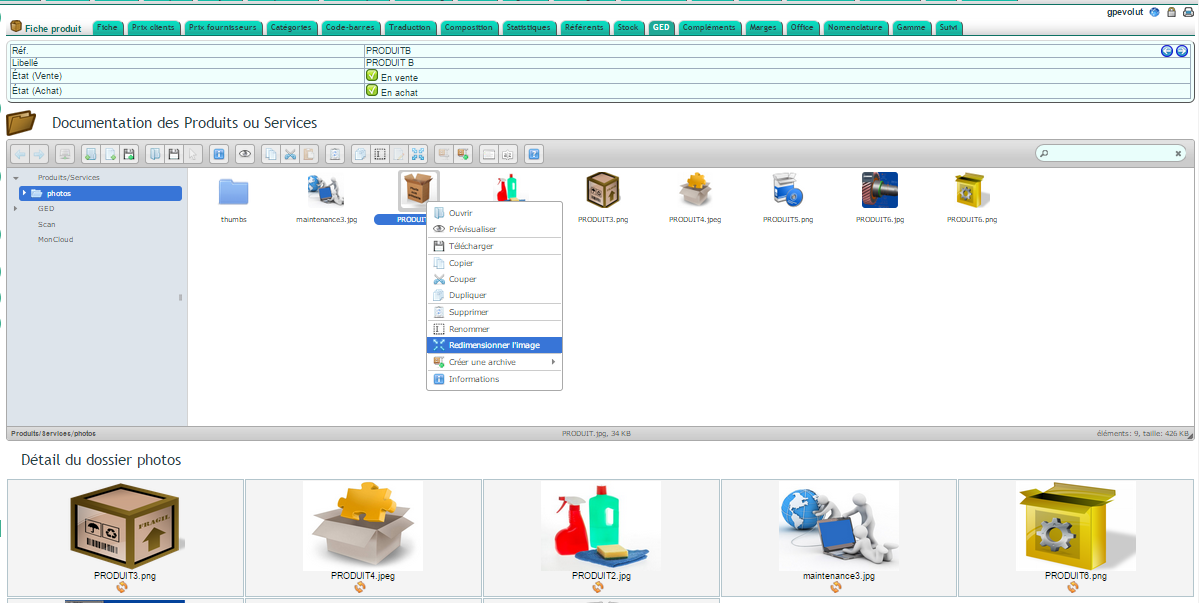
DoliPlus automatically creates a folder in the document library for each product or service record. You upload your product images there, then use them without any additional steps. Learn more about the document library
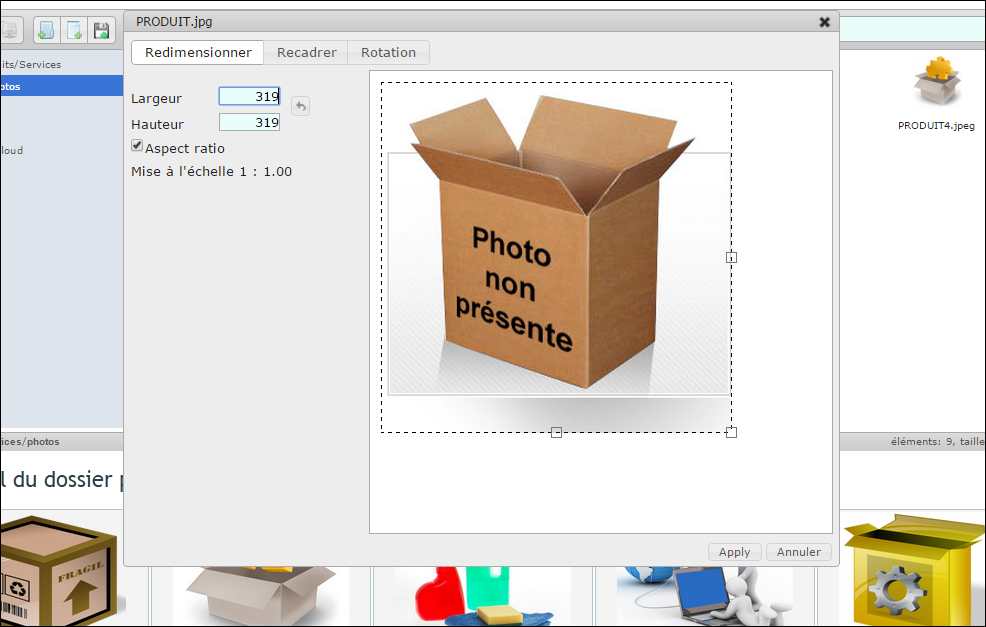
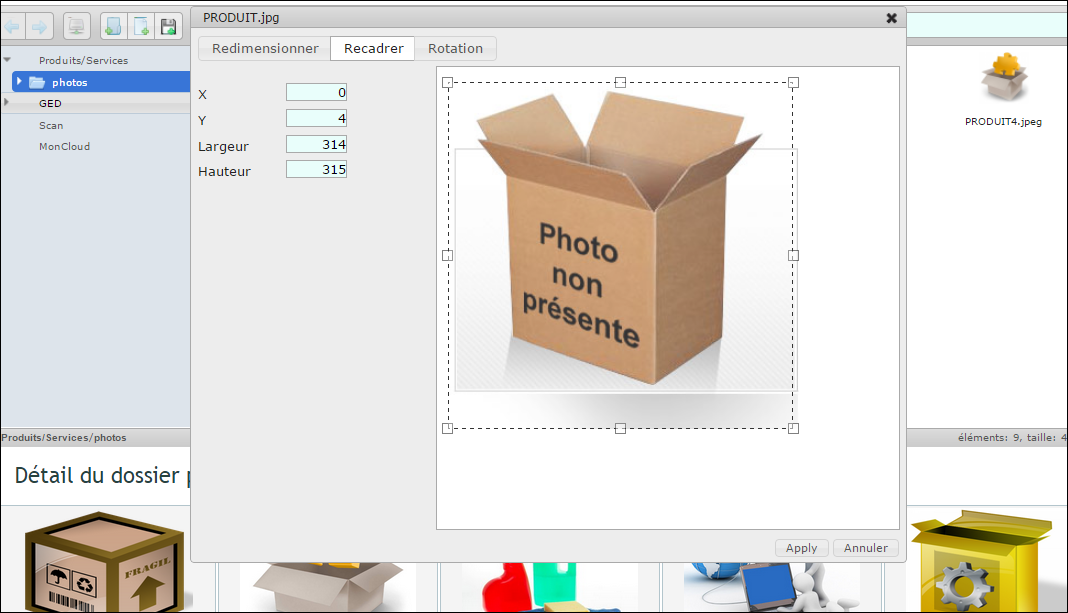
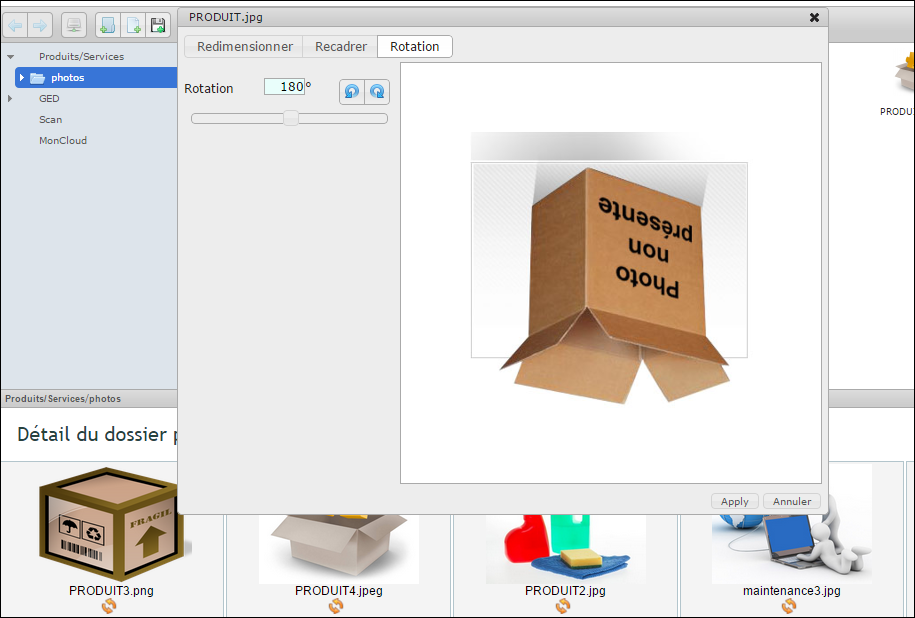
Plus, tools are built directly into the file explorer. With a simple right-click, you can:
- resize an image;
- rotate it;
- crop it for better use.
Generate thumbnails and organise your images
A preview panel also appears below the file explorer. It displays larger thumbnails, along with an automatic thumbnail generator tool. When activated, DoliPlus creates a dedicated subfolder to store these thumbnails.
Note that you need to refresh the document library folder after adding new images to see them in the preview panel.
Reuse images in your quotes
Technical documents are uploaded directly to the root of the product or service document library. Then DoliPlus automatically includes them as assembled attachments in quotes when you select them. Learn more about commercial proposals
In summary, product images aren’t just for illustrating a record. They become a genuine sales tool, automatically included in your commercial documents.
Why polish your product images?
An illustrated quote reassures customers and speeds up their decision. After all, a picture is worth a thousand words. That’s why product images serve a commercial purpose, not just a documentary one.
Moreover, with everything centralised in the document library, your visuals stay up-to-date and accessible to the whole team. As a result, everyone works with the same images on the same records.
To go further
