 on 20 August 2026
Cost accounting software: know which activity pays and which one costs
Your DoliPlus solution includes cost accounting software that splits your expenses and income by activity, department or project:
- your own analytical codes, each with a label you choose;
- codes assigned on customer and supplier invoices, in bulk if you wish;
- a monthly summary of spending and income, filtered your way;
- no extra validation step: what you assign is what you read.
You therefore stop settling for a single bottom line — you see where the money goes, and where it comes from. DoliPlus is the enhanced cloud edition of Dolibarr, the open-source ERP & CRM used across Europe.
Cost accounting in DoliPlus
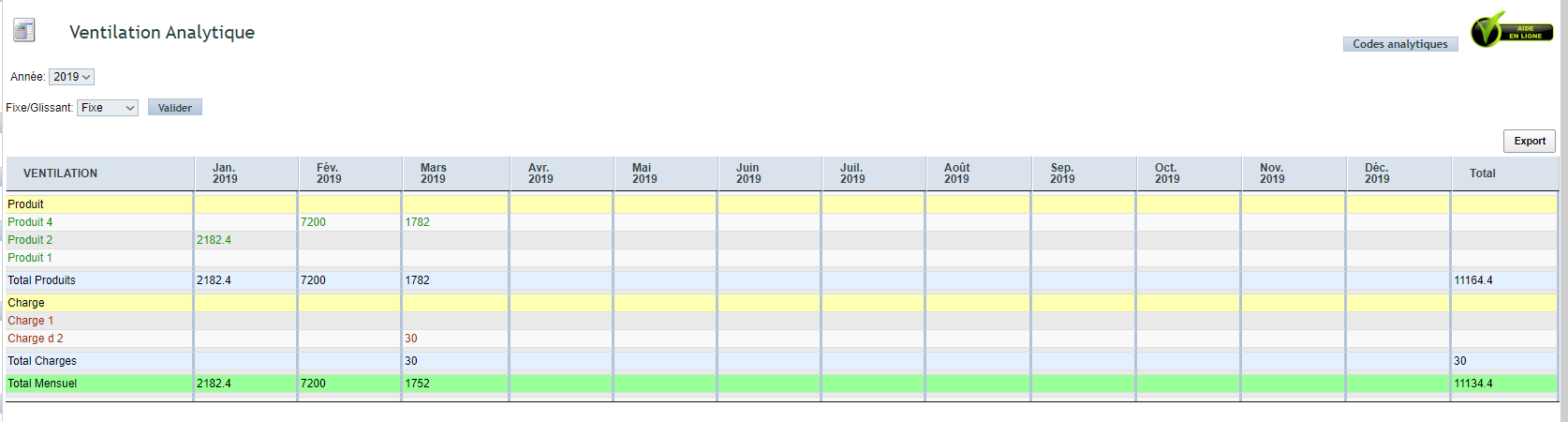
DoliPlus offers deliberately simple cost accounting. You attach expense and income accounts to predefined analytical codes. You then get a view of spending and income, sorted by label, in a monthly summary table.
Consequently, one overall result is no longer all you have. You know which activity costs, and which one pays.
This feature is available in Beta.
Switching the feature on
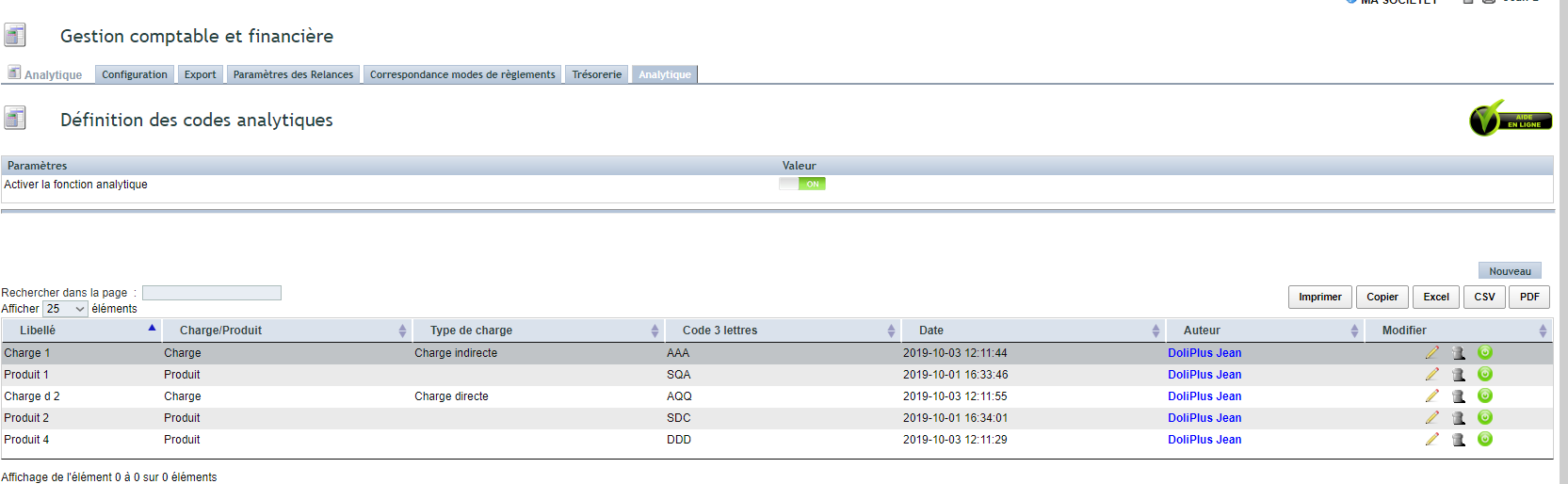
Activation is quick. Go to the Accounting module setup, open the “Analytical” tab, then switch the feature on.
Define your expense and income codes
You then create your analytical codes. Each carries a clear label, which becomes your landmark in the summaries.
Assign the codes on invoices
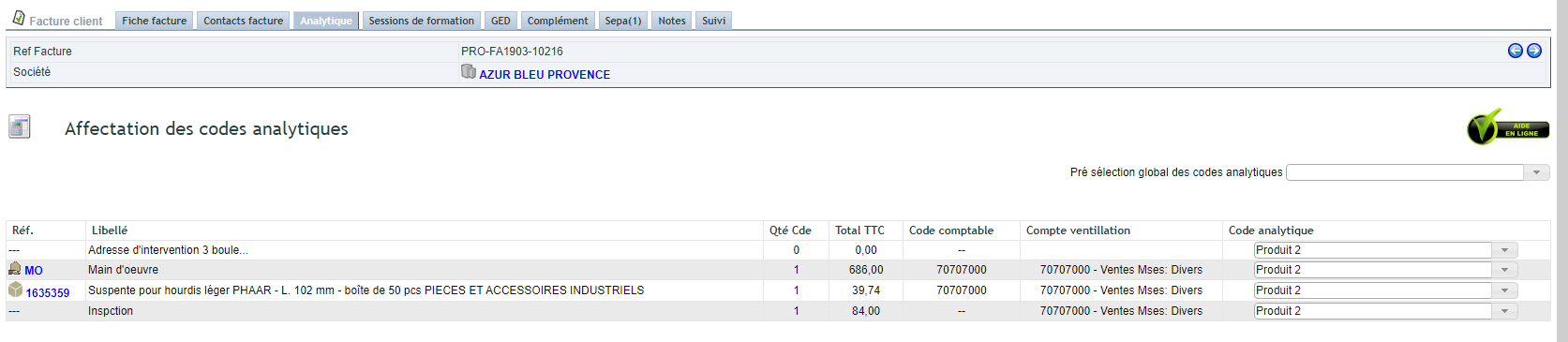
You then assign the codes on the “Analytical” tab of customer and supplier invoices. Moreover, a global pre-selection assigns the lines in bulk. No further validation is needed.
Read the monthly breakdown
Finally, the summary view appears in the Accounting menu. You get it month by month, according to the filters you choose.
Why follow cost accounting at all?
General accounting answers a legal obligation. Cost accounting, on the other hand, exists to steer the business. Indeed, it informs your decisions: which department to grow, which cost to cut, which project to watch.
You gain on three fronts:
- a clear view: your costs and income read by activity;
- grounded decisions: you arbitrate on figures, not on impressions;
- a simple setup: codes are assigned in bulk, without extra workload.
Related Entrées
