 on 5 September 2026
 Three-column inbox: read your email, file every attachment
The DoliPlus three-column inbox brings your folders, your messages and the selected message together on a single screen. Moreover, it files your attachments exactly where you will need them:
- folders, list and message side by side, without switching screens;
- every attachment filed into the customer’s record while you read the message;
- the customer recognised automatically from the addresses in the conversation;
- your usual folders always available, in English and four other languages.
In other words, you read faster and you never re-file anything afterwards. In DoliPlus webmail, this layout is called Widescreen mode.
Three-column email: Widescreen mode
The three-column layout offers smooth reading. On one side your folders, in the centre your message list, and on the right the reading pane where selected messages open. You choose this mode in Settings → Preferences → Email Display, under Layout. Three options are available: List (no preview pane), Widescreen (three-column view) and Desktop (wide list with message preview below). You can also show/hide the preview pane and select which columns appear in the list.
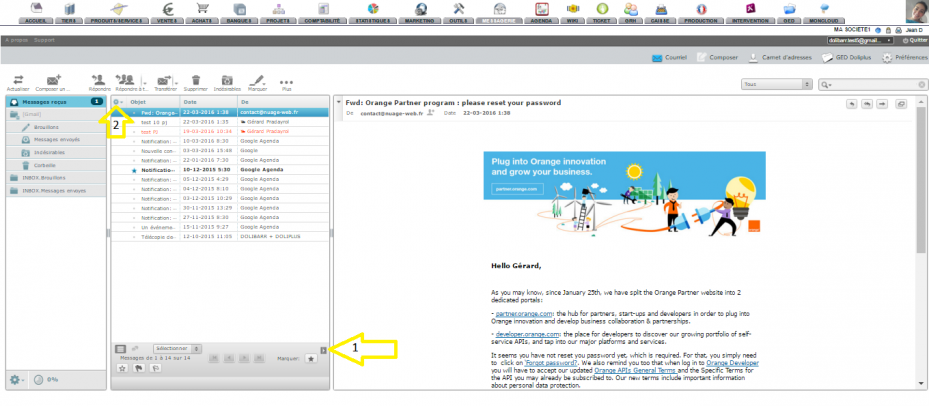
To enable it, simply go to your Settings, then Email Display Preferences.
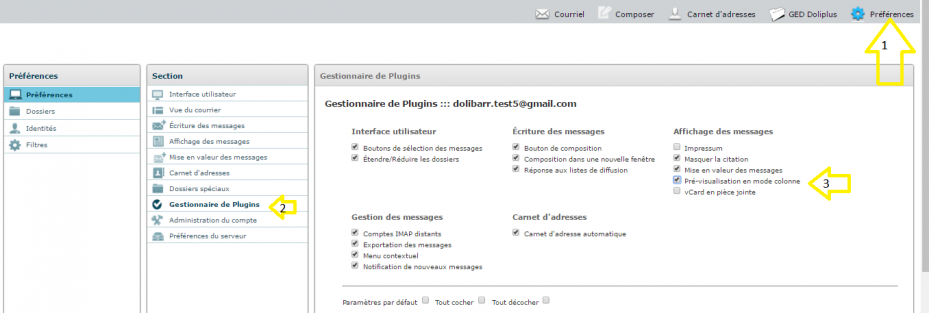
Attachment display
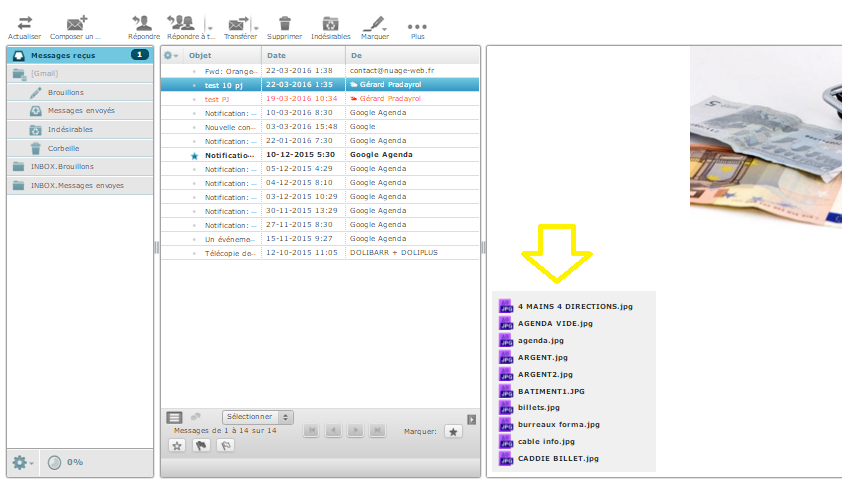
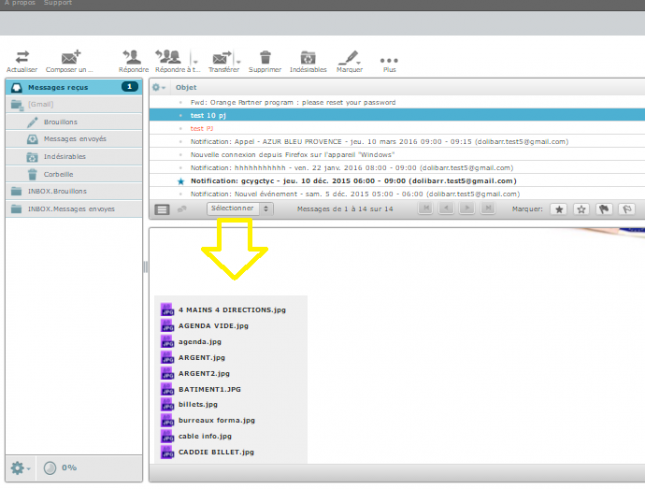
Attachment presentation adapts to your chosen layout. In three-column mode (Widescreen), attachments appear at the end of messages. In Desktop mode (preview below list), they also appear at the end, with content then displaying at full width.
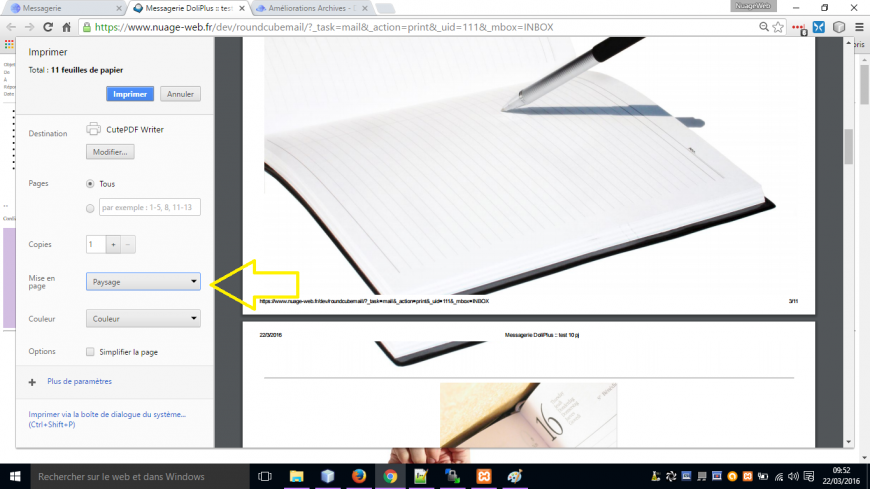
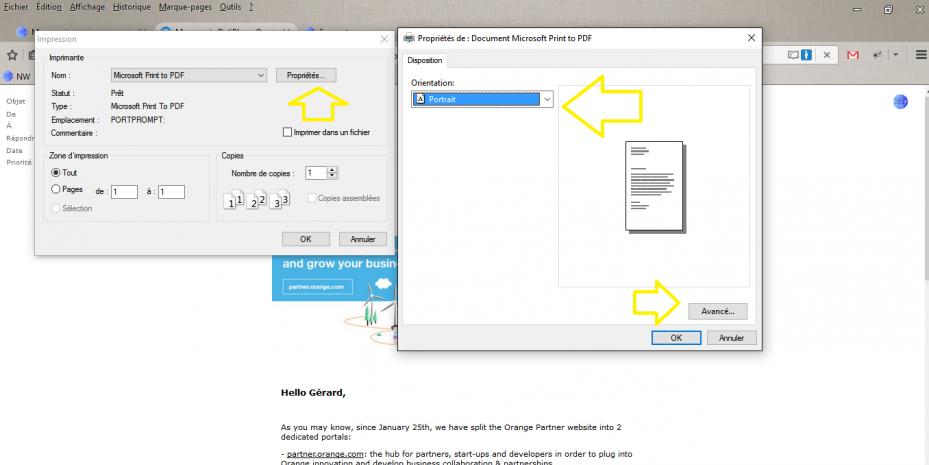
Printing messages in landscape
Depending on content, landscape mode can sometimes simplify printing from your browser. Options differ between Chrome and Firefox, but both support it.
Why choose three-column email?
A well-organised inbox saves time daily. Three-column email keeps everything visible without unnecessary clicks.
You gain on three fronts:
- Faster reading: folders, list and message stay visible together
- Greater comfort: adapt the display to your screen
- Better overview: quickly spot important messages
Learn more about DoliPlus webmail
In daily use, this layout genuinely changes how you handle email. You maintain context without opening then closing each message. As a result, you process mail faster and miss fewer replies.
File an attachment straight into the customer’s folder
A customer returns a signed quote, a supplier attaches an invoice, a site sends photographs. Until now, you had to drop the file into a holding folder and sort it out later from the record itself. In other words: the same job done twice, and usually postponed.
From now on, filing happens while you are reading the message. Above the file browser, a bar lets you pick the company, then the document type, then the document itself. The file goes straight to the right place.
The customer is recognised automatically
This is the main benefit: DoliPlus reads the addresses in the conversation — sender as well as recipients — and finds the matching company in your database. Therefore, half the time you have nothing to type at all. Otherwise, two letters are enough to search by name.
Eight document types, sales and purchasing alike
- Sales: proposal, order, invoice, opportunity, project
- Purchasing: price request, purchase order, supplier invoice
Moreover, the list shows that customer’s most recent documents with their date and amount, so you recognise the right one at a glance.
Two ways to drop the file
The “File here” button saves the attachment at the root of the selected document’s folder. In addition, double-clicking any folder in the browser files the document straight into it — handy when you need a specific sub-folder.
Finally, this bar remains optional. Your usual folders — the general document library, the Scan folder and your personal space — stay available at all times. If you select no customer, the window behaves exactly as before. The feature is available in English, French, Spanish, Italian and German.
Next steps
