 on 5 September 2026
 Email sending with DoliPlus
Sending emails via DoliPlus: the internal messaging system
For sending emails in DoliPlus, the internal messaging system remains the fastest tool. Indeed, it is a send form available directly from your records, without switching screens.
In practice, you will find it, for example, on:
- the customer or supplier record;
- the commercial proposal;
- the customer or supplier order;
- the customer or supplier invoice;
- the project;
- the shipment.
Moreover, its layout remains the same everywhere. It is exclusively used to send messages, most often with attachments.
Why use the internal messaging system?
First, sending emails from the internal interface offers several advantages:
- you easily access the customer or supplier’s addresses and their contacts;
- you attach documents directly from the customer or supplier’s document library;
- you reuse predefined messages, configurable in the Tools menu.
Next, depending on where you open it, you access the corresponding document library to attach your documents:
- the customer or supplier’s document library;
- the general document library;
- the order and invoice document libraries;
- the scanned documents folder (depending on your workstation settings);
- your computer’s local drive.
Attachment restrictions
Warning: you cannot use the internal messaging system on multiple tabs at the same time when sending attachments. Indeed, these are temporarily stored in the same subfolder.
This is why we recommend proceeding message by message:
- open the messaging system;
- write your message;
- attach the documents;
- send the message;
- then repeat for the next one.
Example from the customer or supplier record
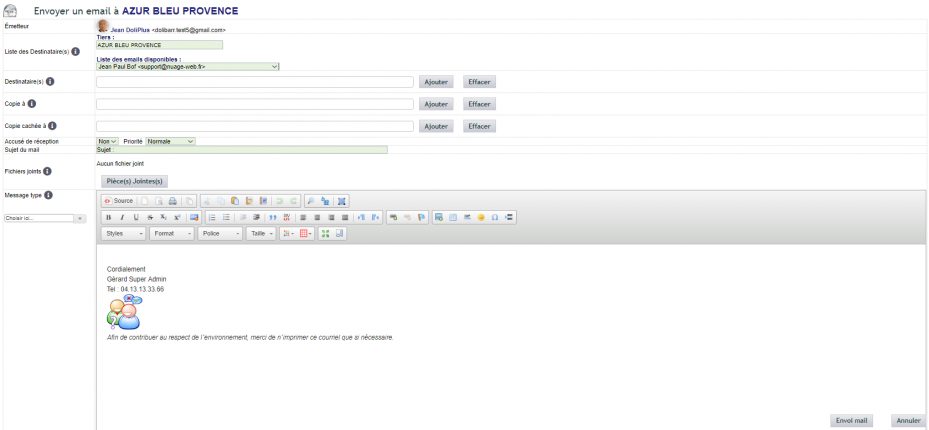
Email sending configuration
Reception uses only the IMAP protocol. Servers with Exchange that have an IMAP port may therefore be compatible, depending on their configuration. Sending, on the other hand, goes through the account specific to each user.
You configure these accounts in the administration console of the messaging module. Additionally, a shortcut exists via the Home → Configuration → Email menu.
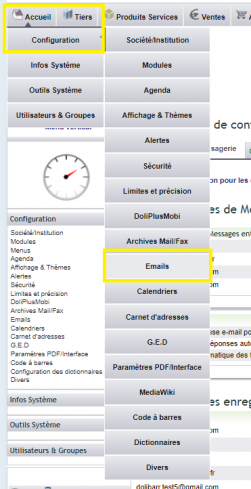
Account access settings
The main providers are already preconfigured, for example Gmail or Orange. However, if your email is hosted on a private server, support can set up a new account as a special service.
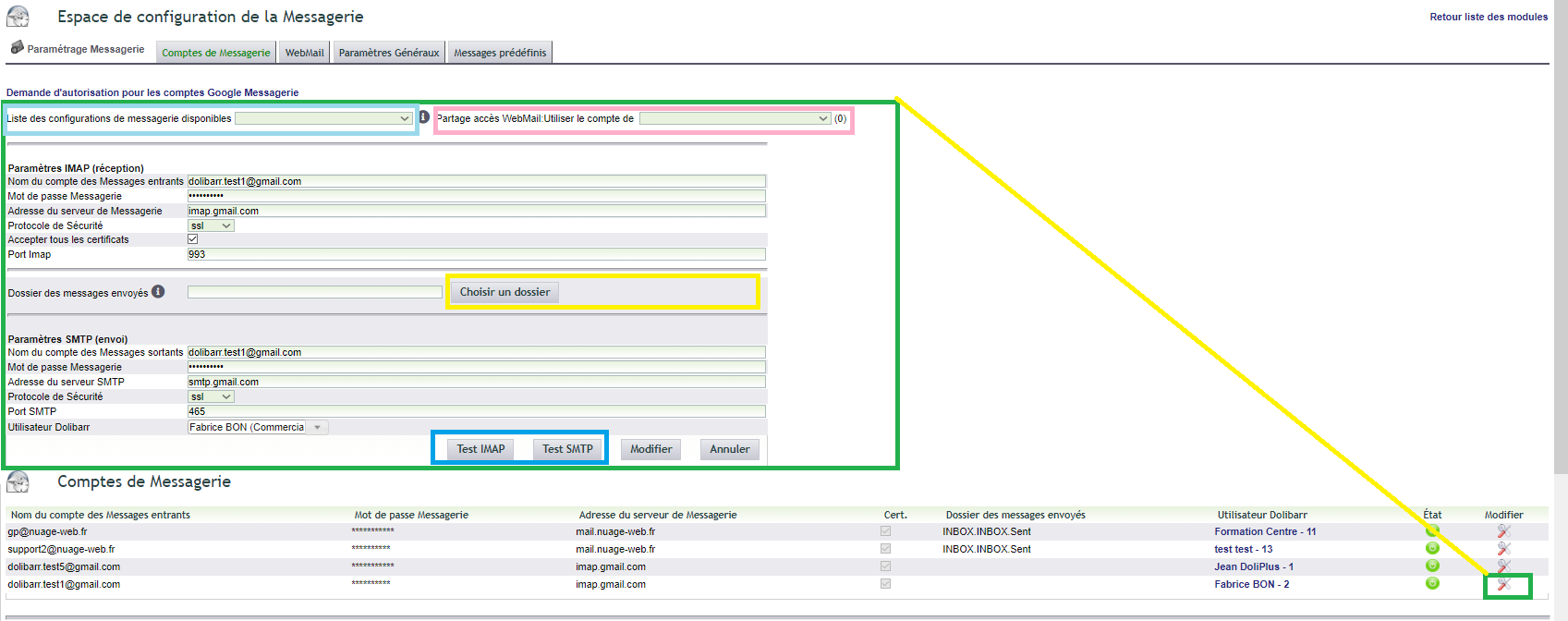
Configure a new account
To begin, rely on the “List of available configurations”. Then complete the missing parameters and validate using the test buttons.
Moreover, you can declare an account for sharing between multiple users via the “WebMail access sharing”.
Sent items folder
Your sent emails are copied to the “Sent Items” folder in your email client. This way, you can find all your messages in one place.
To do this, specify the name of this folder on your server (except for Gmail). You can easily find it using the “Choose a folder” button.
Note: A message alerts you after sending if this setting is incorrect.
Sync your signature
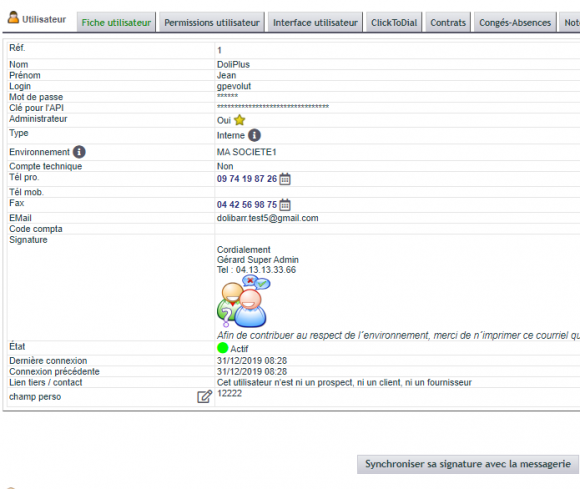
Finally, edit the signature in the user record. Then click “Sync this signature with your email client”.
Learn more
The built-in DoliPlus webmail
DoliPlus also offers a full inbox, directly within your software. You can receive, organise and send emails without switching tools. Learn more…
The writing assistant and voice dictation
Additionally, the webmail helps you draft emails. It corrects spelling and offers voice dictation: you speak, and your text writes itself. Learn more…
Standard messages
You can also prepare reusable templates from the Tools menu. This saves time on recurring emails. Learn more…
User signatures
Finally, set up a signature that will automatically be added to your messages. Learn more…
