 on 5 September 2026
 Document Library – Scan Folder – Scan and Transfer
The Scan folder in the document library lets you retrieve your scanned documents and organise them in DoliPlus. This way, your scans arrive directly in your software, without manual downloads.
The Scan folder in the document library
In DoliPlus, a folder named “Scan” appears by default in the document library explorer. This folder actually serves several purposes. Let’s look at them one by one.
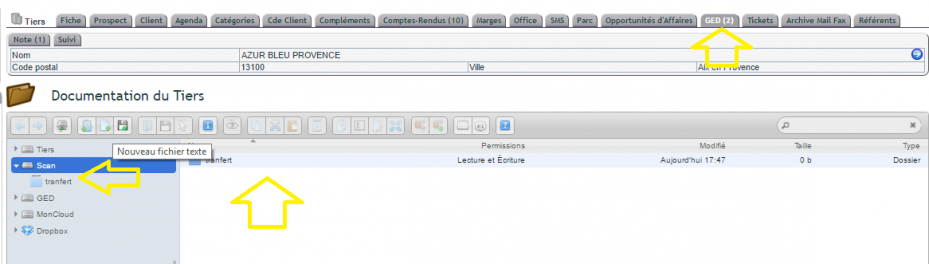
The Scan folder connected to a network scanner
First, the Scan folder connects to a network scanner via FTP or SFTP. Your credentials (address, login, password) are provided upon registration. If needed, your support team can send them again.
Most network scanners can send documents to a remote server. Your scans therefore arrive in the Scan folder without any further action.
Note, however, that the FTP connection is only available on the main environment (entity 1) in a multi-company setup.
The Scan folder on mobile and other devices
Next, FTP also allows you to synchronise documents on the go. This way, you can work offline on your smartphone or tablet. For example, these apps provide synchronisation, sometimes in both directions:
- Android: AndFTP;
- iOS: FTPManager.
Additionally, the Intervention module uses this principle. It retrieves work orders, reports, or minutes to have them signed by the customer using an app like XODO.
The Scan folder as a transfer area
The Scan folder also acts as a transfer area. You temporarily place documents there, then drag them to other locations in the document library.
Scan folder and email
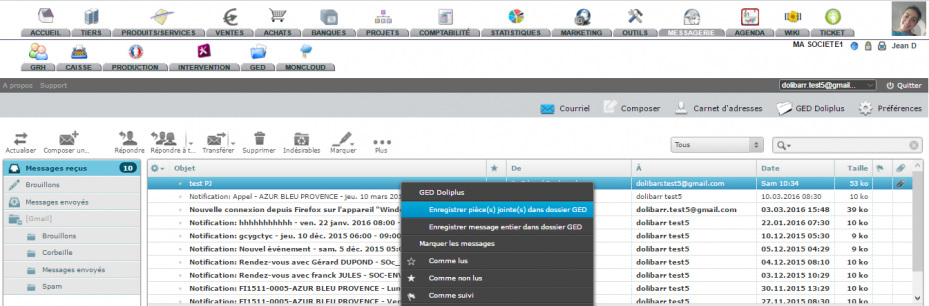
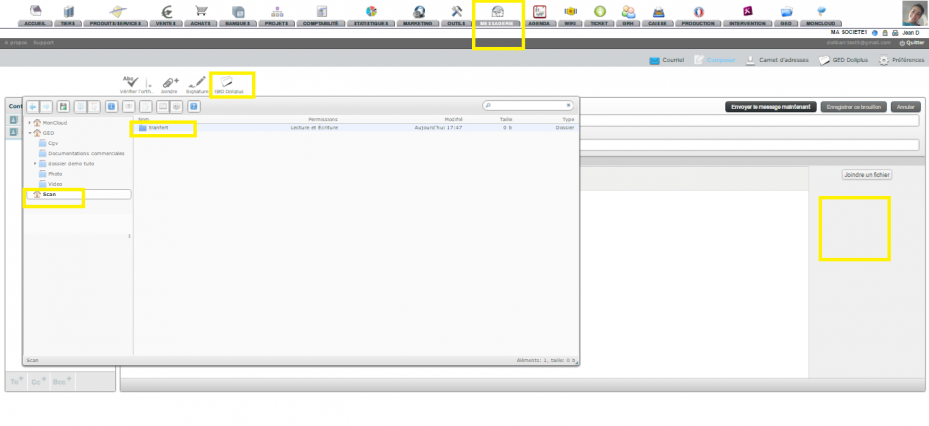
In the email module, you automatically extract attachments to the document library. However, not all document library folders are accessible from email. That’s why the Scan folder often serves as the initial destination.
Then, in multi-window mode, you open the final document library area and drag the extracted documents there.
Personal Scan folder per user
Finally, the Scan folder can be personalised for each user. Until now, everyone created a shared subfolder. Now, an option makes a subfolder accessible only to its owner.
As this folder is accessible via FTP, DoliPlus creates a user-specific directory structure. Each subfolder uses the email address defined in the email configuration:
- /scan/pierre@email.com/;
- /scan/florence@email.com/.
To activate this option, first configure the module, then enable option number 1. Additionally, a permissions management system allows for fine-tuning, user by user.
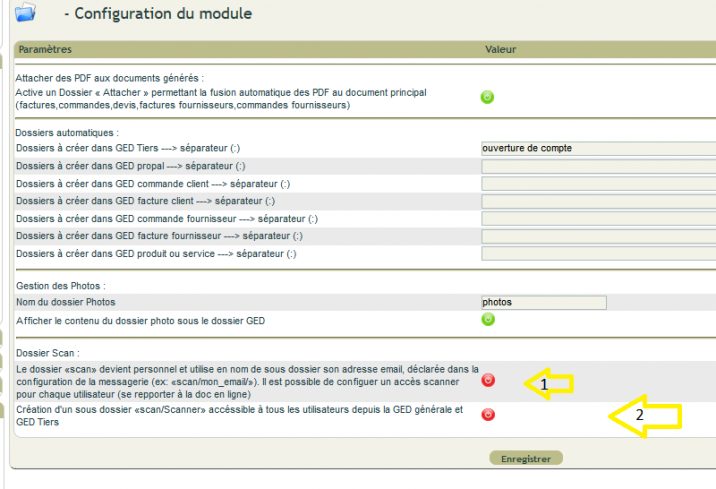
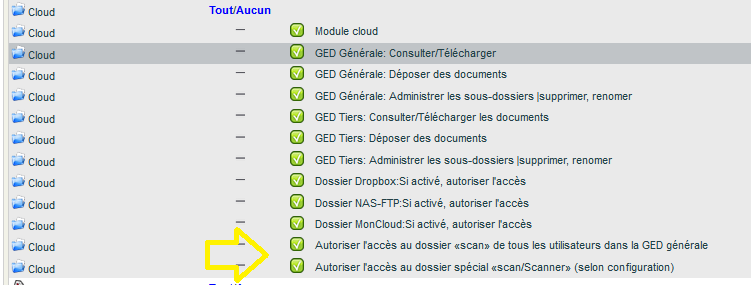
Finally, you can set up multiple access points on your scanner. Each then directs the document to the correct subfolder, by specifying the path /scan/pierre’s_email/ in the scanner settings.
Why use the Scan folder?
The Scan folder bridges the gap between paper and digital, effortlessly. You scan, and the document lands in the right place in DoliPlus.
You benefit in three ways:
- seamless filing: your scans go straight to the document library;
- true mobility: your documents sync to tablets and mobile devices;
- clear organisation: everyone finds their own scans.
Learn more about the document library
To go further
