 on 5 September 2026
 The Dolibarr + DoliPlus User Record
The Dolibarr user record in DoliPlus consolidates all your team members’ information: identity, job title, photo, hierarchy and HR data. This allows you to accurately define each account before using it in human resources management.
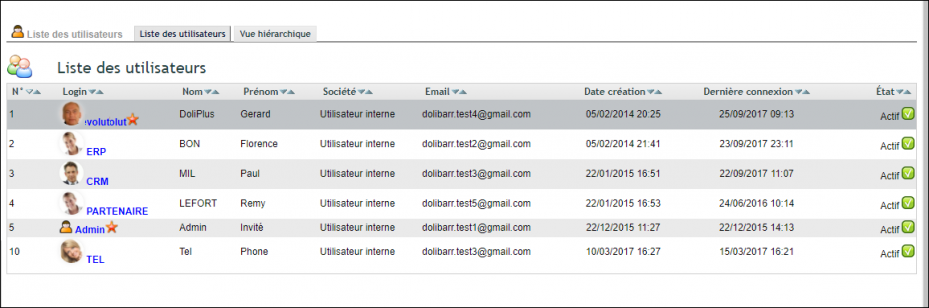
Dolibarr user record: new fields
The Dolibarr user record now includes additional fields:
- Address, postcode and city;
- Job title, customisable via the HR dictionary “Staff job titles list”;
- Gender;
- Employee (yes/no);
- Calendar colour: a new shortcut shared with calendar management.
To ensure confidentiality, some information isn’t visible in read-only mode.
This data is also used by the human resources management (HRM) module.
The employee field helps better qualify users: if they’re company members, they’ll be managed via HRM. During the transition phase, the filter isn’t active yet but will be soon. We recommend updating your records accordingly.
Dolibarr user profile picture
Popular in apps and social networks, profile pictures now appear across your ERP software lists.
Note: administrators can now update profile pictures by clicking on a user’s photo from their record.
Employment contract tab
The RIB and BIC fields enable entering employee banking details. This tab feeds into employment contract management.
Hierarchy
A new view, linked to the manager field, helps map your organisation’s structure.
User list
A filtered list provides an overview of active and inactive users.
“Main hierarchy view” tab
Displays the main hierarchy tree structure.
“Other hierarchies view” tab
Displays other hierarchy trees, for example:
| Title | Code |
| Supplier invoice orders and payment approvals | CDE_FOURN |
| Leave requests | HOLIDAYS |
| Expense reports | NDF |
Further reading
