 on 5 September 2026
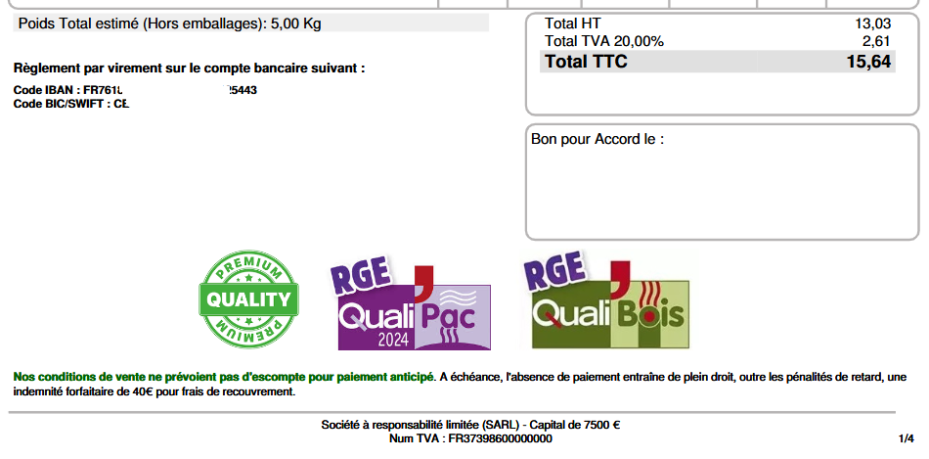
 Your qualification logos displayed at the bottom of the page – Dolibarr & DoliPlus
Display your qualification logos at the bottom of your documents
The service logos displayed at the bottom of your documents highlight your expertise on commercial paperwork. Certified, accredited, or partnered with a brand? Showcase these logos to your customers.
On your quotes, customer orders and invoices, DoliPlus lets you display multiple logos effortlessly, without altering the layout.
Step 1 — Enable the feature
In PDF/Interface Settings, enable the option and configure the related parameters:
- 222 — Print logo(s) at the bottom of the page (Matrix/Logo image): select the relevant documents;
- 327 — Height of bottom logos: e.g. 22 (width remains proportional);
- 328 — Horizontal alignment of logos (L: left, C: center, R: right): e.g. enter code C.
Step 2 — Upload your service logos
Upload your service logos (PNG or JPG images) in Matrix/Logo image. Multiple logos are supported; they’ll display in alphabetical order.
Step 3 — Generate your documents
Finally, generate your documents: your logos will automatically appear at the bottom of every PDF you issue.
Why display your service logos?
Your customers instantly recognise your certifications and partnerships. A quality label, network membership or compliance with a standard immediately reassures anyone reading your quote or invoice.
These logos strengthen your brand image on every document, with no layout effort. Once configured, they appear automatically on all your outputs, from quote to final invoice. You gain credibility while maintaining consistent presentation.
This setting complements other document display options. Remember, a well-placed logo instantly boosts the credibility of your services.
