 on 5 September 2026
 Automated import of bank statements into DoliPlus
Automated bank statement imports bring your latest transactions into DoliPlus every day. This lets you track your cash flow in real time, without manual re-entry.
The automated bank statement import module
This module retrieves your transactions, either manually or automatically. It relies on Open banking and its secure protocol, the DSP2 standard.
As a reminder, the European DSP2 directive came into force in January 2018. It aims to modernise payment services in Europe. That’s why it requires strong customer authentication and enhanced security measures.
Depending on the bank, the available history varies. Generally, it covers around three months.
With automated bank statement imports, you can track your cash flow daily. Additionally, DoliPlus keeps the history and offers an advanced search engine to analyse your statements.
This module also works with two complementary tools:
- the bank reconciliation module, to match your statements with your transactions;
- the cash flow forecasting module, to save you valuable time.
This connector links DoliPlus to a tool we don’t develop. It requires a setup fee, followed by a monthly subscription: this is how we can keep up with the third-party tool’s updates without bothering you. Contact us to discuss.
Which banks are available?
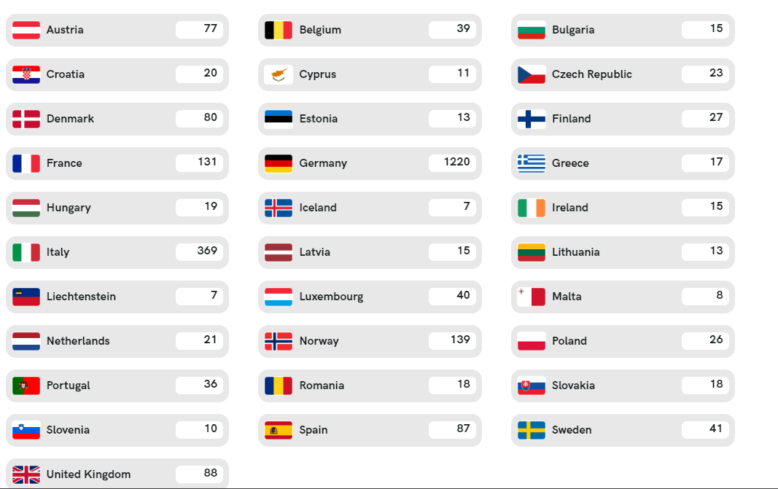
DoliPlus connects to the vast majority of French banks. Among the main ones, you’ll find:
- BNP Paribas, Société Générale, LCL, Crédit du Nord;
- all Crédit Agricole branches (all regional banks);
- all Banque Populaire and Caisse d’Épargne branches;
- Crédit Mutuel, CIC, Crédit Coopératif, La Banque Postale;
- Boursorama, Fortuneo, Monabanq, Hello bank!, ING, BRED;
- neobanks and payment services: Qonto, Revolut, N26, Shine, Stripe, PayPal, Wise.
The complete list, which is constantly evolving, is available here.
How to import bank transactions?
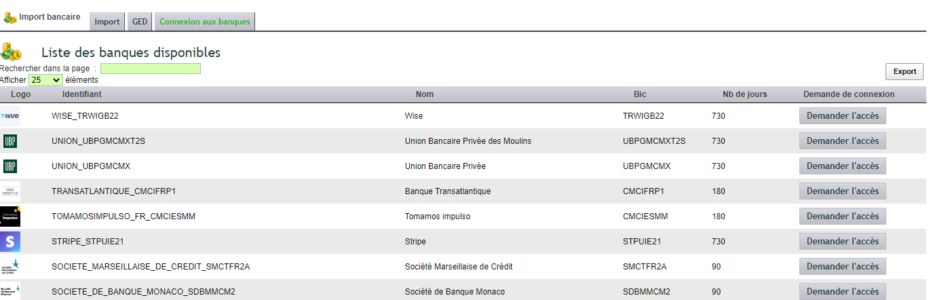
The connection process is simple:
- in the “Bank connections” tab, click “Add a new bank”;
- select your financial institution, then click “Request access”;
- you’ll be redirected to your bank’s consent page, hosted by the bank;
- you then authenticate on your bank’s secure interface;
- finally, DoliPlus receives an access token and returns to your screen.
Important: this authentication interface belongs to your bank. Therefore, neither you nor DoliPlus control its appearance. On its side, DoliPlus securely stores the access token.
If authentication fails, or if you cancel, an error message simply returns you to DoliPlus.

Note: PSD2 requires a new strong authentication every 90 days at most.
Call limits
Additionally, banks may set limits, usually up to 4 calls per day and per account. Each data type (details, balances, transactions) has its own limit. Beyond that, you receive an error.
Access to previous months’ history
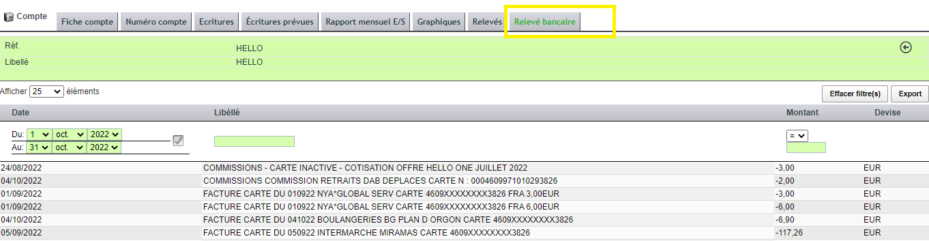
Finally, a history table remains accessible from the bank account, via the Bank menu.
Transaction date details
For a transaction date, banks use two fields: valueDate and bookingDate. Both are optional. It’s therefore the bank that decides to transmit one, both, or none.
| Outgoing operations | Incoming operations | |
valueDate |
the date on which the payment is settled | the date on which the funds become available |
bookingDate |
the date on which the payment is initiated | the date on which the entry is posted to the account |
As a general rule: bookingDate <= valueDate <= today. For a pending transaction, the valueDate may however be a future date.
