 on 5 September 2026
 Managing Goods Receipts in DoliPlus
Receiving goods lets you record the arrival of your supplier orders, then update your stock levels. This ensures your quantities always reflect what actually entered the warehouse.
The goods receiving module
DoliPlus offers several tools to manage goods receiving and stock tracking efficiently. You log each arrival, then update your quantities without re-entering data.
Configuring goods receiving
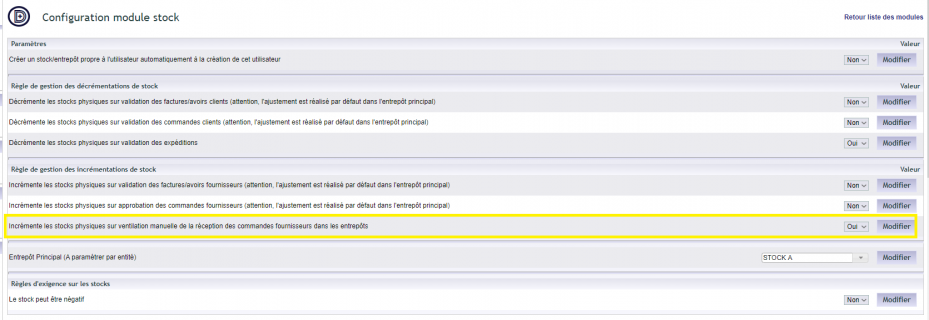
The feature is enabled in the Stock module, via “Home → Configuration → Modules”. Once the module is activated, an icon appears at the end of the line: click it to open the settings page.
You then choose the option that increments physical stock levels during manual allocation of the receipt. Additional settings are also available in the PDF/Interface settings.
Receiving a supplier order
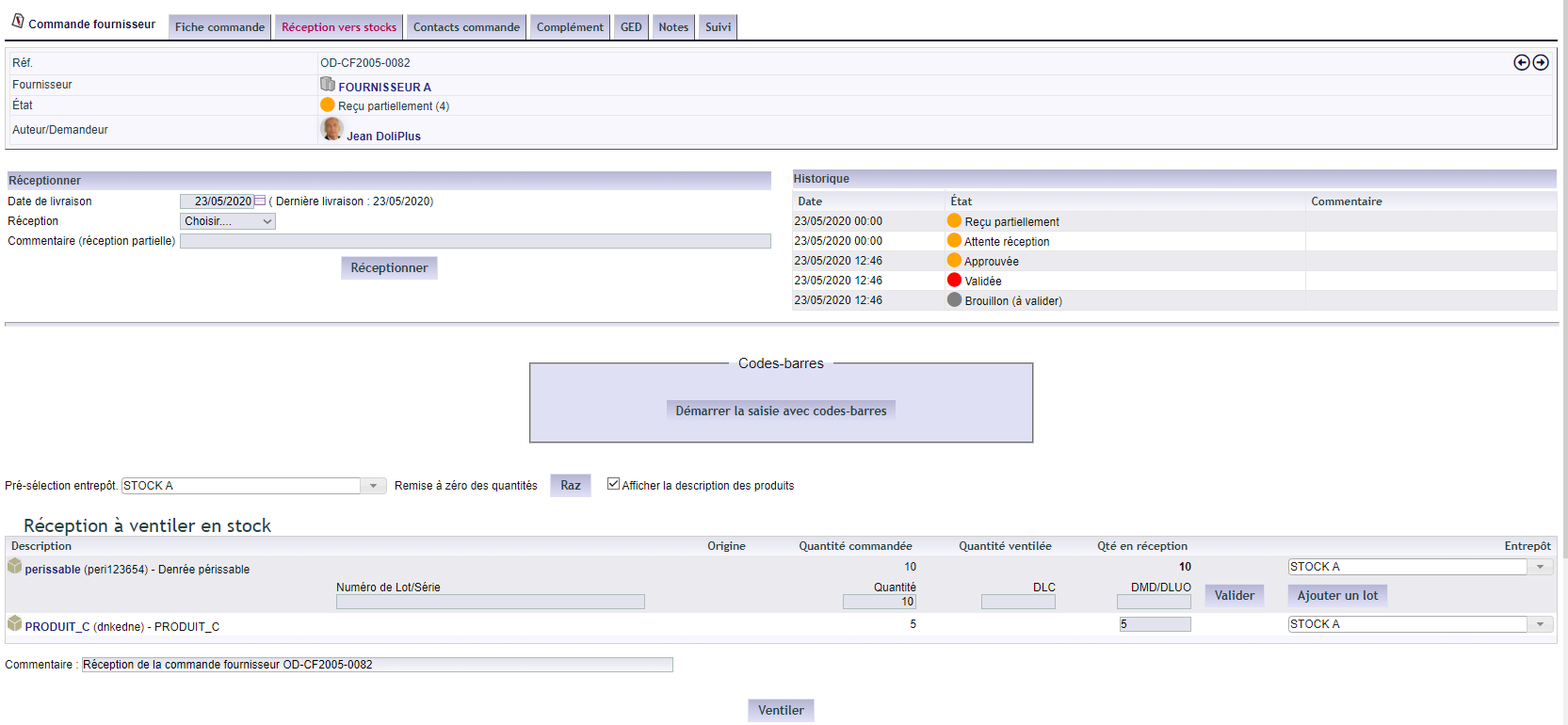
The process starts from the order. A “Receive order” button takes you to the Receiving tab. You can also open this tab directly.
Next, select the receipt type, then click “Receive”. DoliPlus then updates your stock.
Cancelling a receipt
Cancellation is possible as long as V2 batch management is not enabled.
Using batch or serial numbers
You can track each received item by its batch or serial number. View the dedicated chapter
Entering receipts via barcode
Finally, barcodes speed up receipt entry. View the dedicated chapter
Why track your receipts?
Without structured receiving, the gap between theoretical and actual stock widens. Goods receiving closes this gap as soon as products arrive.
You benefit in three ways:
- accurate stock: quantities update on actual receipt;
- full traceability: every arrival is recorded;
- fewer errors: batches, serials and barcodes improve data entry.
Learn more about stock management
To go further
