 on 5 September 2026
 Product variations in Dolibarr & DoliPlus
Product variations let you manage the same item in multiple versions: size, colour, format. This way, you create your variations from a source product without re-entering all the details.
What are product variations for?
The Variations module creates variants of a product or service based on attributes. For example, from an existing shoe, you generate a new product in red and size 40.
In this case, colour and size are attributes, with values “red” and “40”. You can also apply a price impact, in value or percentage, as well as a weight impact on each variation.
Create a variation attribute
Setup begins with attributes. In the Product menu, the Variations submenu displays the list of attributes. Then, add a new attribute with the “New” button.
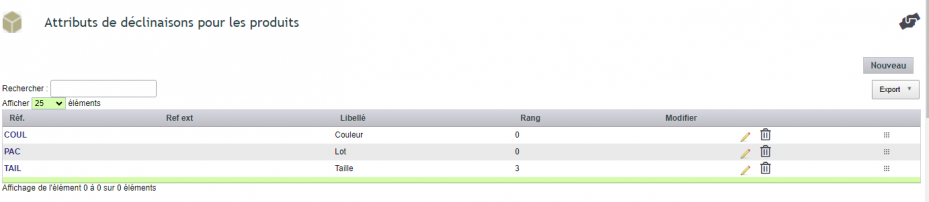
Next, click on an attribute reference to open its record, then add a new value. This reference will complete the reference of the varied product.

Create a varied product
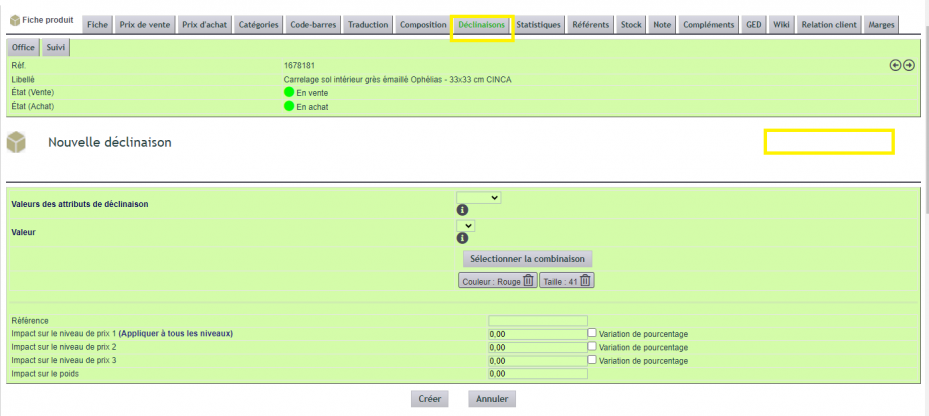
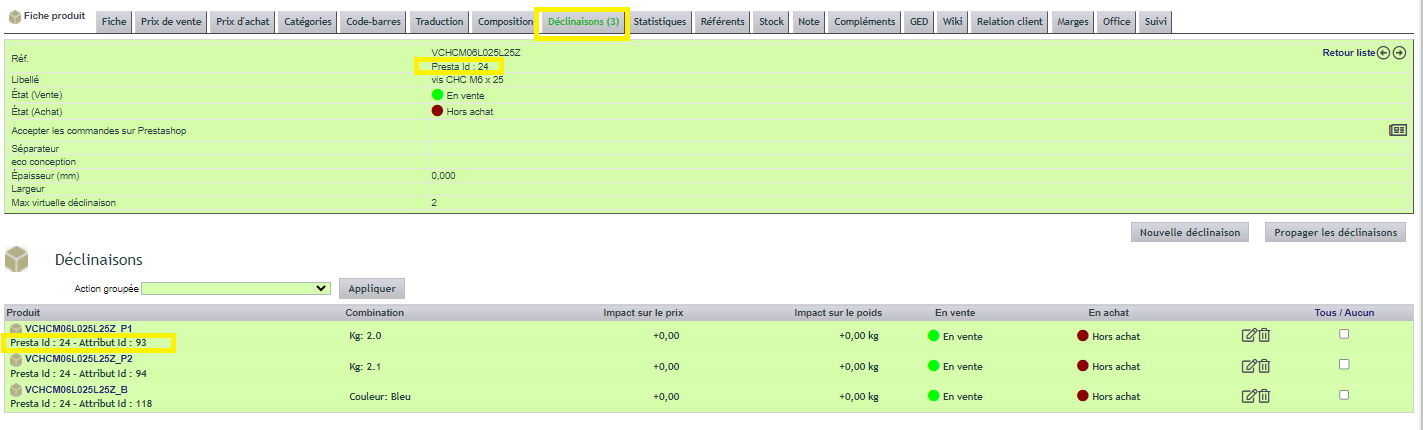
Now for creation. Go to the product record, then open the Variations tab and add a new variation. You can then combine multiple different attributes.
The reference remains optional. By default, DoliPlus takes the reference of the source product, completed with attribute values and the separator defined in settings. Additionally, a price and weight impact applies to each variation.
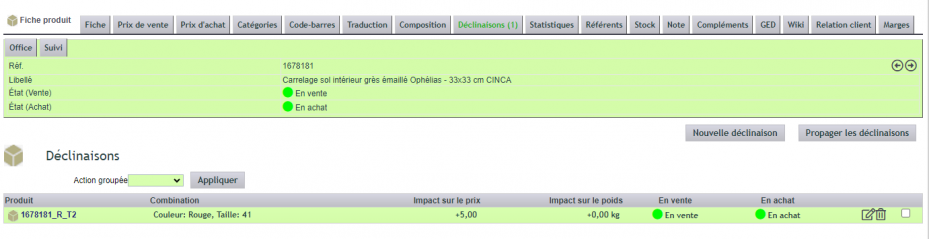
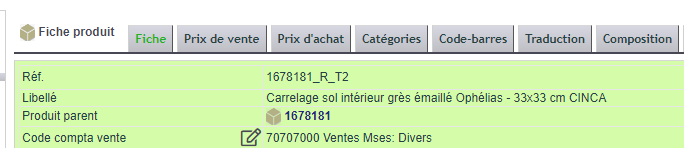
Once created, the varied product appears in the list with a link. On its record, the Variations tab disappears, but information links it to the source product.
PrestaShop compatibility
Finally, product variations synchronise with your shop. To do this, activate the DoliPresta module and the variation management option. The parent product must already be synchronised. Learn more about the PrestaShop connector
Why use product variations?
Creating each variant as a separate product multiplies the work and errors. Product variations, on the other hand, start from a common template.
You benefit in three ways:
- a consistent catalogue: all variants derive from the same product;
- time savings: references and prices are automatically derived;
- a synchronised shop: your variants update in PrestaShop.
Learn more about products and services
To go further
