 on 5 September 2026
 Validation checks – Dolibarr & DoliPlus
Validation checks in DoliPlus
Validation checks prevent costly oversights — missing VAT, unassigned project, zero quantity line — by automatically verifying your documents before validation.
The page check helps avoid careless mistakes due to numerous professional distractions such as forgetting VAT on a line or assigning to a project required by the organisation to better track case files.
This page lists available checks, either standard or configurable on request. These validation checks are part of your company’s internal control.
Need another validation check? Contact your sales team.
Activation
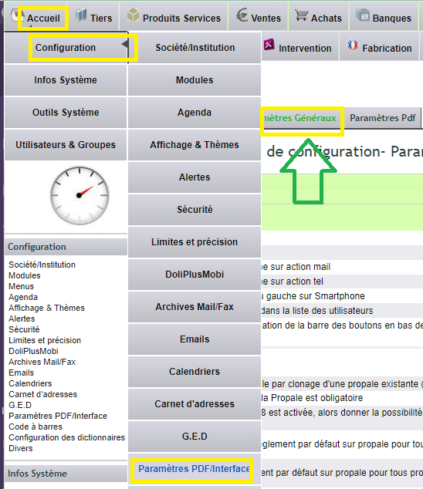
Activate from the Admin menu, then select options:
Commercial Proposal – Quote
PG48: Follow-up on quotes is mandatory
PG30: If option PG48 is enabled, allow the user to confirm they don’t want a follow-up date
PG65: Make estimated delivery date mandatory on quotes
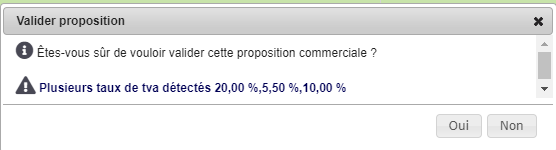
PG90: Validation alert if the quote contains multiple VAT rates or 0% VAT
PG93: Validation alert if one or more lines on the quote have zero quantity
Learn more about Commercial Proposals – Quotes
Customer Order
PG31: Makes project mandatory to validate customer orders
PG66: Makes delivery/shipping date mandatory on orders (terminology depends on option 123)
PG91: Validation alert if the order contains multiple VAT rates
PG94: Validation alert if one or more lines on the order have zero quantity
Learn more about Customer Orders
Customer Invoice
PG71: Forces invoice date to current date upon validation
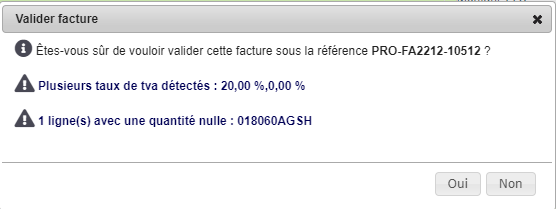
PG92: Validation alert if the invoice contains multiple VAT rates
PG94: Validation alert if one or more lines on the invoice have zero quantity
Learn more about Customer Invoices
Supplier Order
PG32: Makes project mandatory to validate supplier orders
PG58: Makes delivery date mandatory to validate orders
Learn more about Supplier Orders
