on 5 September 2026
 Dolibarr Document Generation Templates
Document generation covers many elements in your DoliPlus ERP:
- quotes,
- customer orders,
- customer invoices,
- supplier price requests,
- supplier orders,
- supplier invoices,
- letters generated from a customer or supplier record,
- delivery notes, etc.
Generally, you manage these templates directly in the corresponding module. In most cases, PDF templates remain available.

Generating documents in PDF format
Standard templates
Two high-performance templates are available:
- DoliPlus,
- New DoliPlus.
Both handle automatic layout based on multiple options in the PDF/Interface Settings.
You can also configure which columns to display, border colours and styles, or even a background pattern from a PDF template.
Custom templates
We also create fully bespoke templates on request.
Documents generated from ODT or ODS templates
These templates complement or replace DoliPlus PDF templates for quotes, orders and invoices.
We can create custom templates for you. Alternatively, you can create your own OpenOffice or LibreOffice document from scratch or using a provided example.
This method has both advantages and limitations. Key benefits include the ability to modify templates freely and create as many as needed.
When a module offers this functionality, it appears in its configuration.

The module also indicates where to store templates in DoliPlus’ document library.
Finally, you select the output format based on the template type (ODT or ODS), such as PDF.
How to create or modify a template
If using an example, you’ll find it in the specified subdirectories. Otherwise, contact technical support.
Edit the document using all your office suite’s functions.
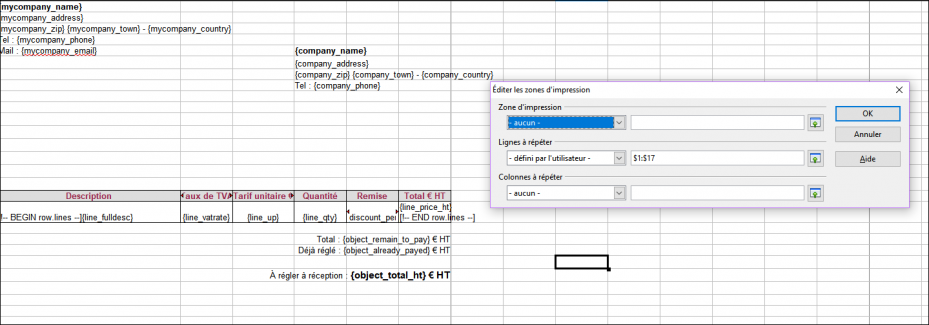
Include variables for the information to display. DoliPlus automatically replaces these during generation. The available variables are listed in the chapter on type 2 variables.
Note: Tags are enclosed in {} or [] for tables and conditions. Crucially, type them directly in Office without backspacing or copy-pasting. Otherwise, Office adds invisible formatting that prevents replacement. You can paste using unformatted paste (CTRL+SHIFT+V).
All custom fields are supported through type 2 variables, along with subtotal section headers.