 on 5 September 2026
 Edit your Word, Excel, PowerPoint documents in DoliPlus — OnlyOffice integration
Edit your Word, Excel, PowerPoint and PDF documents without leaving DoliPlus
First, let’s recall the old process. Until now, clicking on a Word or Excel file in the DoliPlus document library triggered a download. You then had to open the document, edit it, save it, and then manually re-upload it.
Thanks to the OnlyOffice integration, this process is now a thing of the past. A simple click opens the editor directly in your browser. Plus, saving is automatic.
This way, your document stays in place, on your DoliPlus server.
New feature: editing now extends to PDF files. In practice, you can modify a PDF directly in DoliPlus. For example, you can correct text, add or reorder pages, annotate, or fill in a form. And all of this without any software installed on your device.
Additionally, the edit option is available on all records in DoliPlus. Including: customers or suppliers, quotes, invoices, orders, projects, products, or contracts.
What you can do
From the document library — right-click to edit
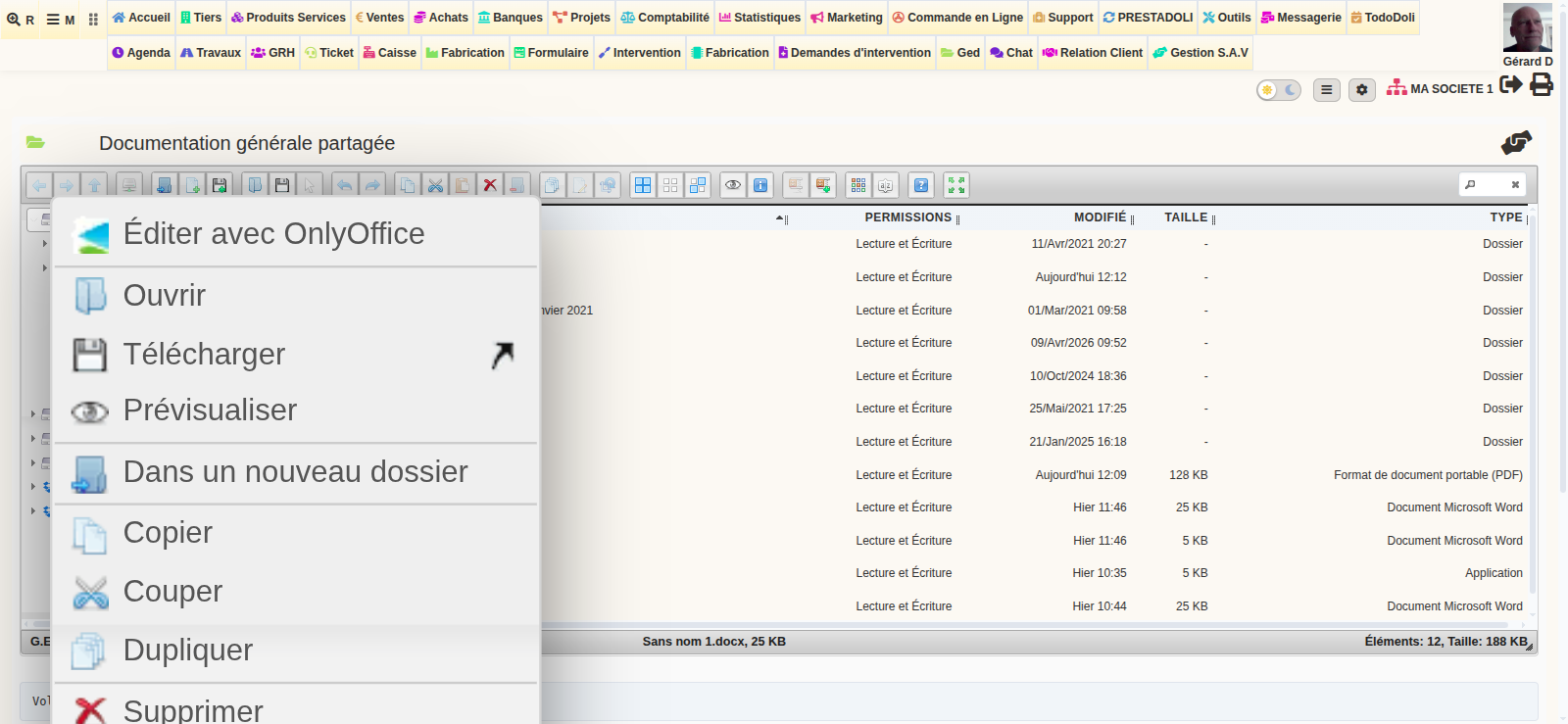
To start, open the document library. Then, right-click on any compatible file. The context menu then displays the Edit with OnlyOffice option.
As a result, the editor opens in a new tab, in full screen. Plus, the toolbar is complete, identical to Microsoft Word or Excel.
From customer or supplier, invoice, project records…
Each DoliPlus record includes document tabs. These tabs list all attached files for a customer, invoice, order, or project.
Next, click a link to a .docx, .xlsx, .pptx or any Office format. The OnlyOffice editor opens automatically instead of downloading the file. Plus, this works seamlessly – no extra steps, the process is invisible.
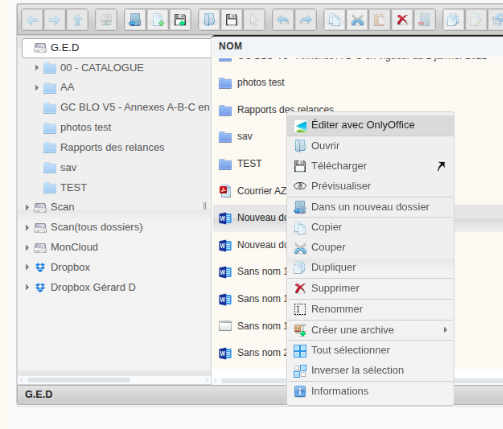
Many formats are supported, including: Word (docx, docm, dotx, odt), Excel (xlsx, xlsm, xltx, xlam, ods), PowerPoint (pptx, pptm, ppsx, odp) and PDF (pdf).
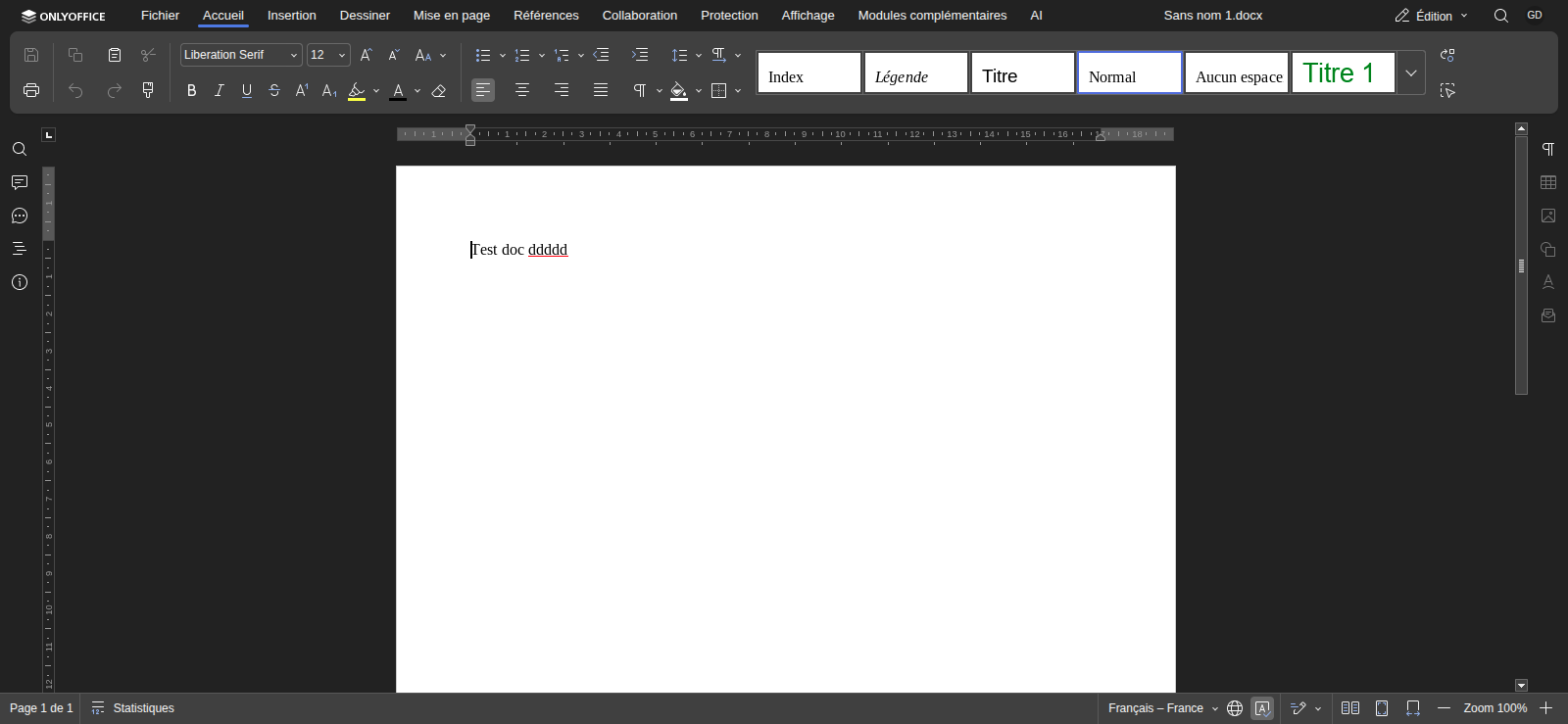
Edit a PDF directly in DoliPlus
No need for expensive software to edit a PDF. From the document library or any record, you can open a PDF in the editor and modify it like a standard document.
- Correct or add text to a PDF
- Add, remove, rotate or reorder pages
- Annotate, highlight, add images, shapes or text boxes
- Fill in and create forms
Finally, DoliPlus saves the file back as a PDF on your server, and automatically keeps a backup copy.
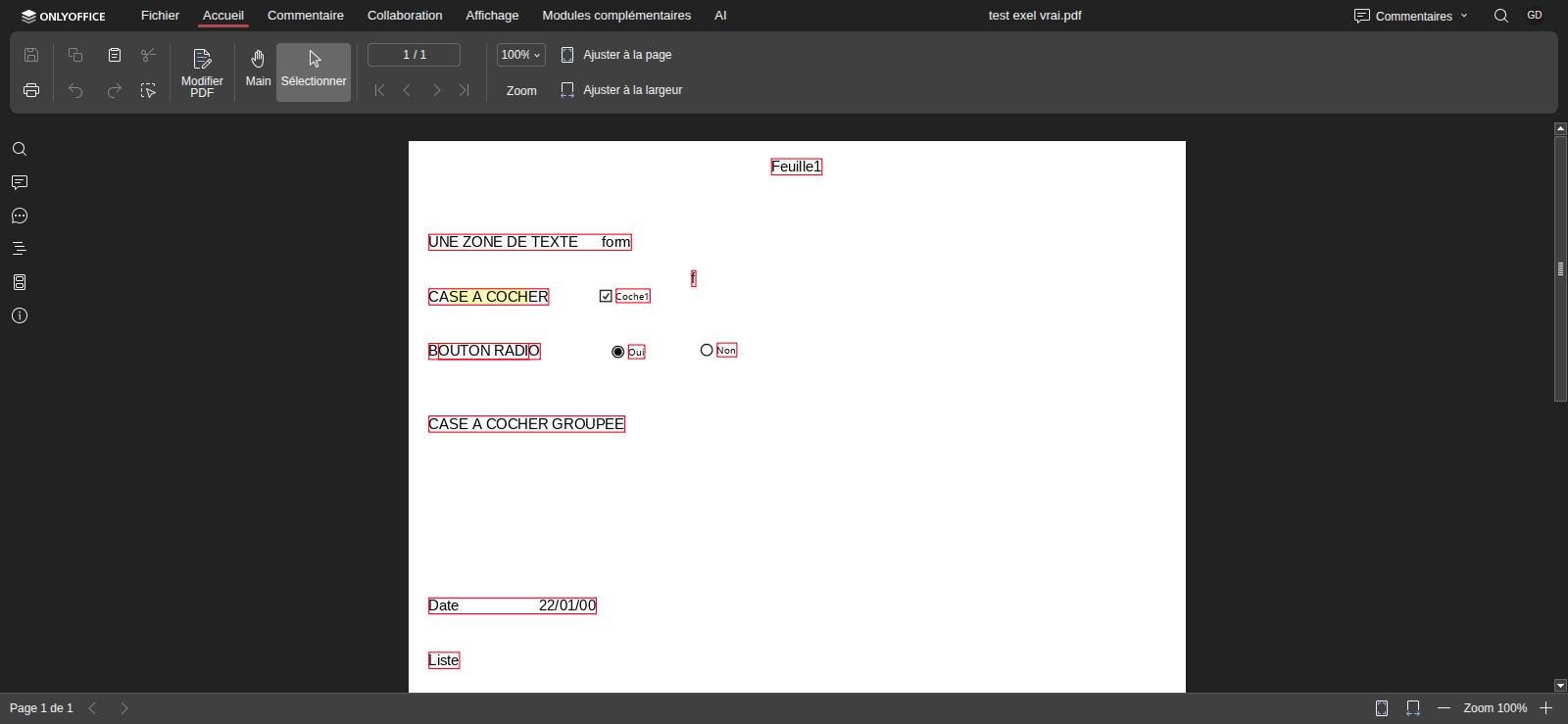
Create fillable forms and presentations — online
Moreover, DoliPlus isn’t just about editing existing documents. You can also create new ones from scratch. And all this without installing any software.
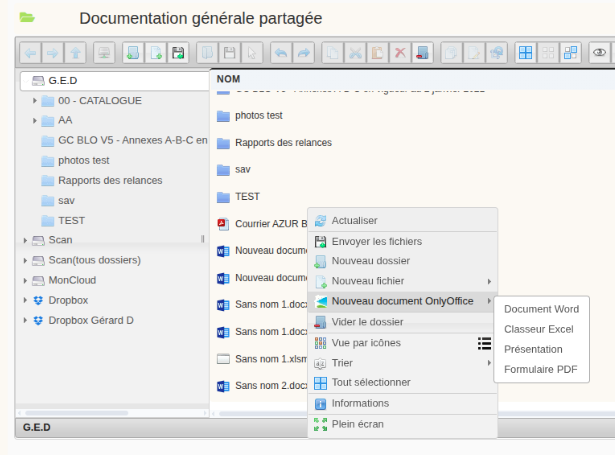
Simply right-click in a blank area of your document library. The menu will then offer New OnlyOffice Document. Next, choose your preferred type: text document, spreadsheet, presentation, or form.
Interactive Form Builder
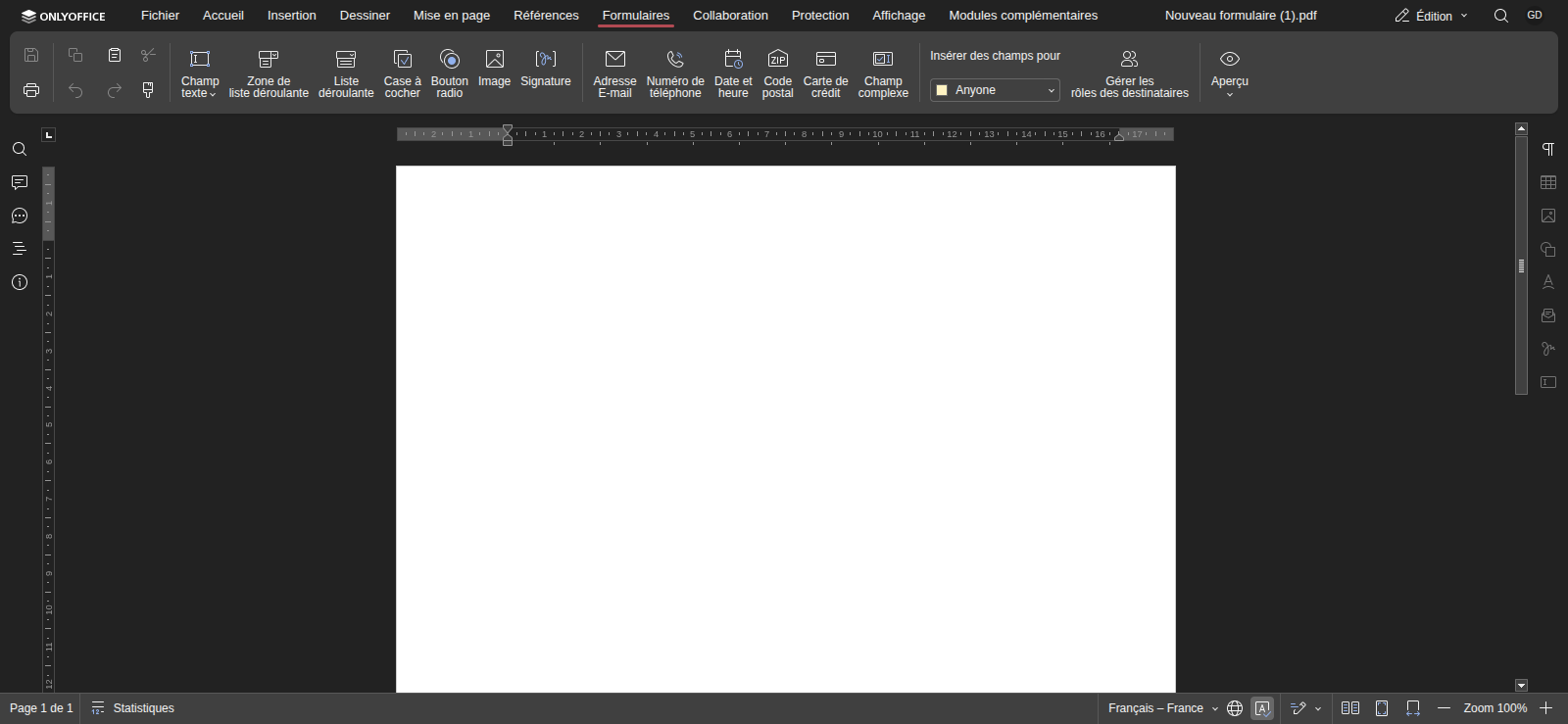
You can also design fully interactive forms. This means your customers or colleagues can fill them in directly on-screen. Examples include quotes to complete, information sheets, order forms, questionnaires, or contracts to sign.
- Text fields, checkboxes, radio buttons, dropdown lists
- Email, phone, date, postcode fields, and signature fields
- Role assignment for recipients and preview of completed forms
- Saved as PDF — universal, readable anywhere
Presentation Builder
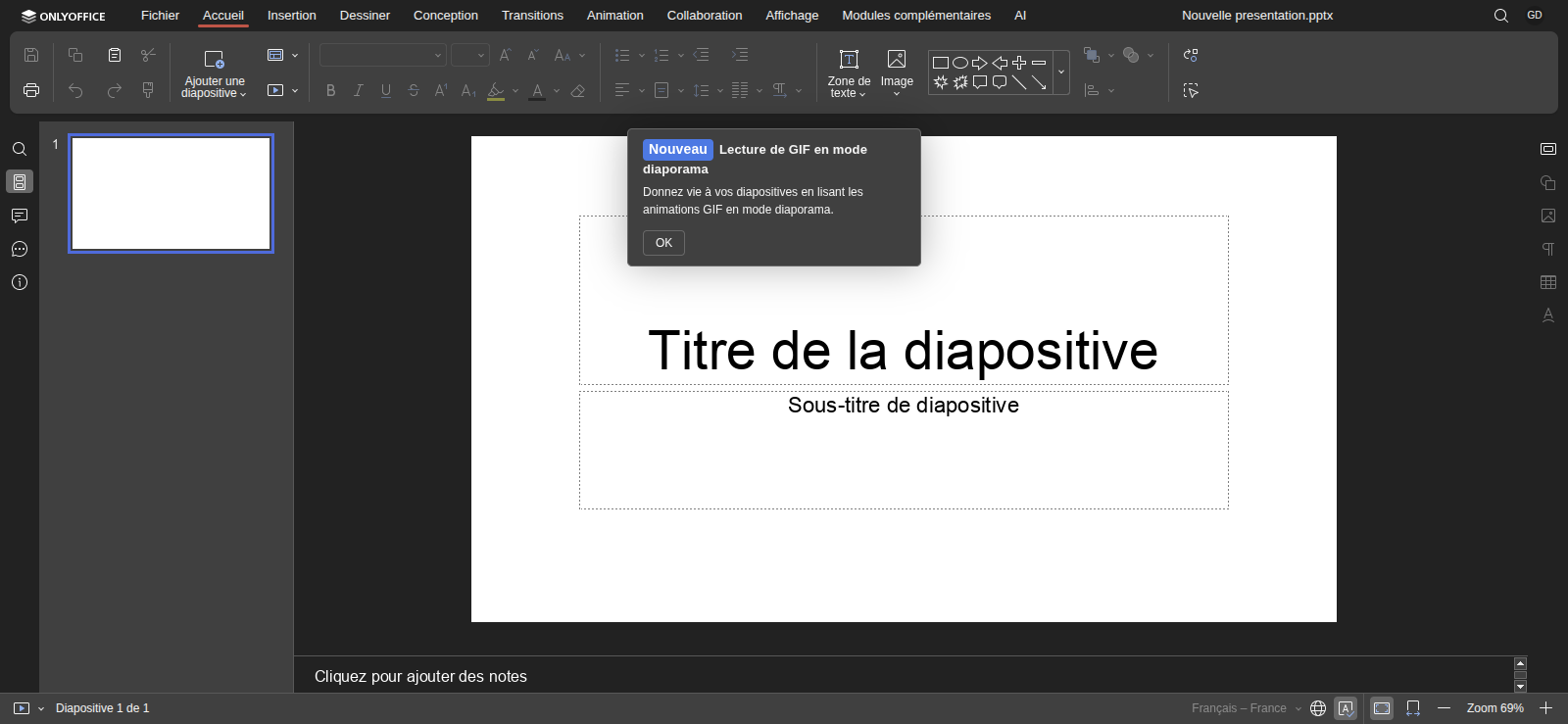
You can also create sales presentations directly in DoliPlus. This includes managing slides, layouts, themes, transitions, and animations.
The editor follows all the conventions of traditional presentation software.
Online editing relies on an office server: it opens the document in your browser and handles collaborative editing. It’s shared and billed based on the number of simultaneous editors — see the OnlyOffice offer. Your files stay put: they remain in your DoliPlus space.
Edit your documents from your smartphone
Your teams aren’t always at their desks. That’s why you can now edit your documents in DoliPlus directly from your phone. The DoliPlusMobi mobile app makes this possible. No more waiting until you’re back in the office.
The process is simple. First, open the document library on your mobile. Then, tap a file. A window will give you two options: Download or Edit with OnlyOffice. The editor then opens in your browser – no installation needed.
Built for fieldwork
This feature transforms how mobile teams operate. For example, a technician on-site can:
- complete a PDF form there and then (job sheet, delivery note, condition report);
- amend a quote or document right at the customer’s premises;
- add notes and save – everything syncs immediately.
Documents are updated before you even leave the appointment. Plus, you’re working on the actual file in your document library – not a copy.
Your files stay on your server – always
This is the architecture’s cornerstone. The DoliPlus-OnlyOffice processing server is purely a rendering engine. It temporarily fetches your file to display it, then sends edits back via a secure link to your DoliPlus session server.
At no point is your document stored outside your own systems.
- Files live on your DoliPlus server
- The DoliPlus-OnlyOffice processing server loads them via secure temporary URLs (valid for 24 hours)
- On saving, OnlyOffice sends modified files back to your DoliPlus session
- Automatic .bak backup copies are kept before any file overwrite
Secure Data Exchange
First, a shared secret key signs all exchanges between your DoliPlus session and the OnlyOffice processing server. Therefore, only the authorised OnlyOffice processing server can access your files and submit backups.
Additionally, file access links are single-use and time-limited. Finally, this security feature works exclusively over HTTPS.
Hosting and Licensing Options
First, DoliPlus hosts a shared OnlyOffice processing server for demonstration purposes. This means it remains accessible to all customers.
Additionally, this solution is free. Therefore, it requires no specific configuration on your part.
Finally, it relies on the Community Edition of OnlyOffice, which is free and open source.
Dedicated OnlyOffice Processing Server
Some customers prefer a dedicated OnlyOffice processing server for their exclusive use. This is particularly the case for enhanced confidentiality or high usage volumes. In this scenario, you can deploy OnlyOffice exclusively for your use.
However, your documents remain on your DoliPlus session. In other words, only the rendering engine changes configuration address.
- With Community Edition: Same 20 simultaneous connection limit as in the shared version, regardless of the number of users in your session.
How Much Does Microsoft 365 Cost for the Same Features?
To edit Word, Excel and PowerPoint documents, Microsoft requires a Microsoft 365 Apps for Business (formerly Office 365) subscription. Furthermore, this subscription is billed per user per month.
The table below illustrates the annual cost based on your team size. In practice, it compares this with OnlyOffice integrated in DoliPlus.
| Team | Microsoft 365 Apps |
|---|---|
| 10 users | ~990 € |
| 20 users | ~1 980 € |
| 30 users | ~2 970 € |
| 50 users | ~4 950 € |
Microsoft 365 Apps for Business public pricing 2025 (~8,25 €/user/month ex. VAT). Microsoft prices may change.
Additionally, you may be looking for a dedicated email service, hosted in France and compatible with DoliPlus, to avoid Microsoft or Google? Good news: French-made solutions exist. Contact us.
Finally, for a commercial offer regarding a dedicated OnlyOffice processing server for your exclusive use, contact your sales team.
Decision table
| Profile | Recommended solution | Cost |
|---|---|---|
| Fewer than 20 simultaneous edits | Shared DoliPlus (included) | Included |
| Full confidentiality required | Dedicated processing server + Community Edition | Contact us |
| More than 20 simultaneous edits | Dedicated processing server + Developer Edition | Budget > 2 000 €/year |
Module setup
Activation is done in two simple steps via DoliPlus admin:
- First, enable the OnlyOffice module from the modules list
- Then enter in settings: the OnlyOffice server URL and the JWT key provided by DoliPlus
The setup page includes a live connectivity test. A green Server operational badge confirms DoliPlus is correctly communicating with the DoliPlus-OnlyOffice processing server. For DoliPlus shared hosting users, we provide these settings upon activation.
User permissions
OnlyOffice editor access follows DoliPlus permissions. Users with Read rights for the OnlyOffice module can launch the editor. Others will continue downloading files normally – default behaviour remains unchanged.
Official OnlyOffice reference links
| Subject | Official link |
|---|---|
| Website & general presentation | https://www.onlyoffice.com · https://www.onlyoffice.com/docs |
| Word processor | https://www.onlyoffice.com/document-editor · doc |
| Spreadsheet (Excel) | https://www.onlyoffice.com/spreadsheet-editor · doc |
| Presentations (PowerPoint) | https://www.onlyoffice.com/presentation-editor · doc |
| https://www.onlyoffice.com/pdf-editor · doc | |
| Forms | https://www.onlyoffice.com/form-creator · doc |
| User guides (all) | https://helpcenter.onlyoffice.com/docs/userguides |
To go further
- DoliPlus document library: Document library
- Enhanced text editor (automatic correction and saving): Your text editor gets richer
