 on 26 August 2026
 Unit of measure pricing: sell by weight, area or volume, no manual maths
Unit of measure pricing lets you sell and buy your products by a physical quantity — weight, area, volume or time — instead of by the piece. DoliPlus then values every line from that unit of measurement on its own, so nobody reaches for a calculator and nobody retypes a figure. DoliPlus is the enhanced cloud edition of Dolibarr.
Why unit of measure pricing changes your quotes
If you sell steel, fabric, soil, cabling or consulting hours, the piece is not your unit — the kilo, the square metre, the cubic metre or the hour is. Typing a total by hand works until the day someone forgets to multiply, and that day costs you the margin of the whole line.
DoliPlus handles these units on products and on services alike. Six families are available:
- the unit, sold by the piece;
- weight;
- area;
- volume;
- duration;
- time.
The units come from the « List of sales and/or purchase units » dictionary. Moreover, you extend that list freely from the dictionary management screen — your trade’s own units belong there.
Turn unit of measure pricing on
First, open Home → Setup → PDF/Interface parameters, then switch on these three options:
- 201 — « Enable price calculation based on the sales unit »;
- 131 — « Show the sales unit column »;
- 312 — « Sales unit column width », which you adjust for the printed PDF.
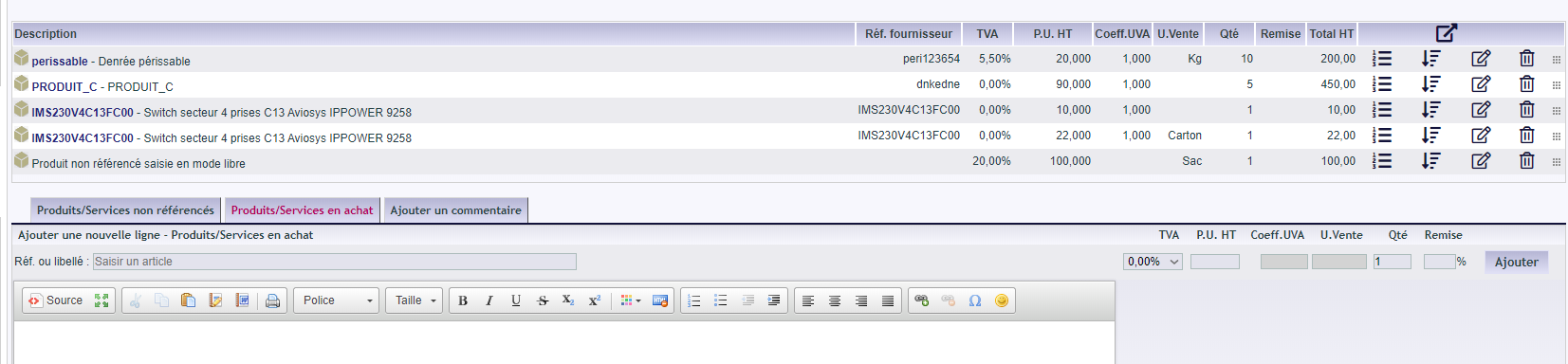
From then on, the unit column appears on your quotes, sales orders and invoices. The example below shows a supplier order.
A concrete example
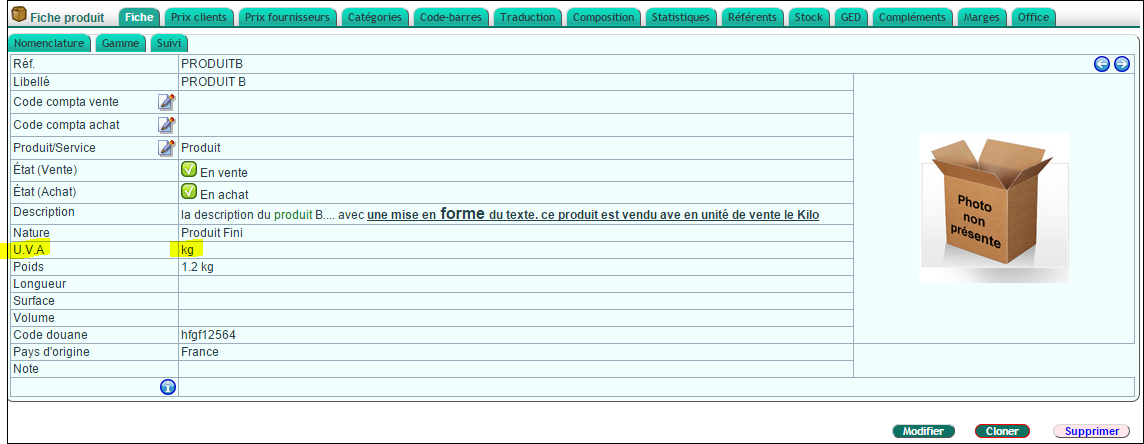
Take a product whose sales unit is the kilogram, with a recorded weight of 5 kg, and set its price at €5 per kg. Then, as soon as you add that product to a quote, DoliPlus values the line at €25.
You therefore price your products and services at their real weight, without a single manual calculation — and the same figure follows the document all the way to the invoice.
Read more
- Managing your products
- The general dictionary
- The product and service catalogue
- PDF and interface parameters
Related Entrées
