 on 5 September 2026
 Automated catalogue of products and services for sale
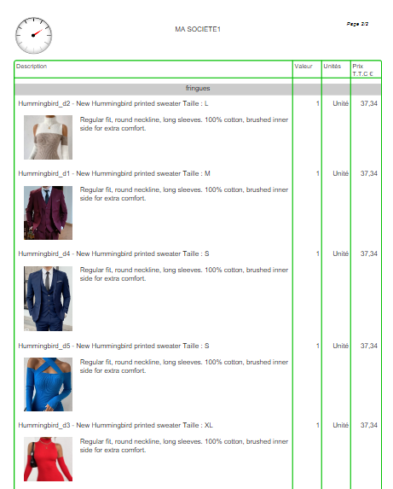
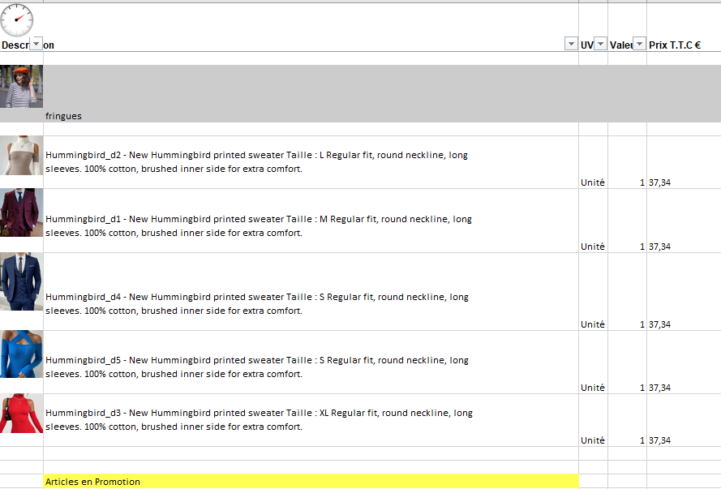
The automatic catalogue generates your products and services into a PDF or Excel document, with or without pricing. This way, you produce an up-to-date catalogue in just a few clicks, without manual formatting.
What is the automatic catalogue for?
The automatic catalogue generates catalogues in table format, based on your product and service database. You filter your items, then generate the document on demand.
In practice, the tool offers several advantages:
- on-demand PDF or Excel output;
- automatic table layout;
- direct synchronisation with your ERP;
- support for sales and purchase units (UVA);
- immediate integration of new items and last-minute changes;
- customisable PDF footer.
Once activated, the automatic catalogue is accessible from the Sales → Tools → Catalogue menu.
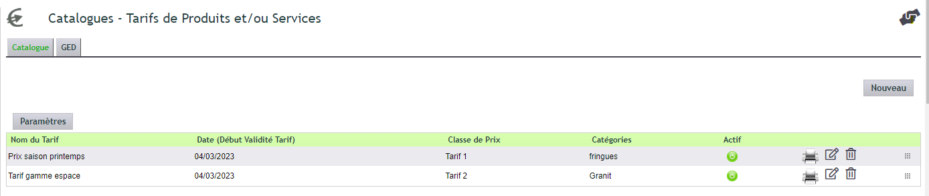
Configuring the automatic catalogue
Configuration is done from the module interface, in the “Settings” tab. Many options control your outputs. Note that specific conditions can be added at the bottom of each page, with a 255-character limit for Excel exports.
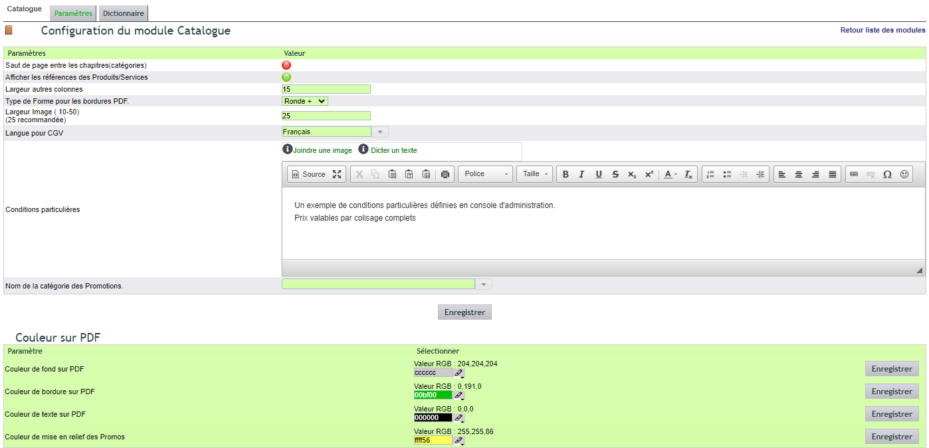
Each catalogue remains highly customisable:
- columns to display can be freely organised;
- each output can be named, dated and saved in a document library folder by year;
- pricing is based on a price class, for example class 100 for customer pricing.
Learn more about price management
Format, chapters and images
The automatic catalogue offers three output formats: PDF (with cover page and watermark), Excel, and Excel Big for large exports, processed in the background.
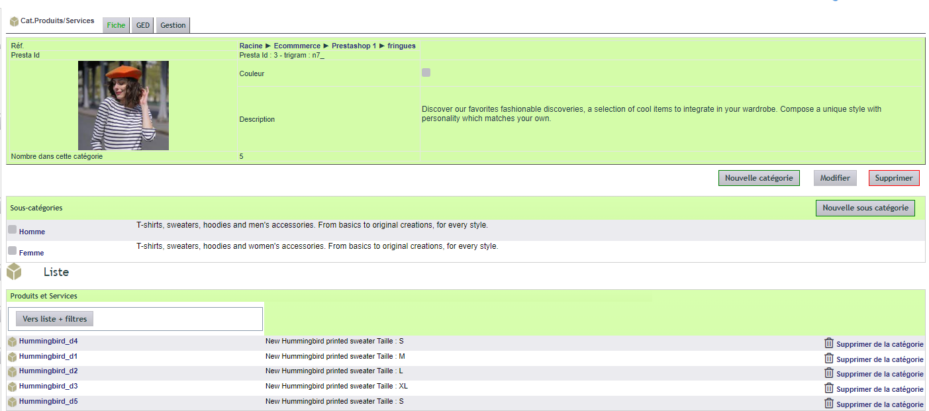
To structure the document, it’s the Product/Service categories that define the chapters and their order. Only items for sale are selected, and the category description serves as the title. Additionally, the catalogue can display product images and highlight promotions.
PDF templates have fixed names. They are stored in the
Templates folder of the module, within its document library:
- the custom cover under the name Cover.pdf;
- the watermark under the name Watermark.pdf.
Your general terms and conditions, however, remain in the usual folder under the
Tools / Templates menu.
Why automate your catalogue?
Creating a catalogue manually is time-consuming and quickly outdated. The automatic catalogue, on the other hand, works from your up-to-date data.
You benefit in three ways:
- Time saved: the document generates in just a few clicks;
- Reliable data: the catalogue reflects your product database;
- Polished presentation: PDF with cover or ready-to-use Excel file.
Learn more about products and services
To go further
