 on 25 October 2026
 Default Contact Management
DoliPlus’ default contacts automatically assign the right person to each document. This ensures your quotes, orders and invoices go to the correct recipient without re-entering data.
In practice, you designate specific contacts for each customer or supplier, defining their role in your sales and purchases. DoliPlus then automatically applies these contacts to relevant documents.
What are default contacts for?
A role, also called contact type, specifies a contact’s function. For example:
- the customer contact handling invoicing;
- the customer contact handling payment follow-ups;
- the supplier contact handling order tracking.
Once defined, these default contacts automatically apply to new documents. Additionally, you can select a contact from another customer or supplier to act as a “delegate”.
Automatically invoicing to a different address
Here’s the most useful scenario. Imagine customer A whose invoices need to be sent to a billing centre B.
Simply designate a “customer billing contact” from B on customer A’s record. Consequently, all invoices for customer A will automatically be issued to B’s address without manual intervention.
Which documents do they apply to?
Contact roles can be defined for most commercial documents:
- commercial proposals (quotes) and orders;
- invoices and service contracts;
- supplier orders and invoices.
Other features also rely on these roles. Notably, the automated invoice chases target the contact responsible for payments.
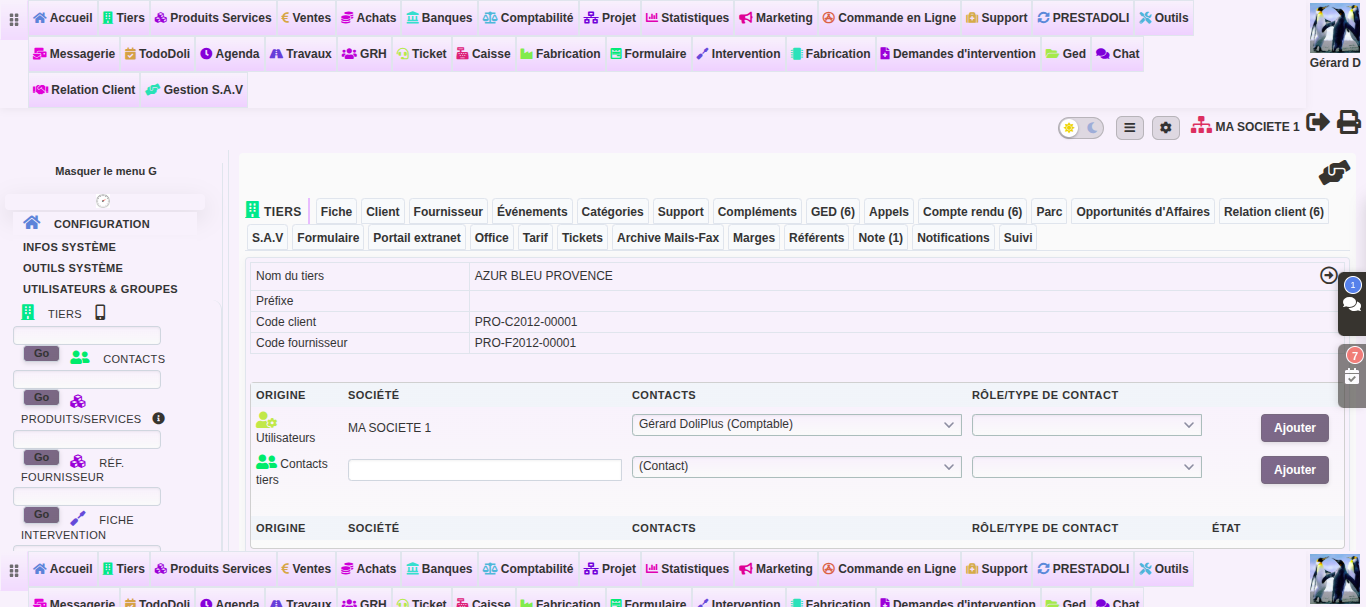
Setting up default contacts
Setup remains quick, from the customer or supplier record:
- Below the record’s tabs, click « Predefined contacts ».
- Click in « Select one or more contacts here », type the beginning of the name, then click the contact in the list. You can choose several.
- Click in « Select one or more roles here » and type, for example, « billing »: the same role exists for each type of document. Click the role you want under the right heading (for example « Customer billing contact » under « Invoice »). Several roles can be chosen at once.
- Click « Add ». A role designates only one contact per type of document: if it is already held, DoliPlus refuses and tells you who holds it. Remove the previous contact first.
The list at the bottom shows all the assignments of the customer or supplier: filter it, export it; the bin icon on a line removes one assignment, and « Select all » then « Delete selection » removes several after confirmation.
From then on, every new document for this customer picks up this contact: you can check it in the Contacts tab of the quote, order or invoice. On the Contacts tabs of invoices, orders and contracts, the « Add a predefined Contact/Address to the third party » button opens this page directly, in a new tab.
Learn more
