 on 5 September 2026
 Dolibarr text and template libraries
Text libraries save you time every day in your DoliPlus ERP CRM solution. Why rewrite the same messages when you can save them once and reuse them?
Compose your letters, emails and notes in just a few clicks, then reuse them throughout the software.
Different text libraries and their uses
Find these templates in the Tools → Documents and Templates menu:
- Email templates: for emails sent from DoliPlus or your email client,
- Customer/Supplier templates: to quickly compose letters in Office,
- Sales templates: to add a message at the top of a quote, order etc.,
- Purchasing templates: to add a message at the top of a supplier order,
- Product templates: to create product and service documentation,
- Support ticket templates: for customer service messages,
- SMS templates: for text messages.
Each library applies to a specific part of the ERP software. Let’s take Email templates as an example.
Email templates
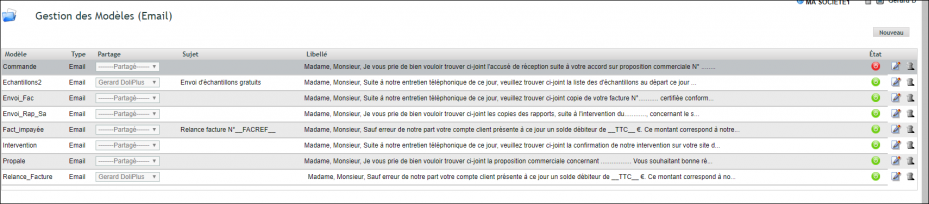
An Email template can also include the message subject. For example:
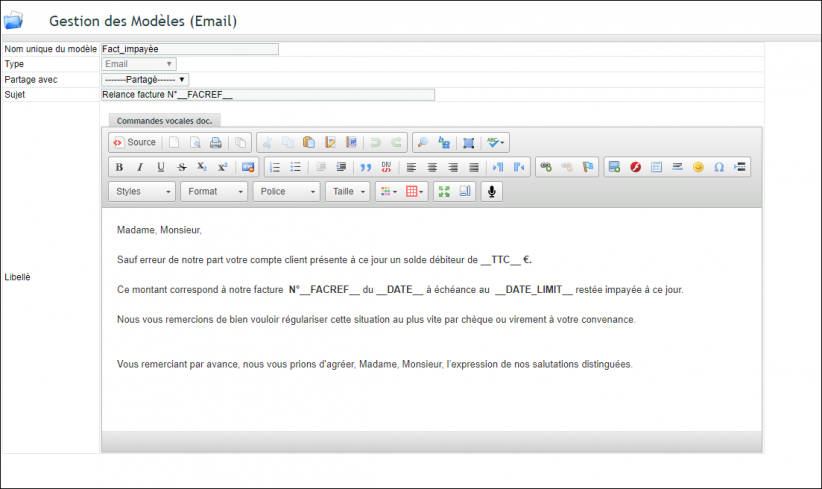
Additionally, Email templates support substitution variables, but only in the internal messaging system. See a practical example: Automated chasing of unpaid customer invoices
Using from your email client
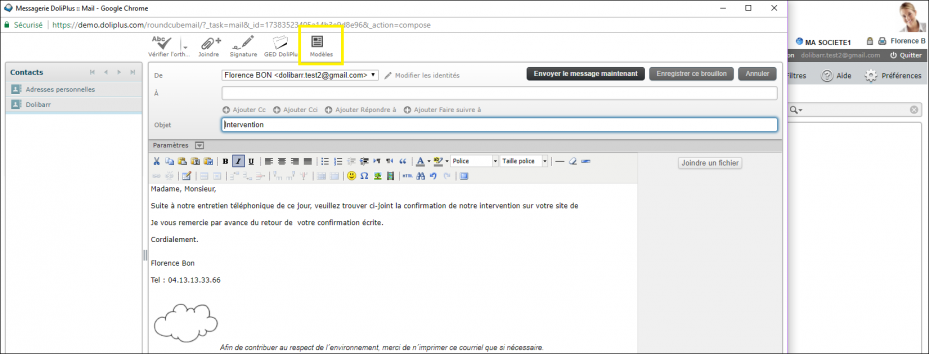
Note: The variable substitution system only works in the internal messaging system.
List of standard variables: Substitution variables reference
Using from the internal messaging system
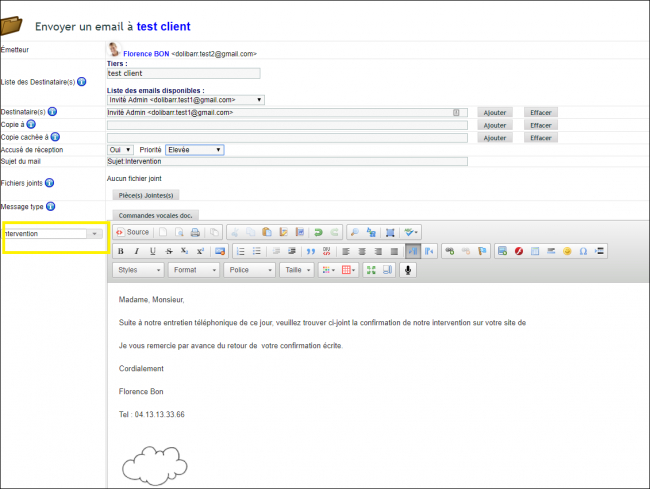
The internal messaging system remains available for outgoing messages from customer records, quotes, orders, invoices etc.
Customer/Supplier templates
Finally, you’ll find a detailed application in the chapter The DoliPlus Office module — custom letter editor
