 on 20 August 2026
 Incoming mail management: every letter reaches the right desk, paper-free
Incoming mail management in DoliPlus digitizes the letters you receive and dispatches them to the right teams:
- paper mail is scanned once and lands directly in your ERP,
- mail received by e-mail is extracted from the webmail in one click,
- an operator dispatches each letter to the person in charge,
- a summary table tracks the whole flow.
As a result, you process mail faster, with no paper going around. DoliPlus is the enhanced cloud edition of Dolibarr, and this capability is part of the standard toolset.
What is incoming mail management for?
Incoming mail management first serves the mail desk, then every user involved in replies and follow-ups. By digitizing, you boost productivity and improve customer service.
Concretely, this approach brings several benefits:
- it turns each letter into usable information;
- it shortens processing times;
- it cuts photocopying, printing and filing costs;
- it removes time-consuming chores.
Therefore, you get a filing, search, consultation and archiving policy, centralised in your ERP.
How incoming mail management works
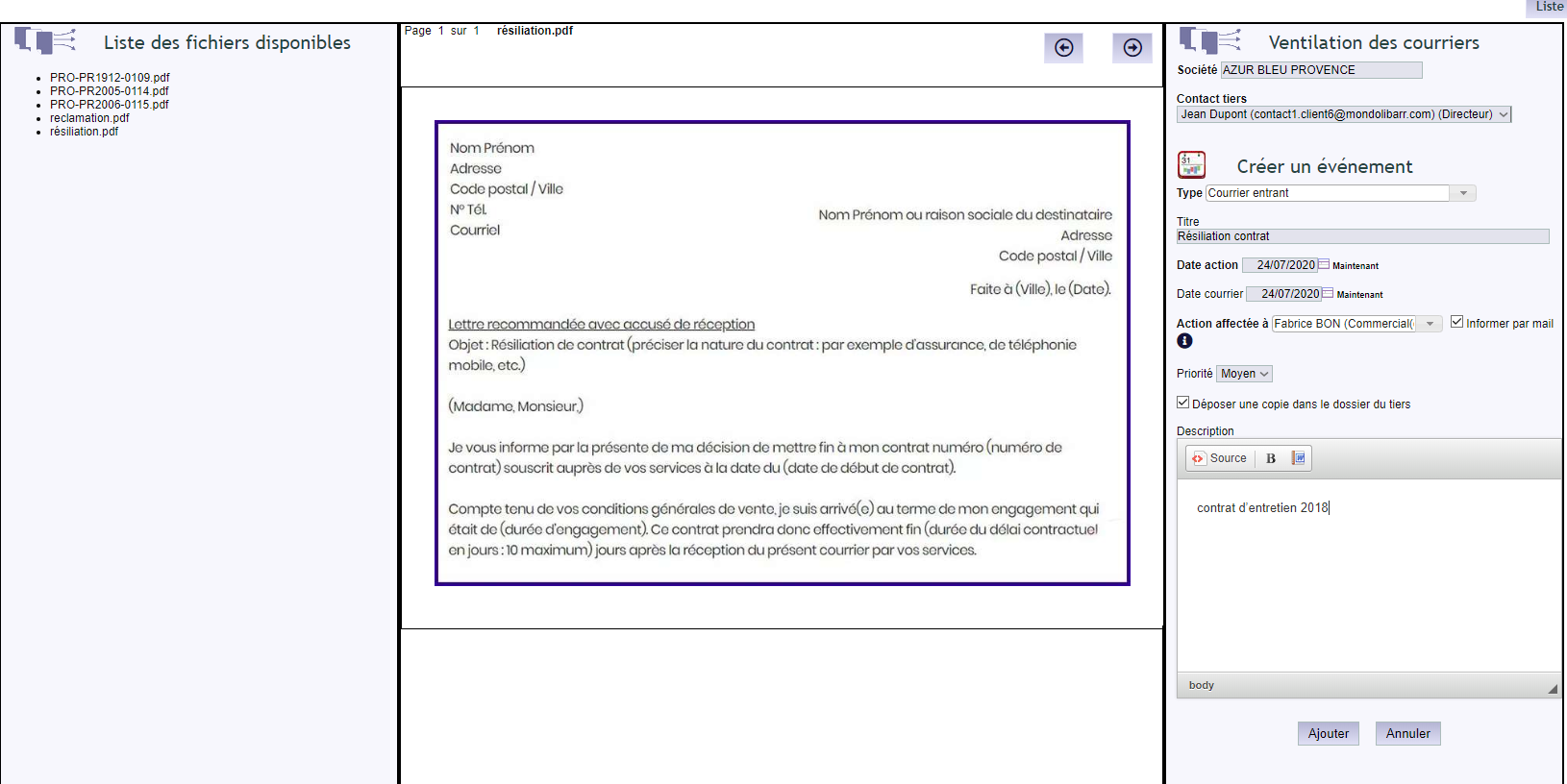
First, incoming letters are scanned, then uploaded straight into DoliPlus, which offers this capability as standard. Moreover, for a letter already received by e-mail, the webmail extracts the attachments in one click into the “Scan” folder. Learn more about the Scan folder
Then, an operator dispatches each letter to the users in charge. This key step, now digital, saves precious time: information is better organised, and customer service gains responsiveness.
You will find all the screens — Sort, List of actions, Setup — in the “Mail sorting” group, at the end of the Sales menu.
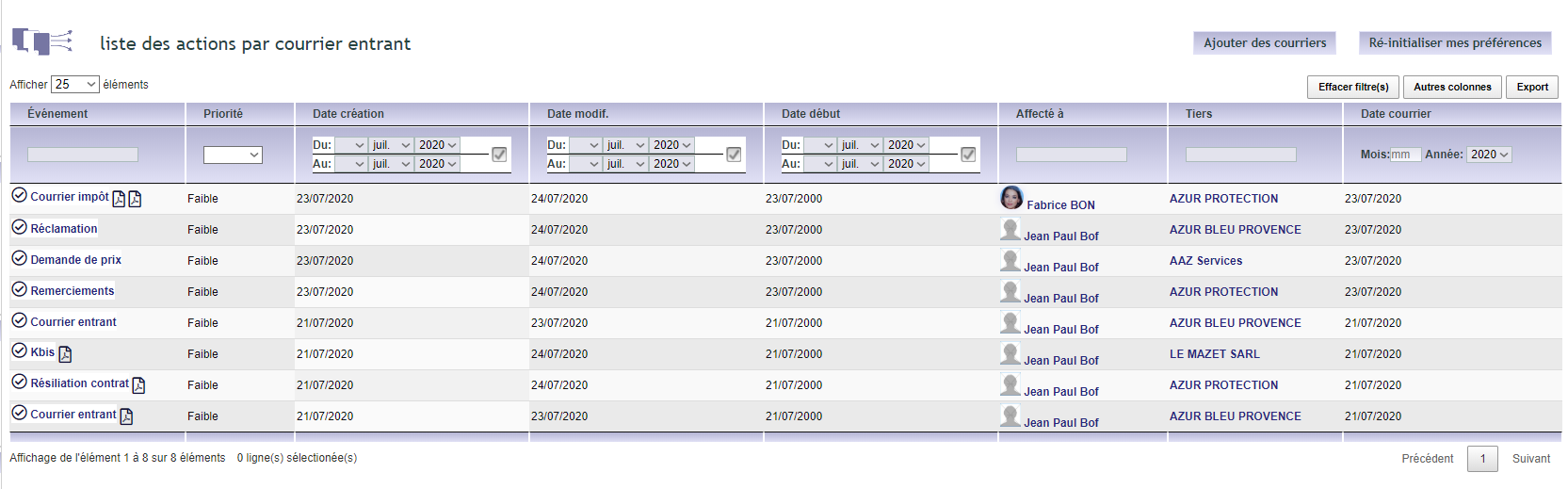
Finally, a summary table supervises the flow, so your teams follow progress and stay in control of their information.
Setting up the module
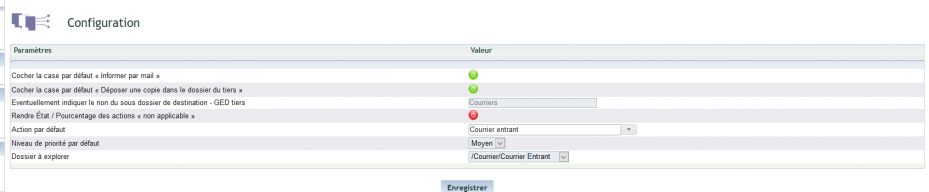
The setup stays simple. First, adjust the rights, per user group or individually.

Then, set the dispatch business rules. The administrator reaches them from the “Mail sorting” group of the Sales menu, or in one click via the Setup button on the sorting screen.
Why digitize your incoming mail?
A paper letter going around gets lost, falls behind and costs money. Incoming mail management removes these obstacles.
You win on three fronts:
- fast processing: each letter reaches the right team immediately;
- full traceability: everything is filed and searchable;
- lower costs: fewer photocopies and less paper filing.
To go further
Related Entrées
