 on 7 July 2026
 Online office suite for business — the OnlyOffice offer in DoliPlus
Why choose an online office suite built into your ERP?
Your DoliPlus solution includes an online office suite that lets you create and edit your documents directly in your browser:
- Word, Excel, PowerPoint and PDF files, opened and edited without installing anything;
- real-time collaboration: several people work on the same document together;
- an artificial intelligence assistant that rewrites, corrects, summarises and translates;
- your files stored on your own DoliPlus space, hosted in Europe;
- two simple plans, for 10 or 20 simultaneous editors.
As a result, your letters, spreadsheets and presentations live in the same place as your customers, invoices and projects. DoliPlus is the enhanced cloud edition of Dolibarr, the open-source ERP & CRM used across Europe.
Traditional office software costs a lot: licences to pay for every computer, files scattered between workstations and mailboxes, and several versions of the same document circulating without anyone knowing which one is right.
That is why DoliPlus integrates the OnlyOffice editor at the heart of your management tool. In other words, your online office suite becomes a natural extension of your everyday ERP.
What you do every day
In practice, the use is immediate. For example, one click on a Word file attached to a customer card opens the editor in your browser. Moreover, you can:
- open and edit your Word, Excel, PowerPoint and PDF documents from your folders and from your customer cards, invoices or projects;
- create a blank document with a right click, directly in the right folder;
- work together on the same document, everyone seeing the changes of the others live, in collaboration mode;
- continue on a smartphone or tablet with the DoliPlusMobi mobile app.
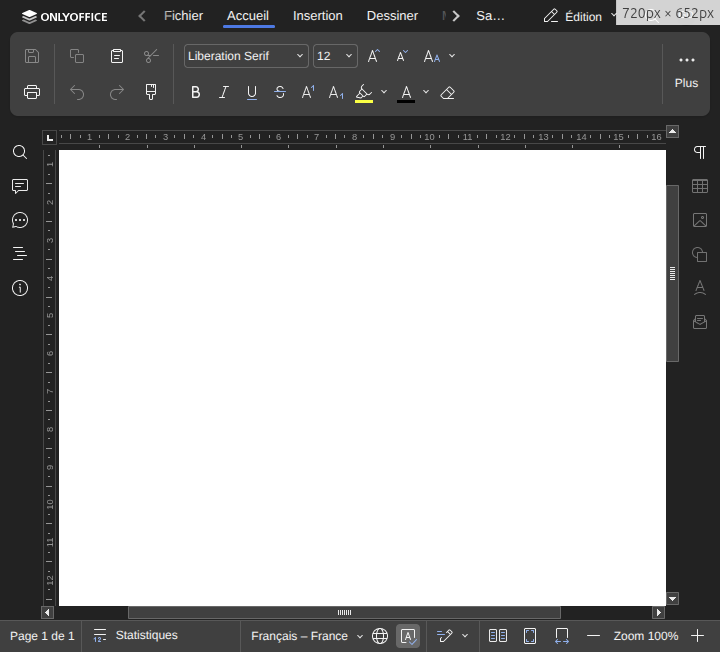
To discover the editor in detail, read our step-by-step guide: Editing your Word, Excel and PowerPoint documents in DoliPlus. Furthermore, all your files stay organised in the built-in document management: The DoliPlus document management.
Artificial intelligence included in your documents
This is the advantage that changes everything: an artificial intelligence assistant supports you directly inside the editor. For instance, while you write, you can ask it to rephrase a paragraph, correct the spelling, summarise a long text, translate a letter or draft a document outline. Then, you stay in control: the assistant suggests, you decide.
The same artificial intelligence already helps you elsewhere in DoliPlus, notably in your mailbox: Writing and correcting emails with AI in the DoliPlus webmail.
Two plans for your online office suite
Every organisation has its own needs. That is why the offer comes in two yearly plans, based on the number of people editing documents at the same time:
- 10-editor plan — your team edits its documents on our secure server, with up to 10 people editing simultaneously. Your files, meanwhile, stay stored on your DoliPlus space.
- 20-editor plan — your team edits its documents on our secure server, with up to 20 people editing simultaneously. Your files, meanwhile, stay stored on your DoliPlus space.
Nothing travels through a shared server. Therefore, this offer suits all regulated professions (healthcare, legal, accounting).
Beyond 20 simultaneous editors, we study your needs and size a tailor-made solution.
Unlike the demonstration version, this offer includes the collaboration mode and the features assisted by your artificial intelligence.
Your documents stay with you
Confidentiality guides the whole design. Indeed, your files stay stored on your DoliPlus space hosted in Europe: they are never kept anywhere else. In addition, every save automatically creates a security copy of the previous version (.bak). Consequently, you work with peace of mind, without any risk of overwriting an important document.
How do you subscribe?
The setup is quick: we activate your online office suite on your DoliPlus, then we adjust the number of seats to your plan. Afterwards, you can change plans at any time — for example, move from 10 to 20 editors when your team grows. To receive a tailored proposal, contact your usual DoliPlus sales representative.
To go further
- Editing your Word, Excel and PowerPoint documents in DoliPlus
- Document management in DoliPlus
- Artificial intelligence in the DoliPlus webmail
- Microsoft Office 365 connectors for DoliPlus
Related Entrées
