 on 5 September 2026
 Sales targets entry
Why set sales targets?
Sales targets let you define monthly revenue goals for your sales team. Without written objectives, it’s hard to track whether a salesperson is ahead or behind schedule.
DoliPlus meets this need with a dedicated, user-friendly interface. Turn annual ambitions into concrete monthly targets, monitored throughout the financial year.
Clear targets also motivate teams. Everyone knows their goal and tracks progress, making commercial reviews more productive.
How sales targets work in DoliPlus
The process is deliberately straightforward. First select who is involved, then choose what metric to track, and finally distribute the target value across twelve months.
Select who’s involved
DoliPlus supports multiple management levels. Set targets for:
- a specific salesperson (e.g. a team member);
- a branch or territory;
- an entire company for group-wide targets (multi-entity setup).
Define the target metric
Metrics define what you measure. DoliPlus offers options like invoiced revenue, quote amounts, new contacts or qualified meetings. Track both quantitative and qualitative goals.
Step-by-step target entry
Setting sales targets takes just a few clicks. First select the year, then click Add. A window appears:
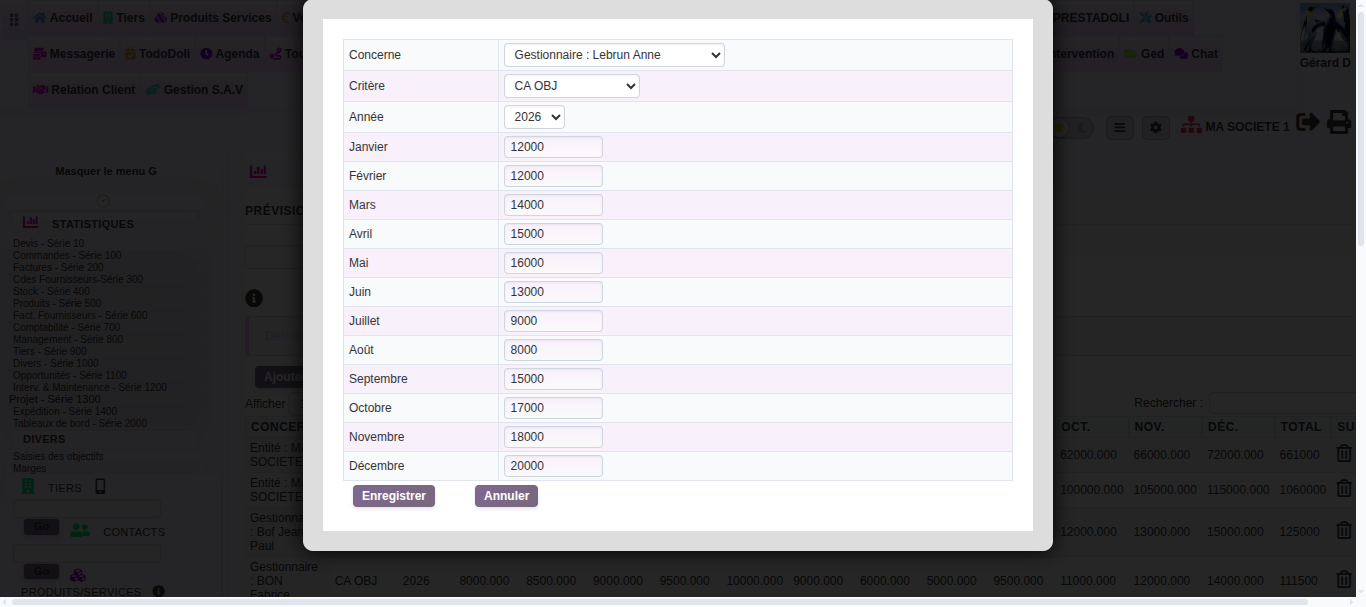
- Select the person, agency or company concerned.
- Then choose the criterion, for example the revenue target.
- Finally, enter the expected value for each month, from January to December.
- Click Save — the annual total is calculated automatically.
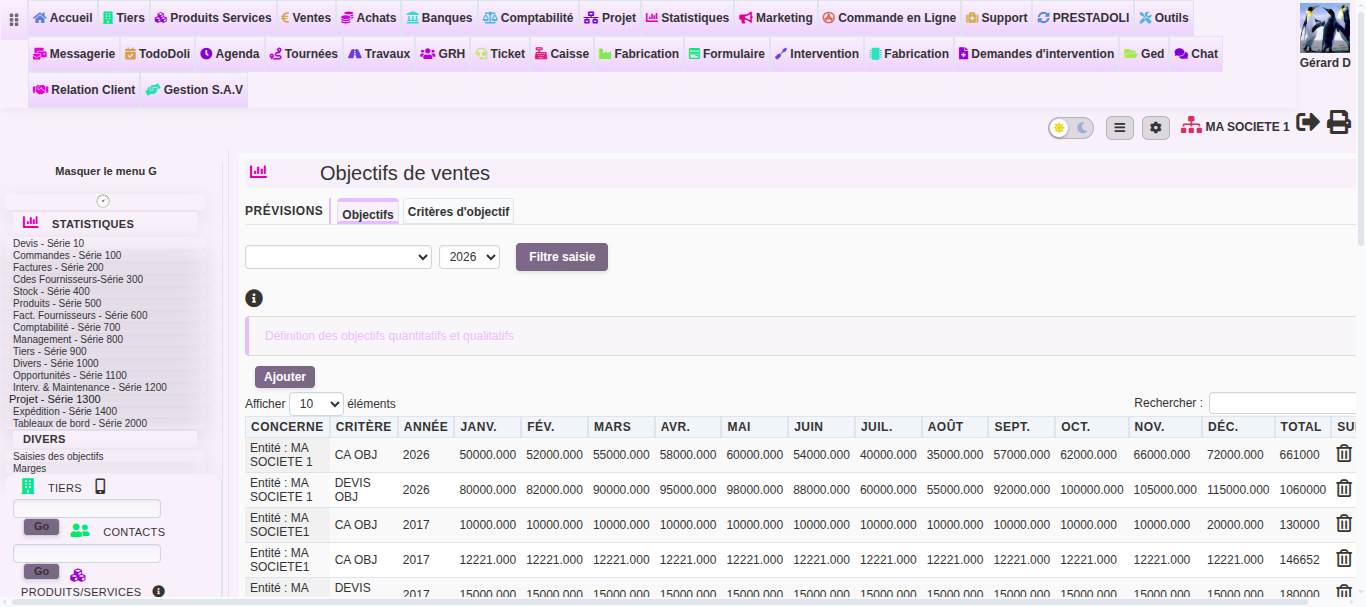
Once saved, your targets appear in an annual table, line by line. You can then adjust a value or delete a target at any time.
Track your target progress
Data entry is just the first step. DoliPlus then automatically compares actual sales with your set targets. This lets you spot gaps at a glance.
This tracking appears in sales dashboards, which summarise the year and forecast upcoming activity. So today’s target becomes a real management tool.
Next steps
To explore further, see Wikipedia’s definition of sales force.
