 on 5 September 2026
 Supplier order deposit invoice
The supplier deposit invoice lets you record a deposit paid to a supplier, then link it to your purchase order. This way, you can track exactly what you’ve already paid in advance.
Purchases and sales: two separate workflows
In DoliPlus, for historical reasons, purchase management (orders and supplier invoices) differs from sales management on the customer side. The supplier deposit invoice therefore follows its own workflow, starting from the purchase order.
Creating a supplier deposit invoice
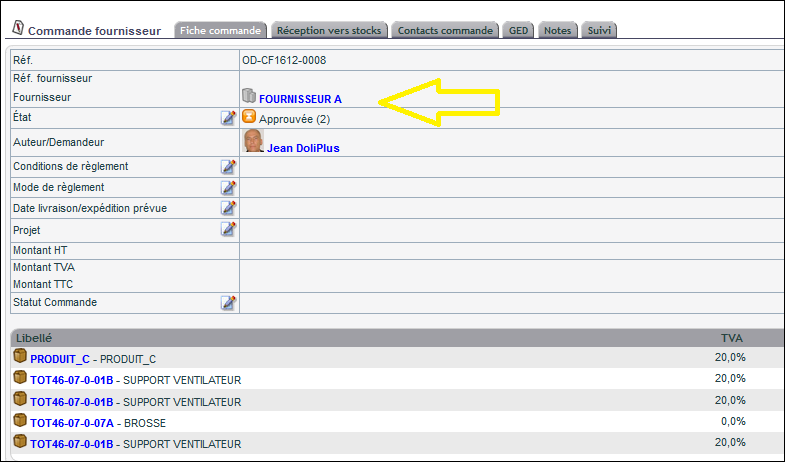
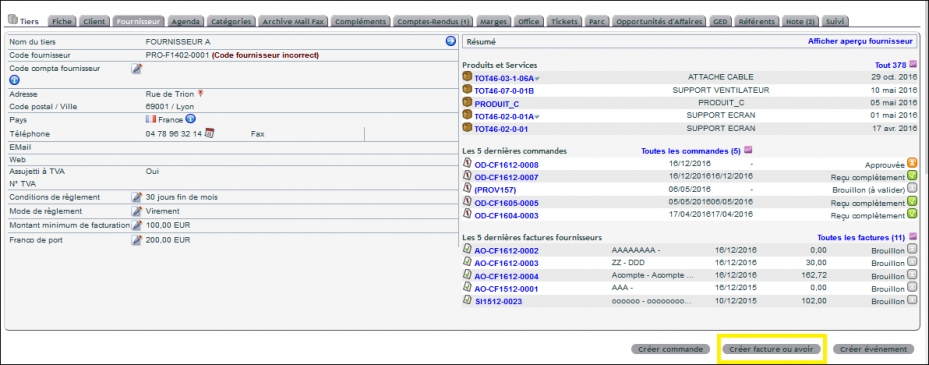
The process is simple. First, enter your supplier order from the customer or supplier record. Then, issue the corresponding supplier invoice.
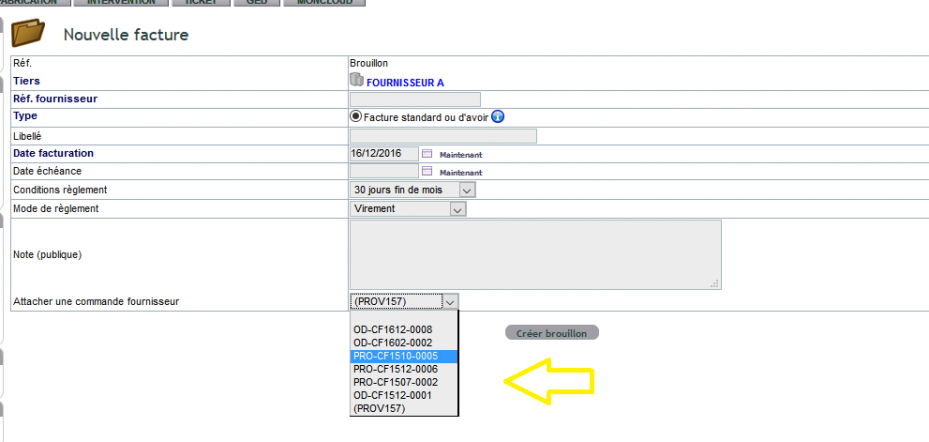
In the intermediate data entry screen, select the order. This way, you establish a link between the supplier deposit invoice and the purchase order.
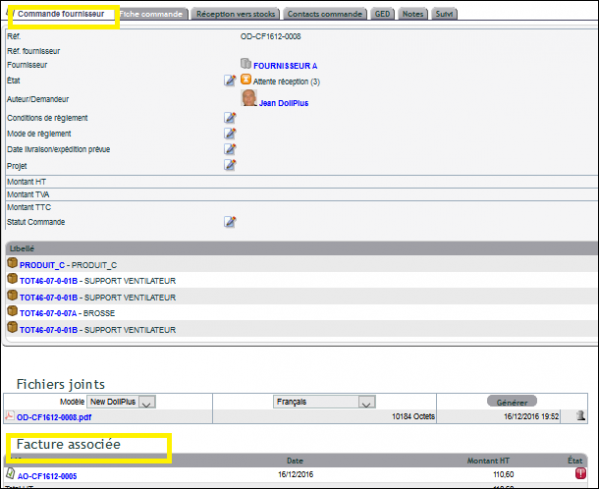
Later, in the order, you’ll first see the deposit invoice, then the final invoice. This lets you track the entire payment process step by step.
Why track supplier deposits?
Many suppliers require a deposit before delivery. Without tracking, these advance payments can easily get lost in accounting. This document keeps a record of each payment.
You benefit in three ways:
- Clear tracking: you know what you’ve already paid in advance;
- Accurate accounting: the deposit is linked to the correct order;
- Simplified control: the final invoice accounts for the deposit paid.
Learn more about customer deposit invoices
Ultimately, this mechanism secures your purchasing commitments. You pay part of the amount upfront, then track this payment through to the final invoice. This keeps your supplier accounts accurate, with no forgotten advances.
Further reading
