 auf 5 September 2026
 Beliebte Produkte – Bestseller-Ranking – Dolibarr + DoliPlus
Je nach Branche ist es nützlich, die beliebten Produkte zu erkennen – also die Bestseller – oder Lieblingsprodukte festzulegen, die Ihr Vertriebsteam gezielt bewerben soll.
So hebt DoliPlus Ihre beliebten Produkte und Ihr Bestseller-Ranking hervor.
Zwei Möglichkeiten, Ihre Bestseller zu erkennen:
- Die Statistik 525 über einen festgelegten Zeitraum: PRODUKTE/DIENSTLEISTUNGEN NACH BELIEBTHEIT – BESTSELLER
- Die Kennzeichnung bei der Auswahl in einem Angebot, einer Bestellung usw.: Ein Farbcode markiert die meistverkauften Produkte über die gesamte Verkaufshistorie
Die Statistik 525
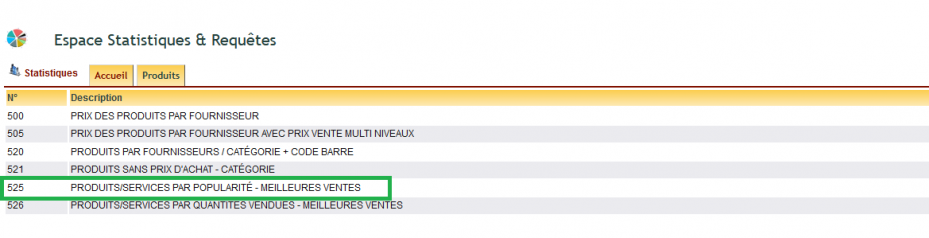
526 — Ranking nach Mengen
Die 525 zählt die Anzahl der Rechnungen, in denen das Produkt vorkommt: Sie zeigt, was häufig verkauft wird. Die 526 summiert die verkauften Mengen: Sie zeigt, was in großen Stückzahlen verkauft wird.
Beide ergeben nicht dasselbe Siegertreppchen – und genau darum geht es. Ein palettenweise verkauftes Verbrauchsmaterial dominiert die 526, ohne jemals an der Spitze der 525 zu stehen; bei einem Lockvogelangebot ist es umgekehrt. Sehen Sie sich beide an, bevor Sie über eine Nachbestellung oder eine Werbeaktion entscheiden.
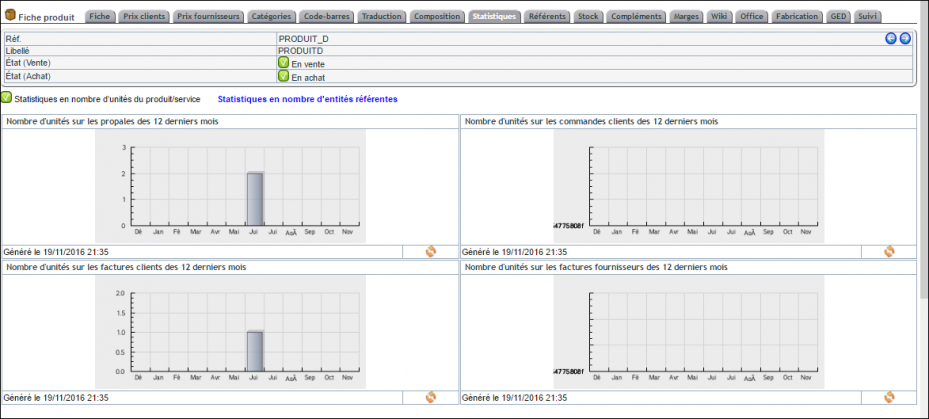
Das Ranking im Produktdatensatz ansehen
Sie müssen dafür nicht den Umweg über die Statistiken nehmen. Im Menü Produkte/Services zeigt die Ansicht bereits für jedes Produkt und den gewählten Zeitraum die Anzahl der Angebote und Rechnungen an, in denen es vorkommt.
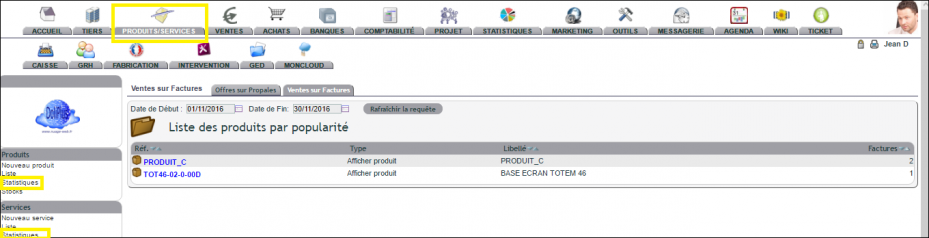
Ein Klick auf eine Produktreferenz öffnet die Details: wer es gekauft hat, wann und in welcher Menge.
Funktion „Bei der Auswahl“
Prinzip
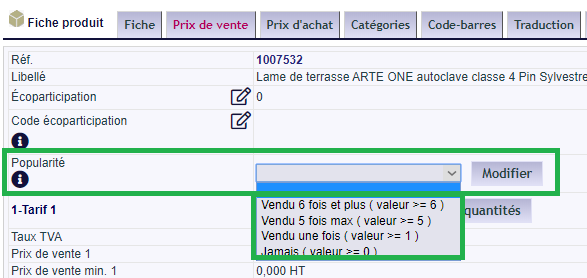
Bei der Auswahl in einem Angebot oder einer Bestellung zeigt ein Farbcode an, wie beliebt das Produkt ist. Fahren Sie mit der Maus über die Farbe, um die Bezeichnung zu sehen.
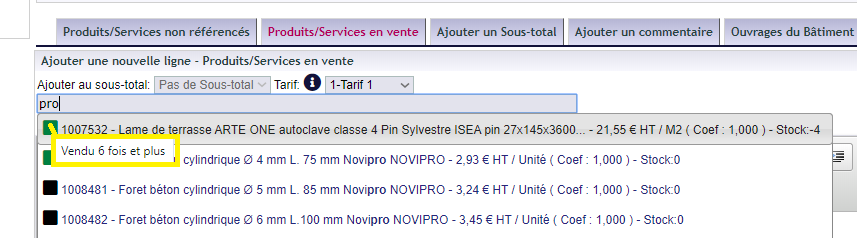
Der Farbcode lässt sich auf zwei Arten berechnen:
- Fest vorgegebener Wert in der Registerkarte Produkt/Service: So legen Sie unter Ihren Produkten die Favoriten fest, die das Vertriebsteam bewerben soll,
- Wert, der aus den Rechnungen und der gesamten Verkaufshistorie berechnet wird.
Konfiguration
- Aktivieren Sie in den PDF/Interface-Einstellungen die Funktion PG75: Anzeige der meistverkauften/beliebten Produkte aktivieren
- Passen Sie die Werte im Wörterbuch an: Nomenklatur der meistverkauften Produkte – beliebt
Der erste Wert (Val) ist gleich 0; die folgenden Werte legen die Ranking-Stufen fest.

Import oder Massenaktualisierung
Füllen Sie in der Excel-Tabelle die Spalte FAVORITE aus:
| FAVORITE | Verkaufsfavorit – beliebtes Produkt → geben Sie den Code aus dem Wörterbuch an: Nomenklatur der meistverkauften Produkte – beliebt |
Warum Sie Ihre beliebten Produkte verfolgen sollten
Konzentrieren Sie Ihre Vertriebsbemühungen auf die besten Verkäufer – das folgt der Logik des Pareto-Prinzips: Eine Minderheit der Artikel generiert den Großteil Ihres Umsatzes. Indem Ihre Teams auf einen Blick die beliebtesten Produkte erkennen, lenken sie Kunden zu den profitabelsten und verfügbaren Artikeln.
Mehr erfahren: Produktverwaltung in DoliPlus.
Mehr erfahren: Produkt- und Servicekatalog · Kunden auswählen, die ein Produkt nutzen
