 on 5 September 2026
 Mobile support request: report an issue and track its resolution
Mobile support request: report an issue and track its resolution
A mobile support request can now be submitted in seconds, directly from DoliPlusMobi, without waiting to access a computer:
- Linked to a customer and contact, just like on the desktop
- Assigned to a colleague in the technical team
- Status visible at a glance (unread, read, replied, assigned, closed)
- Progress in % to track case file status
Whether it’s a faulty printer, a software issue, or a customer query on-site, every incident is logged from initial report to resolution.
Submit a request in seconds
From the “Support” menu in DoliPlusMobi, a mobile support request opens with a single tap, displaying the creation form.
Simply enter a subject, a problem description, and if needed, a type, desired deadline, and urgency level. For example, a technician on-site can report hardware failure without leaving the customer’s premises.
Once saved, the request appears in the “My requests” list, with a coloured status indicator and, if provided, its progress displayed next to the title.
Assign the right customer, contact, and technician
A mobile support request makes sense when linked to the right contact. Customer search uses the same engine as the rest of the app: just a few letters to find the relevant company.
Once the customer is selected, their contact list updates automatically, allowing you to directly assign the right person without re-entering details.
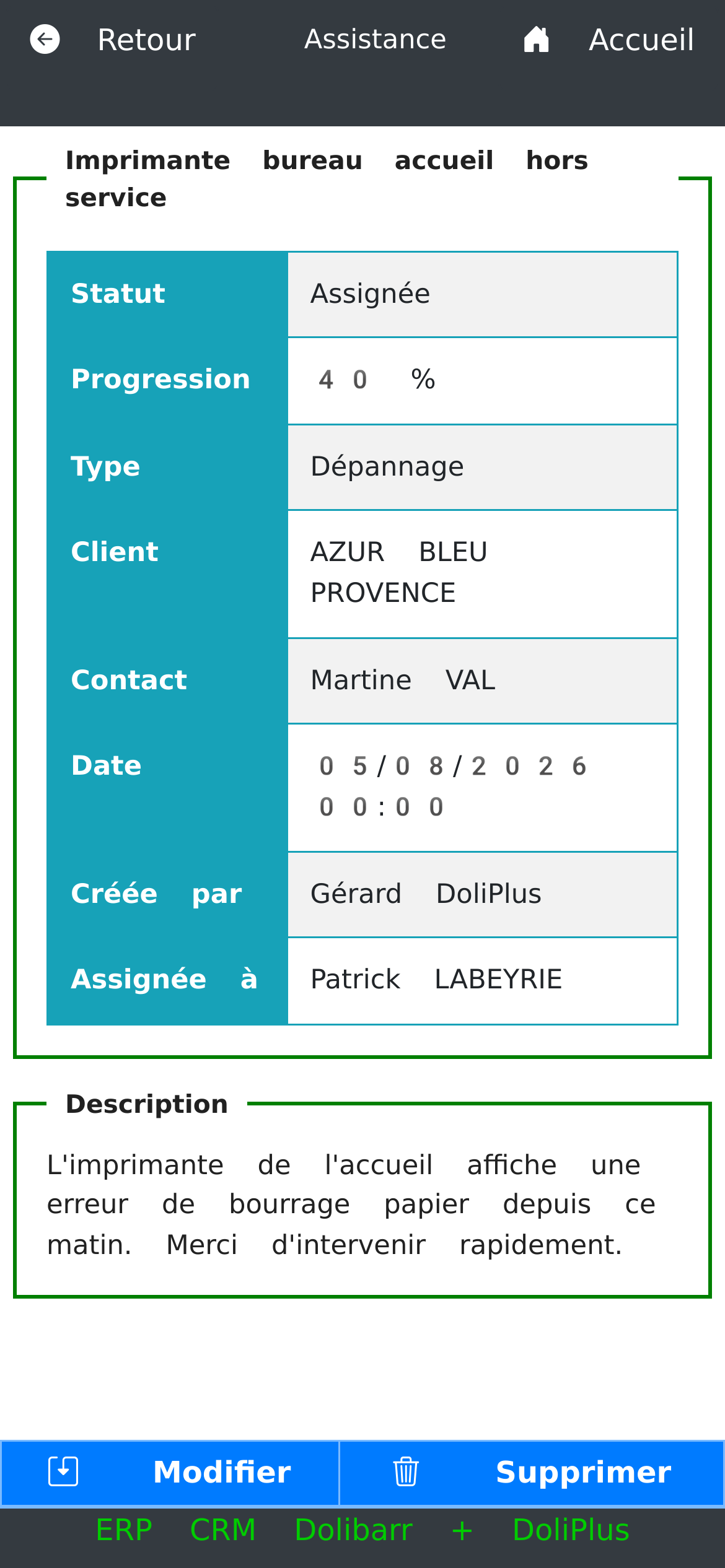
For the support team, assignment isn’t random: only members of the technical group appear in the assignable list. Therefore, a ticket can’t be sent to someone who shouldn’t handle it.
As soon as a technician is assigned, the request status automatically changes to “Assigned”: the requester knows immediately that someone is handling it.
A status that matches desktop operations
The status displayed on mobile is exactly the same as on your workstation: unread, read, replied, assigned or closed. A “Mark as read” button also lets you change a request from “Unread” to “Read” with a single tap, and vice versa as long as the case hasn’t progressed further.
Track progress to resolution
In addition to the status, each request can display progress in 20% increments. This numerical indicator, visible both in the detail view and the list, gives a concrete idea of progress without having to reread the entire history.
Finally, modifying or deleting a request remains possible at any time, depending on the user’s permissions in DoliPlus. So a technician can correct a poorly worded subject, and a manager can clean up duplicates, directly from their phone.
Ultimately, a support request on mobile remains fully readable from end to end, from the first report until the case is closed.
Going further
- DoliPlusMobi, the mobile app for DoliPlus
- Managing support requests in DoliPlus
- How to request support in my DoliPlus application
- Expenses on mobile: photograph receipts, even offline
