 on 5 September 2026
 Resource Management in DoliPlus
Resource management lets you list your meeting rooms, vehicles and equipment, then track their usage schedule. This way, you always know what’s available and when.
What is resource management for?
Your business has shared resources: meeting rooms, vehicles, equipment or machinery. Resource management identifies them in the ERP. You can then track their usage schedule, maintenance and availability.
Initialise and configure the module
First, the Resource module must be activated, with the appropriate permissions.
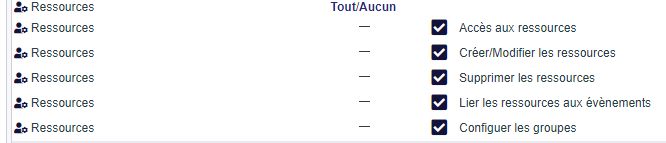
Next, use the « Group » menu to create resource families. Additionally, in the settings, you can add or modify management statuses. Finally, categories offer another way to segment your resources.



Create a resource
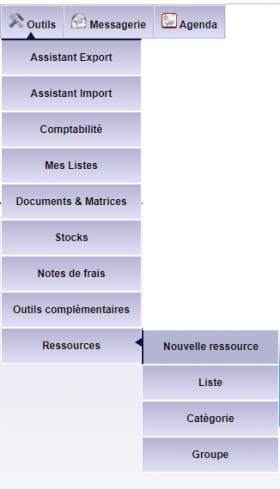
To create a resource, use the dedicated menu. A first screen assigns the resource type (group). Then, in edit mode, you complete the record.
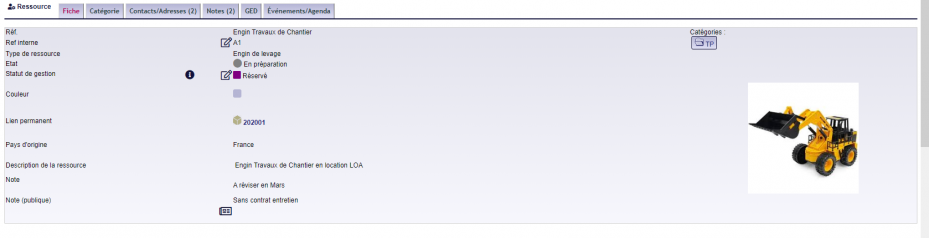
Additionally, custom fields adapt the form to each resource type. For example, a vehicle has an insurance number. A status and state manage the lifecycle and availability.
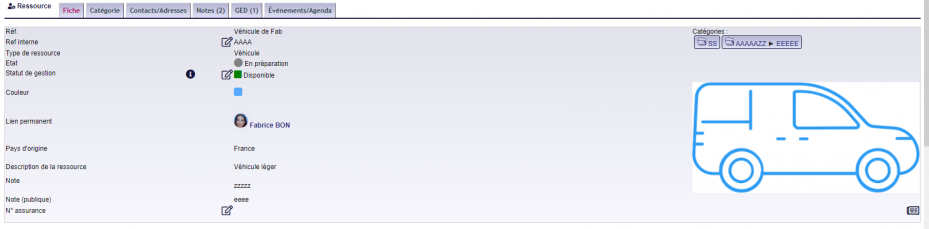
Finally, you can link the resource to another ERP element (user, product), categories, contacts or documents. The « Events/Calendar » tab lists the events related to the resource.
Book a resource
Booking is straightforward. From an event, the « Resource » tab lets you book the desired room, vehicle or equipment. This prevents double bookings.
The list view
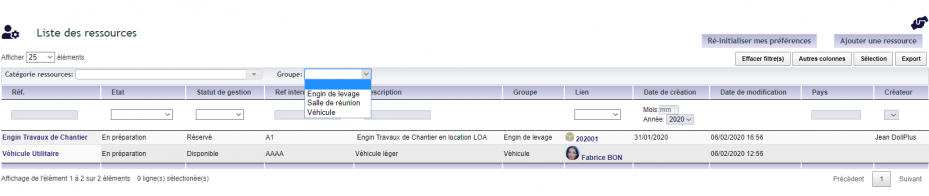
Finally, a list view groups your resources. It offers an overview, as well as a group view that displays custom fields.
Why manage resources in the ERP?
A double-booked meeting room, an unavailable vehicle: these mistakes waste time. Resource management prevents them by centralising schedules.
You benefit in three ways:
- clear availability: you see what’s free, and when;
- fewer conflicts: bookings appear on the calendar;
- full tracking: maintenance, documents and events in one place.
Learn more about events and the calendar
To go further
