 on 5 September 2026
 Organise events, tasks and other actions with Dolibarr & DoliPlus
Organising events and tasks in DoliPlus lets you manage your diary, appointments and actions in one place. This way, the whole team shares a clear, collaborative schedule.
Organising events and tasks: key terms
The Calendar module brings a planner into DoliPlus. It handles concepts that are sometimes confused: events, tasks and actions. It’s best to distinguish them, as these terms follow the RFC2445 standard, common to most calendars (Outlook, Thunderbird…).
In practice:
- an event describes a dated action, past or future: a label, start date, end date or duration, location, priority. It’s used, for example, to store an appointment;
- a task (to-do) describes work to be done within a date range, with a completion percentage;
- an action in DoliPlus combines these concepts. It can be automatic (created by the software) or manual (created by the user).
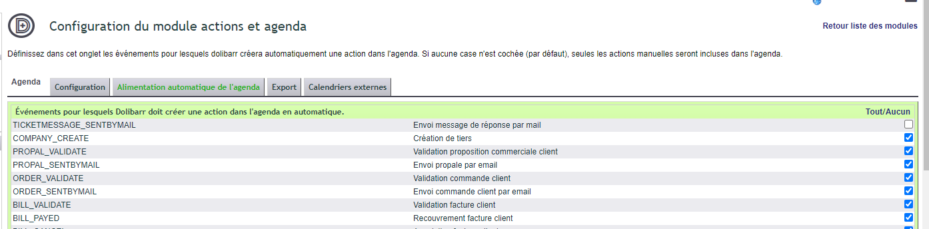
Automatic events are configured in the module: a sales order validation or invoice creation then appears in the calendar automatically, with the status “Not tracked”: it keeps a record of what happened, without asking anything of you.
Creating an action in your calendar
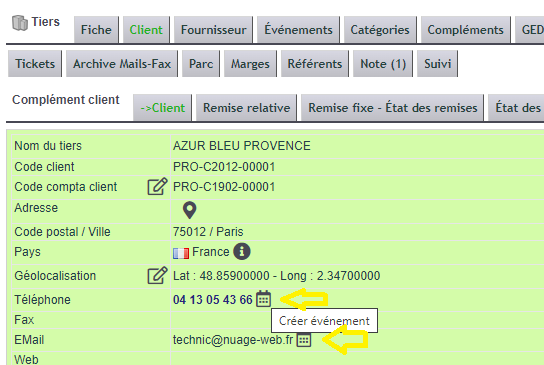
Several shortcuts make creation easier. The most practical ones are found directly on a customer or contact record, via an icon.
For example, the “car” icon, on a contact record and in the contact list, creates an appointment with the address and label already filled in.
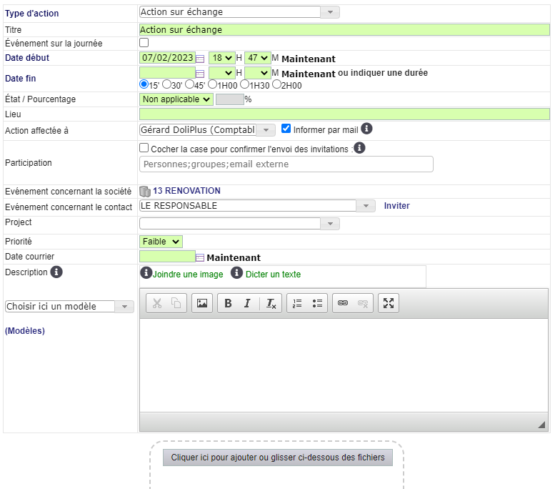
You then assign the action to a colleague and add participants. Each guest receives an email invitation and answers Yes or No from the link in that message.
Moreover, the assigned person can receive an email alert as soon as the action is saved. For a reminder just before the appointment, however, you use notifications.
Finally, the monthly activity report counts your events month by month, in a printable PDF.
The event record: everything to prepare the meeting
The event record gathers everything a meeting needs. As a result, you no longer juggle between the calendar, your mailbox and your folders.
- Recurrence: enter a weekly meeting once, then DoliPlus repeats it at the chosen rhythm;
- Internal and external guests: each guest receives the invitation by email and answers Yes or No in one click;
- Video call in one click: tick the DoliVisio box, and the video conference link is created for you;
- Attached files: upload the agenda before the meeting, then the minutes afterwards;
- Message templates: you write the description faster, and DoliPlus saves it automatically as you type;
- Documents and Info tabs: files on one side, the record history on the other.
In addition, an AI assistant creates your appointments from a simple sentence or a document, directly from the creation form. Discover the AI assistant of the shared calendar
Different views: work list and calendar
To organise events and tasks day to day, DoliPlus offers two complementary views.
First, the list in the Calendar menu opens on “My work”: your meetings, calls, follow-ups and tasks. The records left by the software, such as an email sent, stay separate. One click switches to “System history” or “All”.
Next, filter badges narrow the list in one click, each showing its number of lines: To do, Overdue, Today, Upcoming, Completed and Not tracked.
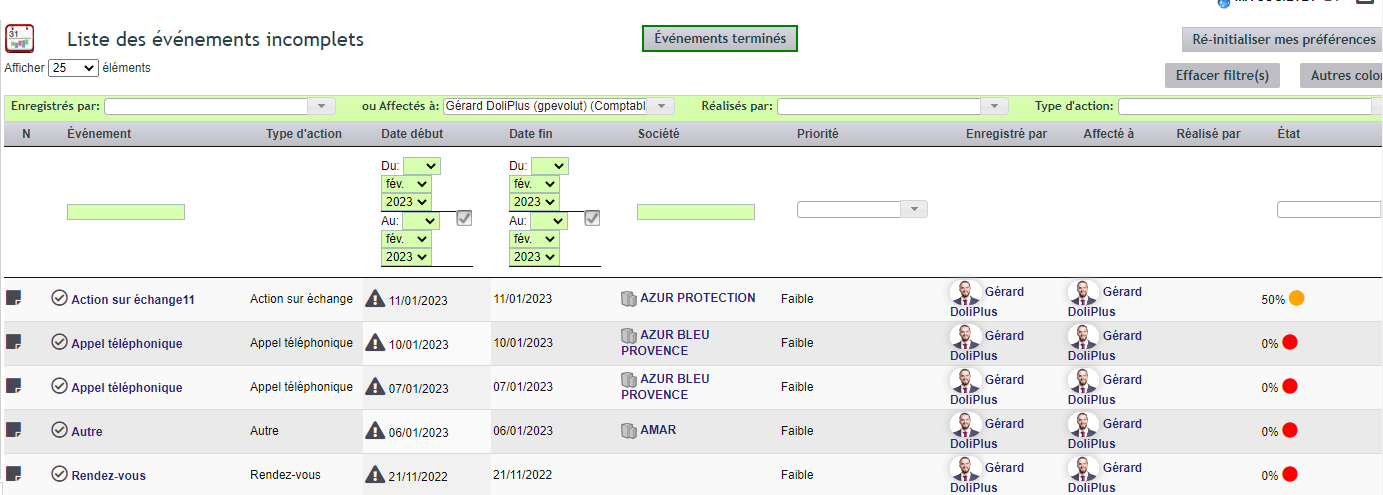
Moreover, you complete several actions at once: tick the lines, then click “Complete selection”. You also choose the columns displayed, as you need.
Finally, the modern calendar in the Calendar menu shows everyone’s schedule by day, week or month, in real time. The calendar also syncs to smartphones. Discover the shared online calendar
Configuring the Calendar module
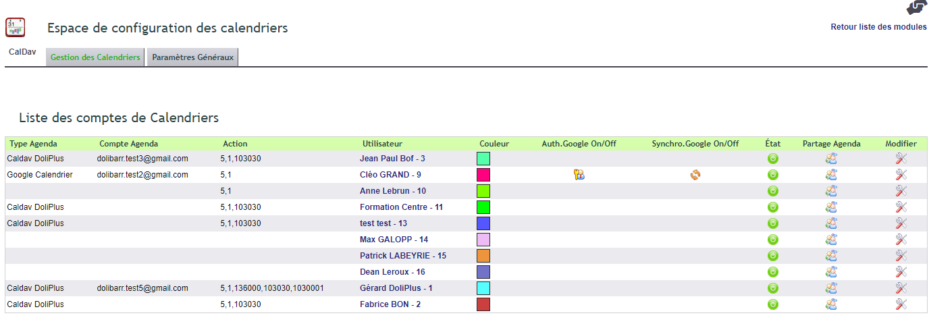
Configuration is straightforward. First, the general dictionary lets you add or disable event types. Next, the “Alerts” screen sets tolerance periods before an alert appears. Finally, the “Calendar” space controls, per user, which actions are visible for reading and writing.
Why organise your events and tasks properly?
A scattered schedule leads to missed appointments and follow-ups. Organising events and tasks in one place changes the game.
You gain on three fronts:
- shared visibility: everyone sees the team’s schedule;
- no oversights: reminders and alerts flag deadlines;
- rich history: each action enhances customer tracking.
Further reading
