on 5 September 2026
 Shared Online Calendar: Discover the New DoliPlus Scheduler
A shared online calendar lets your entire team view the same appointments in real time, without exchanging a single email. Coordination is often a headache: who’s available, who’s travelling, who’s meeting a client?
That’s why DoliPlus now offers a completely redesigned shared online calendar, seamlessly integrated with your management software. Every team member can view the schedule, create appointments, and receive reminders in one place. Even better, AI now creates your appointments from a simple phrase or uploaded document.
AI-powered appointment creation: just a phrase or document is enough
Your shared online calendar now includes an intelligent assistant that creates appointments for you, saving you valuable time by eliminating manual data entry:
- A single phrase is enough: type “Thursday meeting with client Savreux at 3pm to present the project”, and the event is instantly created on the correct date and time.
- Upload a document, and everything is created: drag and drop a PDF or image, such as a training schedule. The AI reads all dates and generates each appointment in one go.
- Your data is automatically populated: the selected customer remains chosen, and each appointment note fills itself.
- Voice dictation: prefer to speak? Dictate your request into the microphone, and the assistant transcribes it for you.
You find this assistant directly on the event creation form: simply open it when you enter your appointment.
In short, you describe your needs in natural language, review the proposal, and confirm with one click. Even a packed schedule becomes a series of ready-to-use events in seconds.
This AI-powered appointment creation assistant is included in the DoliPlus AI subscription.
A real-time team calendar
The standout feature of this calendar is real-time updates.
As soon as a colleague adds, moves, or modifies an event, your screen updates instantly. In other words, you always work with an up-to-date schedule: everyone sees a slot as taken the moment it is booked.
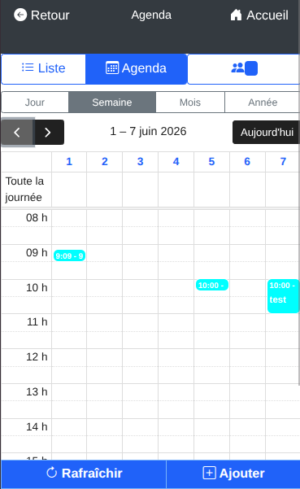
Additionally, on your phone, the DoliPlusMobi app updates the schedule with a tap on the Refresh button, keeping it accurate whether you’re in the office or on the go.
All the views you need for your schedule
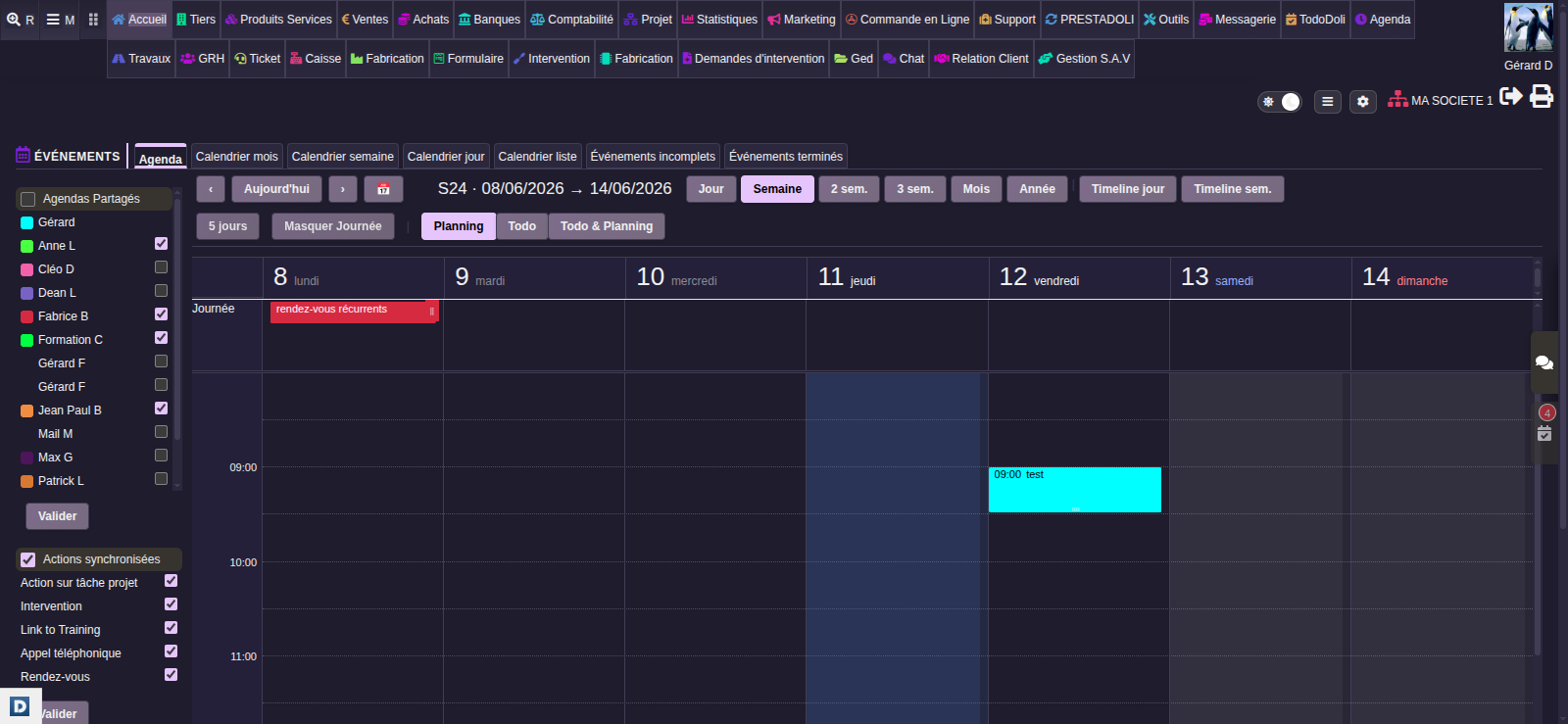
Everyone reads their schedule differently. That’s why the calendar offers multiple views: day, week, 5-day, 2 or 3-week, month, and year.
Additionally, a timeline view displays a line per person, perfect for comparing team schedules at a glance.
- Time jump: a dedicated button takes you directly to any date, even distant ones.
- Automatic recall: DoliPlus remembers the last date you viewed and the display mode (Schedule / Todo), restoring them when you return.
- Hide the « Full-day » line: with one click, you can hide all-day events to declutter the display.
- Filter by action type: you can choose to display only meetings, calls, or interventions, for example.
Your dated tasks displayed in the calendar
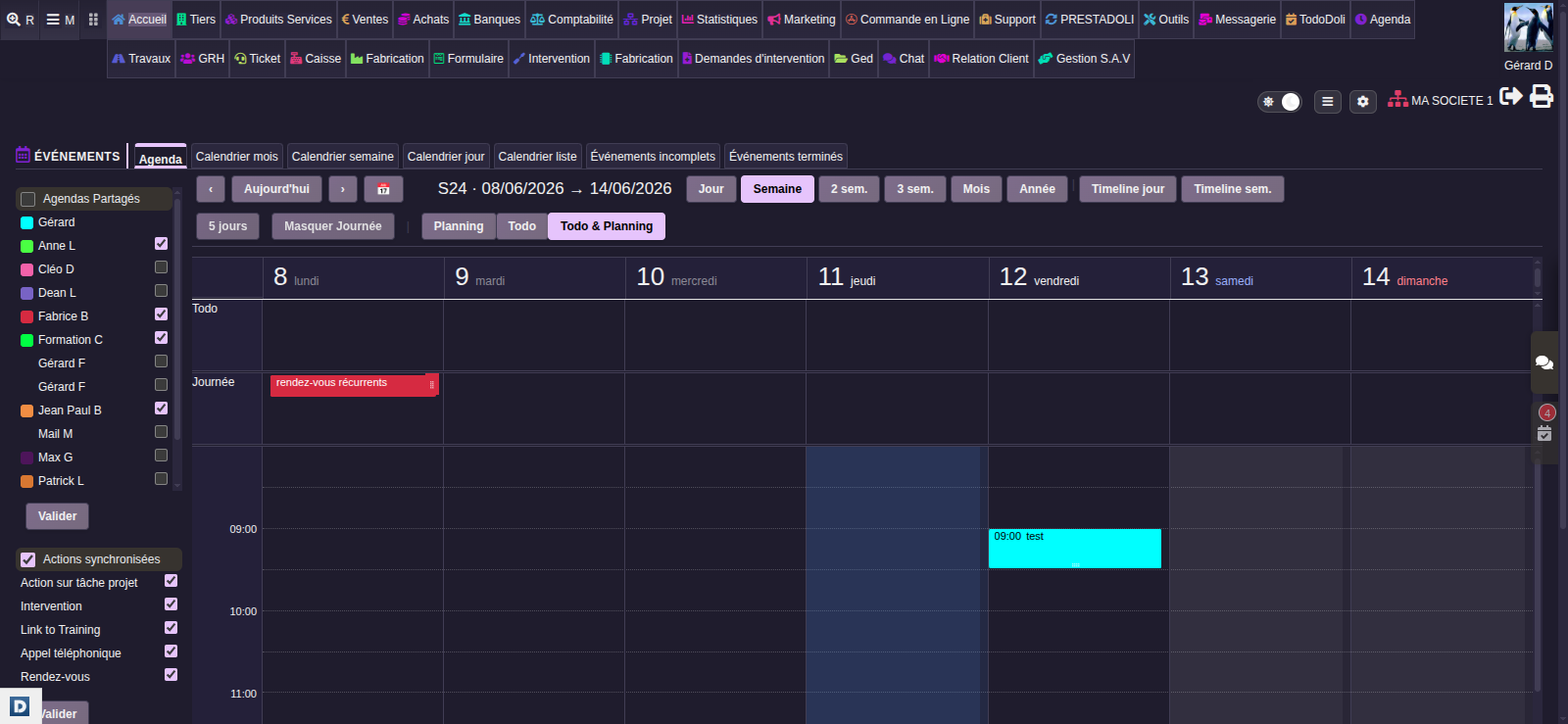
Next, the calendar can display your upcoming tasks above the schedule. Three modes are always available: Schedule only, Tasks only, or both together. This way, you keep your dated tasks in sight without leaving your calendar. This display is, of course, optional.
Appointments enriched with your business data
Unlike a generic calendar, each DoliPlus event is linked to your business: the customer or supplier involved, their address, contact details, the person to meet, or even the associated project.
With this information, you arrive at your meeting fully prepared: no more last-minute searches for phone numbers or addresses. In short, your calendar becomes a real working tool, not just a reminder.
Learn more about organising events and tasks
Setup is done in the calendar configuration area.
First, each team member has their own calendar, with a distinctive colour taken from their user record. Then, you define the sharing rules: who can view which calendar, and who can edit it. Finally, each user selects in the left column the calendars they want to overlay with theirs.
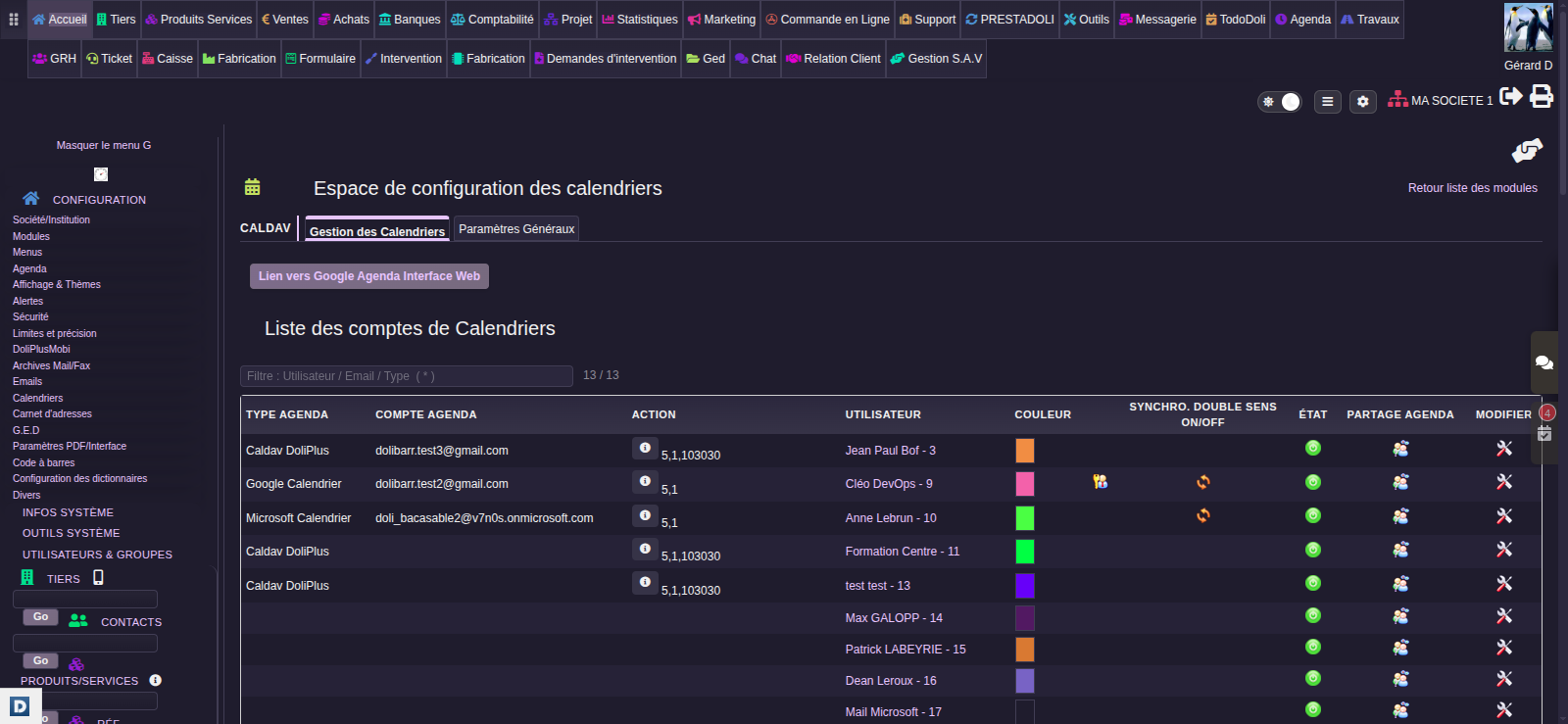
Additionally, the shared online calendar syncs with smartphones and the calendars your team already uses. Your appointments remain visible everywhere, with no duplicate entries.
Read the chapter on smartphone synchronisation
Viewing your colleagues’ calendars, and their leave
First, the administrator sets up sharing in the calendar configuration. Next to each user, the sharing icon opens the list of calendars this person can view or edit: tick the right ones.
Next, everyone finds these calendars in the left-hand column of their shared online calendar, under “Shared Calendars”. They tick the ones to overlay on their own; the heading box ticks them all at once.
Finally, to see absences, tick “Leaves-Public Holidays” under “Options”. The approved leave of the colleagues displayed then appears, along with the company’s public holidays.
Automatic reminders before each meeting
A missed meeting can cost you dearly.
That’s why the calendar uses DoliPlus’s Notification module: you schedule a reminder before each event, and an alert appears on screen at the right time. Plus, these reminders work for the whole team, including events added to your calendar by a colleague.
Moreover, the reminder delay is set per user and per action type: for example, each person can choose to be warned earlier for an off-site meeting than for a phone call.
Learn more about event notifications
Your schedule everywhere with DoliPlusMobi
Finally, your shared online diary is available in DoliPlusMobi, the DoliPlus mobile app. An event changed at your desk? One tap on the Refresh button, and the schedule on your phone is up to date. This way, your field teams always head out with the correct schedule.
Read the DoliPlusMobi chapter, the mobile app