 on 5 September 2026
 Merging Customers and Suppliers in Dolibarr and DoliPlus
Merging duplicate records in Dolibarr helps maintain a clean and reliable customer database. Duplicates skew your statistics, scatter your sales history and complicate tracking. With DoliPlus, Dolibarr merging respects your specific setup and works with your active modules.
Why merge duplicate customer records?
Entering the same customer twice creates real daily risks. Follow-ups and invoices may go to the wrong record, while your revenue indicators become inaccurate.
Maintaining data quality is essential. Merging consolidates all history onto one reliable record.
How to merge duplicate records in Dolibarr?
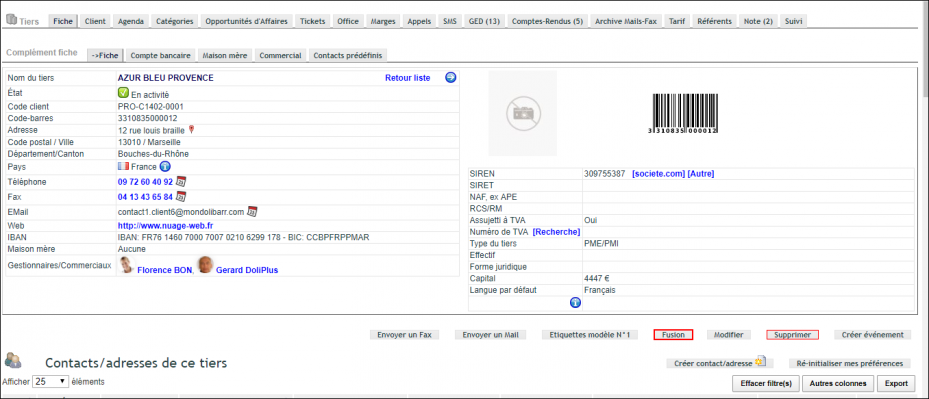
First, open the record you want to keep. Then click the “Merge” button.
In the dialog box, select the record to remove.
DoliPlus automatically transfers all linked elements from the deleted record to the kept one.
Important: Before merging, manually duplicate any form data and custom fields from the record being removed, as host conflicts may occur.
Here’s what DoliPlus transfers during merging:
- Contacts,
- Default contact,
- Delivery addresses,
- Account manager,
- Price level,
- Special and fixed discounts,
- Bank details,
- Bookmarks,
- Customer/Prospect and Supplier categories,
- Actions, Reports,
- Contracts, Quotes, Orders, Customer invoices, Customer invoice templates,
- SEPA Direct Debits,
- Shipments, Deliveries,
- Interventions, Assets, Maintenance,
- Supplier orders and invoices,
- Customer pricing,
- Projects,
- Client extranet access,
- Opportunities,
- Cash register,
- Email/fax archives,
- Customer document library,
The result is one complete, up-to-date record.
Next steps
To maintain long-term database health, explore these related guides:
