 on 5 September 2026
 Sales Territories Management
Sales territories let you segment your customer base by geographic area or branch, then assign each customer or supplier to specific sales reps. This clarifies who manages which account, while enabling territory-based performance analysis. Plus, you can structure your sales force without external spreadsheets.
Assigning account managers to customer records
Assign customers or suppliers to sales reps or account managers directly from their record. This assignment then feeds into sales force management and rep tracking.
DoliPlus also introduces a ranking system to distinguish primary account managers from co-managers.
Managing sales territories
Customer/prospect categories define sales territories. Simply enter the category in the “Category” field using the keyword “BRANCH”. Learn more about category management
To assign a customer to a territory, just add them to this special category via the “Category” tab in their record.
DoliPlus then uses this BRANCH/geographic territory concept in its statistics module for territory-based reporting.
Sales territory management tool
A dedicated “Geographic sales territory management” tool is available under Sales → Tools → Sales territories. It simplifies setting up and modifying territories and rankings, whether by category or postcode.
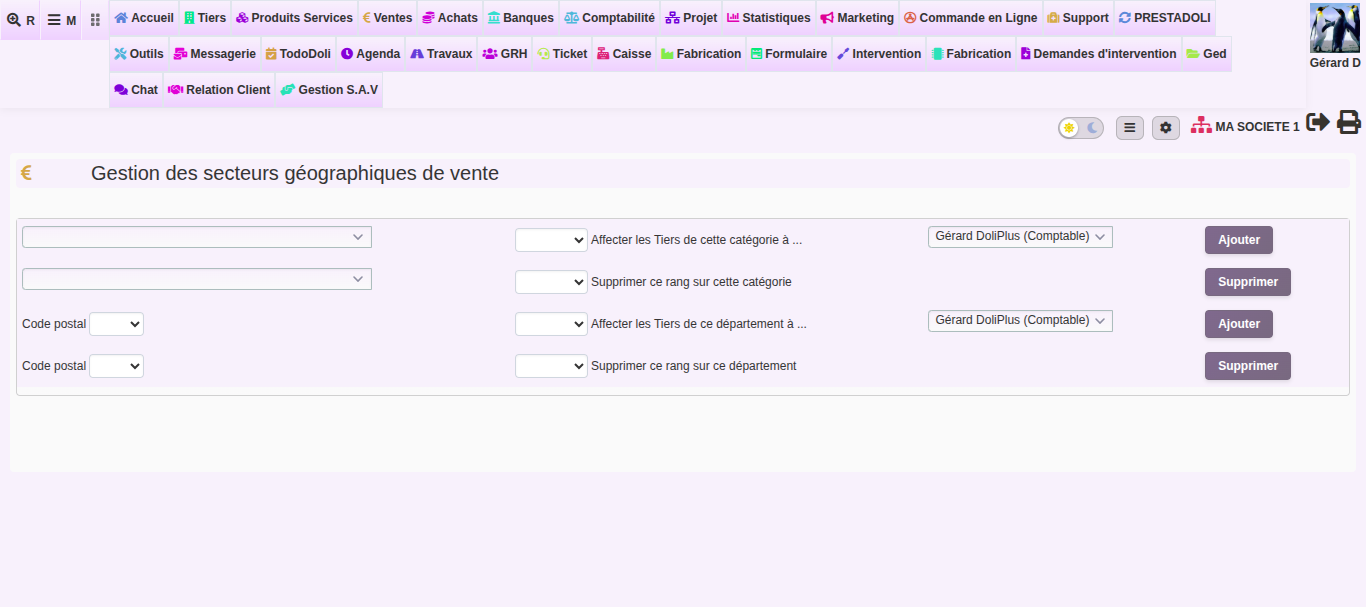
Additionally, query #920 in the statistics module, “List of customers/suppliers and account managers by rank”, provides an overview of assignments by manager and rank. This gives you instant visibility of each territory’s coverage.
Further reading
