 on 5 September 2026
 Task Management Software
DoliPlus task management software replaces your scattered Post-it notes and to-do lists with a proper team dashboard. Never miss a follow-up, reminder or customer action again.
Crucially, each task stays linked to its business context: a customer, invoice, order or project. Plus, you can access it from your computer or smartphone in real time.
Automatic events
In Dolibarr, these events are also called actions. There are automatic actions (created by Dolibarr) and manual ones created explicitly by the user;
In the Calendar module, you configure which events should be automatically created in the calendar. Selected events (invoice creation, order validation) are then saved to the calendar automatically.
They represent a business action that has just been completed. They are therefore created with a “completed” status (progress percentage = 100%). The duration of these events is generally 0 seconds (end date = start date)
Why integrated task management in your business software
A task isolated in a separate app always ends up forgotten. That’s why DoliPlus builds task management right into your core work tool.
Each task has a priority, deadline, assignee and progress status. Plus, it links directly to the record that triggered it, so you never have to hunt for context.
Turn a simple to-do list into a powerful driver of your company’s productivity.
A clear Kanban board to manage your tasks
The board has three columns: To Do, In Progress and Done. To move a task forward, simply drag it between columns.
Each card shows a 0-100% progress slider, a colour-coded priority dot and a category. See your real workload status at a glance.
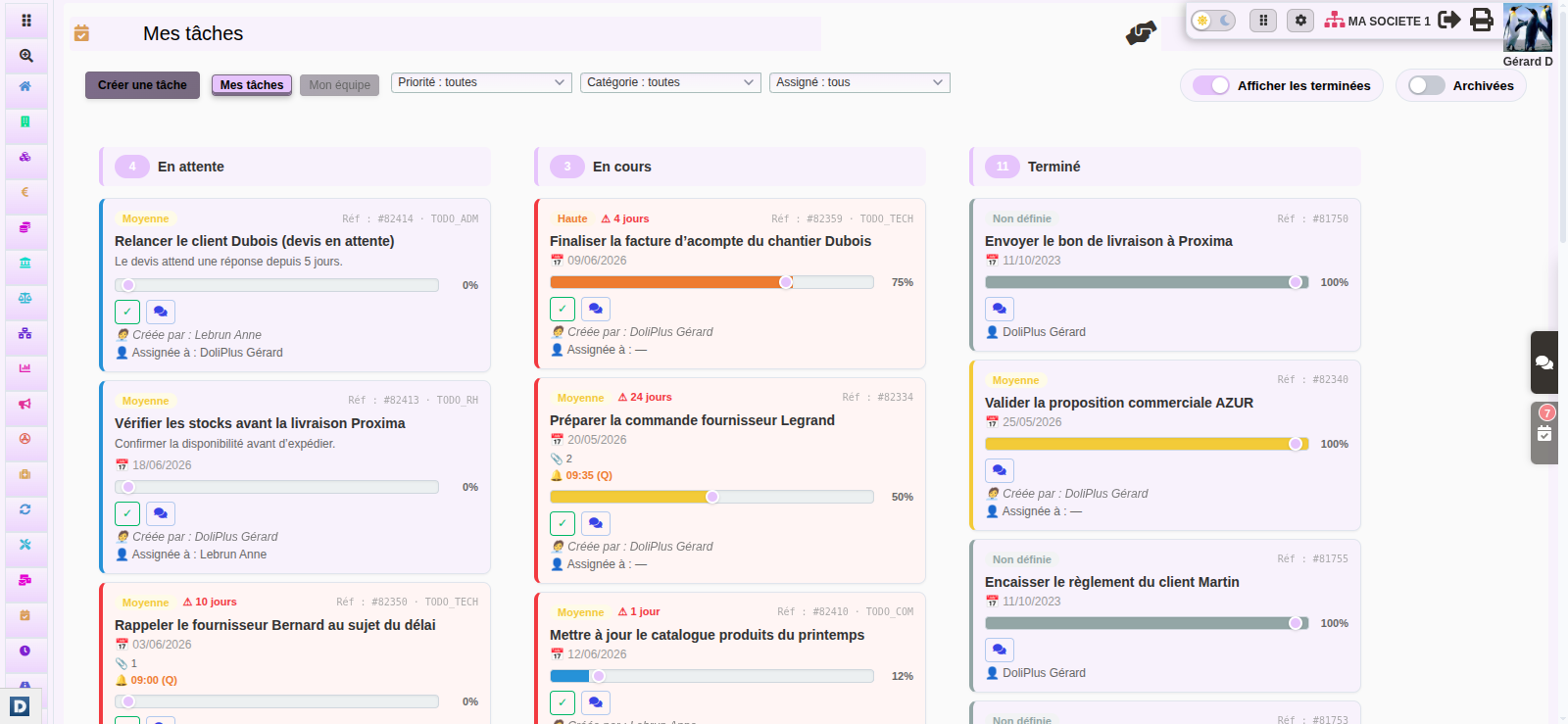
Filters by priority, category and assignee let you instantly isolate what matters. For example, view all urgent or overdue tasks with one click.
Delegate and track your team’s tasks
Task management becomes truly collaborative. Indeed, you assign a task to a colleague, who immediately finds it in their own view.
Each task distinguishes the requester (the person delegating) and the executor (the person carrying it out). This ensures clear responsibilities for everyone.
Furthermore, a manager switches to the « My Team » view to track their colleagues’ activity and filter by person. This keeps you in control without requiring manual reports.
Create a task from any record
Here’s the real advantage of an integrated tool: you create a task without leaving the screen you’re working on. Indeed, a quick-access tab remains available on every page of the software.
Even better, this tab recognises the record you’re viewing. Thus, the task automatically links to the relevant item. You can therefore attach an action to:
- a customer or prospect record;
- an invoice or order;
- a commercial proposal (quote);
- a project or intervention record;
- a supplier order.
Then, a backlink takes you in one click to the original record. This keeps the connection between the action and the case file that justifies it.
Never miss a deadline: reminders and notifications
For each task, you can schedule a reminder via notification. This ensures important deadlines come back to you at the right time, without any effort on your part.
Furthermore, this reminder can be one-off or recurring. For example, you receive a weekly alert every Monday morning for a recurring task, either by notification or email.
Finally, the dashboard updates in real time: as soon as a colleague modifies a shared task, the display synchronises automatically.
A task management software designed for mobile use
Your tasks follow you everywhere thanks to the DoliPlusMobi app. Plus, a quick-access tab remains available on every screen of the software, with a counter of active tasks.
On mobile, touch gestures simplify daily work. For example, a swipe moves a task to the next stage. You can even dictate the description by voice.
Finally, completed tasks are archived and can be restored at any time, keeping your dashboard clean and readable.
How to add a custom event
It is possible to add specific events via the dictionary, which are then added to the list of available events.
Note: Others are automatically created by activating modules or features (e.g., for support or maintenance interventions).
Go to the general dictionary –> List of calendar event types: Use the same data logic as already entered to add one that suits your needs.
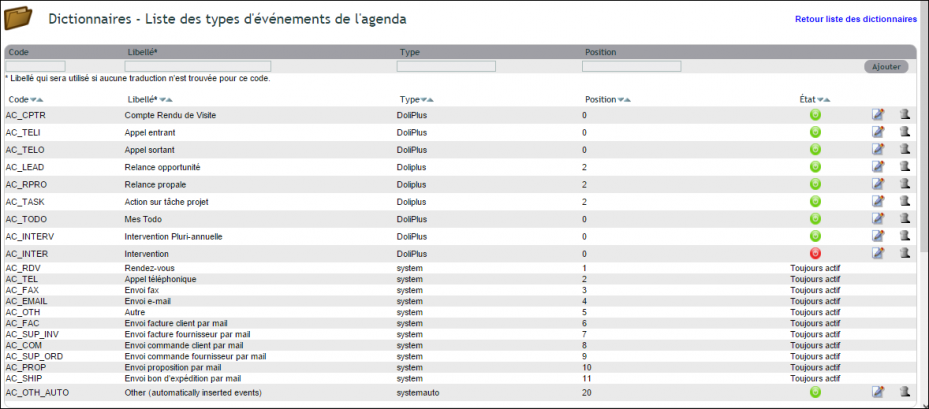
View – List – Quote Follow-ups – Business Opportunities
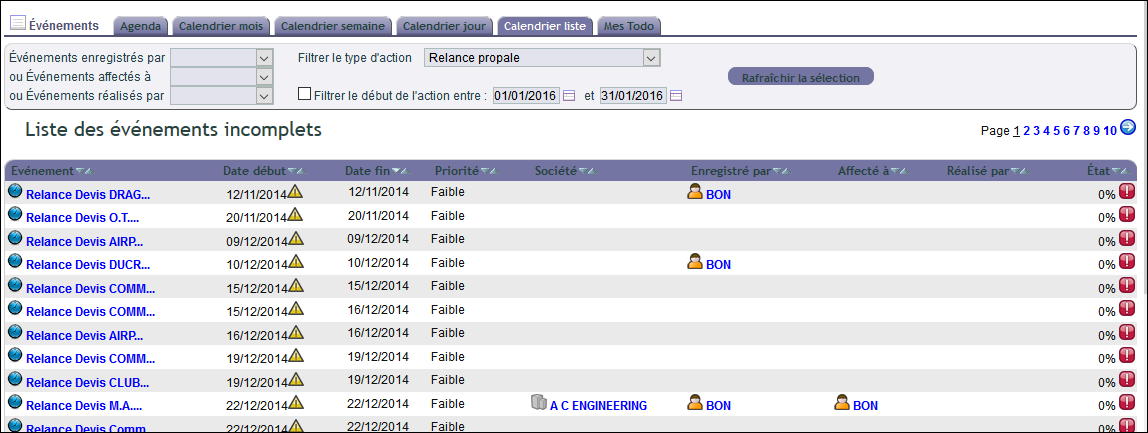
The list view is very useful in your task management software, and with its filters, it allows you to isolate quote follow-ups or business opportunities (module must be activated) in one click to retrieve the recorded quote follow-ups or actions on Projects.
View – My To-Do (DoliPlus To-Do List)
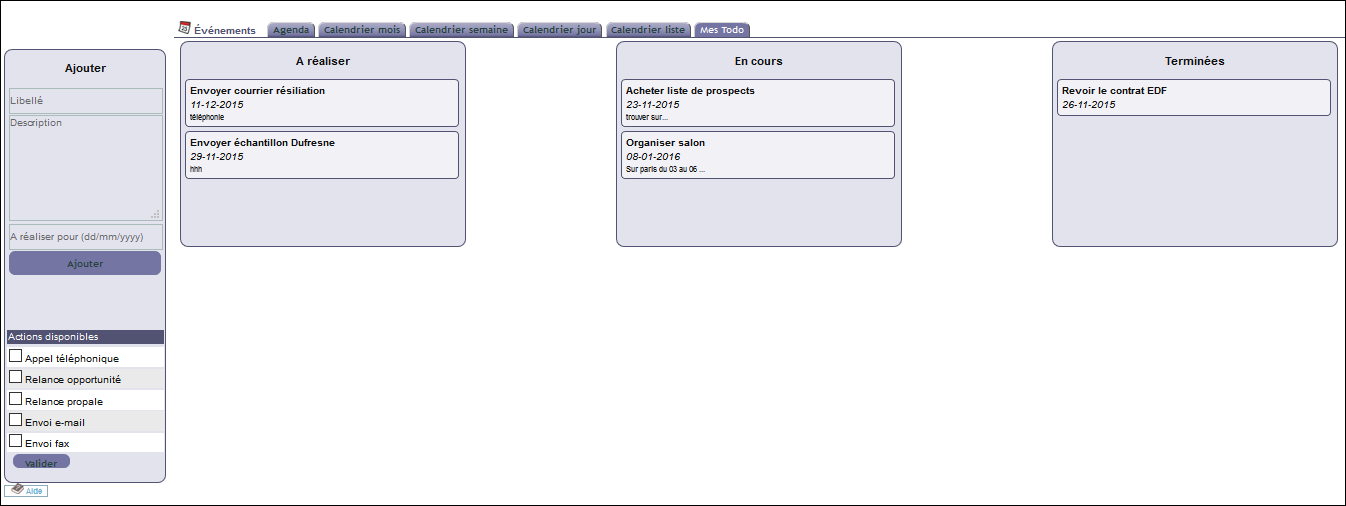
Once activated, a new To-Do event allows you to note and track the progress of a task created by drag-and-drop. This feature is also optimised for mobile devices*.
This event is not linked to a customer or supplier, allowing you to organise other tasks.
Via the left menu, you can also view other types of events in this view.
*Tip: With DoliPlus in the «cloud» (data hosting on remote servers), manage your «to-do lists» by creating a shortcut on your smartphone home screen.
View – Customer or Supplier Record
Practical: All events related to the customer or supplier are «historised» in the «Calendar» tab of the record.
View – Weekly Calendar
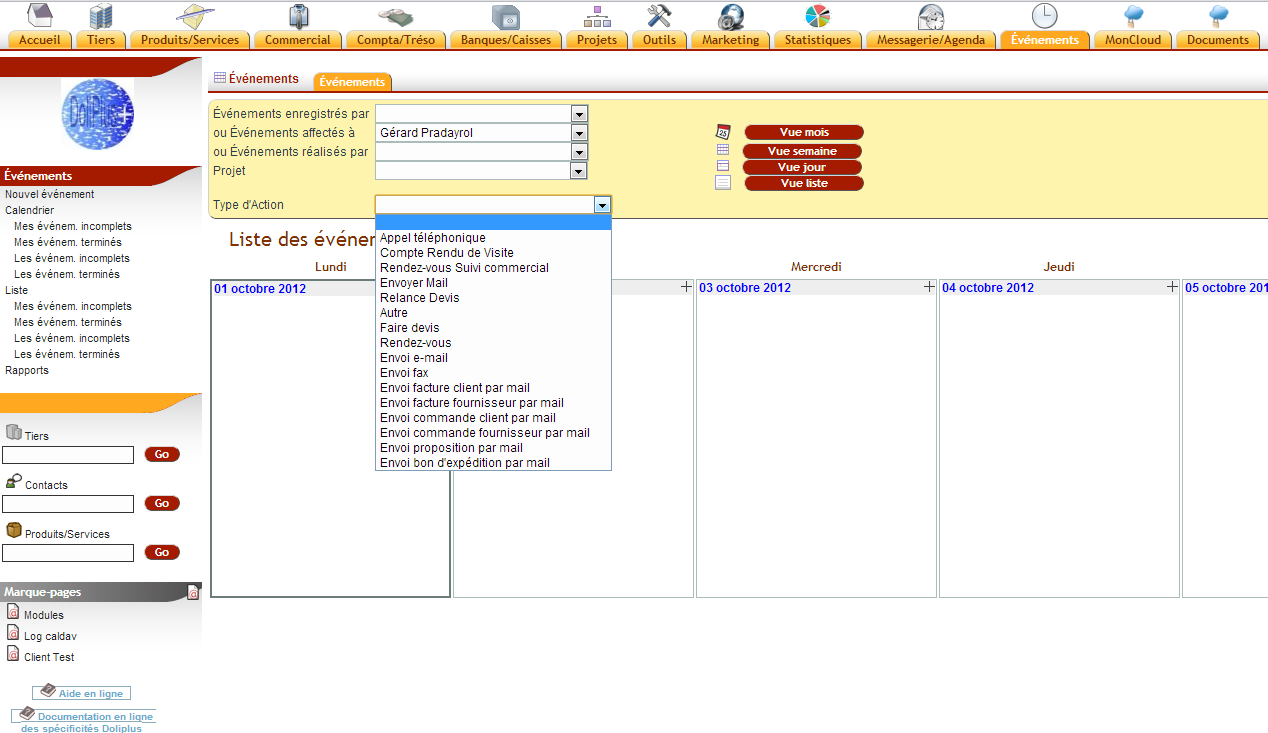
The weekly calendar provides a quick overview of tasks to complete without visible time duration.
Appointments and Phone Calls – Simplified in DoliPlus
Clicking the «blue planet» icon in the contacts view simplifies appointment scheduling. The task management software automatically fills in titles, location, and completes the comments section with phone numbers found in the customer or supplier record and their contact details. The same applies to phone calls, with automatic title generation.
Create Manual Events
You can also create them manually via the menus or under the Agenda menu for actions, tasks, or events (synonyms in Dolibarr)
Highly recommended, creation can be done directly from the customer or supplier record by clicking on one of the many shortcut icons.
These events will have a start date, end date, or duration (DoliPlus) and a progress status chosen by the user, which can be modified later.
To go further
- Project management with ProjetPlus
- Synchronised agendas and schedules
- The DoliPlusMobi mobile app
- Support request management (SAV)
