 on 13 September 2026
 Extranet portal: your customers reorder on their own, around the clock
The extranet portal in DoliPlus is now where your business customers place their orders:
- each one sees their own catalogue, at the prices you negotiated with them;
- they reorder whenever they want, in the evening or at the weekend;
- they follow their orders and see the real status of each one;
- they download their documents and settle their invoices online;
- you receive every order as a draft, so nothing goes ahead without your approval.
In other words, your customers reorder on their own. Therefore you need neither an online shop to build, nor a single line to re-enter.
DoliPlus is the enhanced cloud edition of Dolibarr, so everything below runs on the ERP your team already uses.
Two ways to open your extranet portal
First your customers browse. Then, whenever you decide, they order.
- The showcase: the customer logs in and sees their catalogue and prices. It is included in your DoliPlus subscription.
- Order taking: they enter quantities and send the order. This is an option, which your DoliPlus contact switches on for you.
Starting with the showcase remains the sensible method. Indeed, you publish your rates first, you check what each customer sees, and then you open ordering with peace of mind.
Moreover, you can close order taking again at any time, during a stock count or a price revision. Meanwhile your customers keep browsing their catalogue.
Everyone sees their own catalogue, at their own prices
A catalogue holds the items you want to show, together with the price level it applies. Above all, it serves as many customers as you like: you never create one catalogue per customer. Once it is stocked, validate it: that validation is what makes it visible to your customers.
Next, any customer can step outside that shared rate. You simply give them their own price level on their record. From then on, they keep their negotiated grid while the others keep theirs.
The screen shows you the applied price and where it comes from — the customer, or inherited from the catalogue. Consequently, there is no doubt about what your customer sees.
Finally, an item you have not priced for them shows “Price on request”. They call you, and you discuss it: nothing is invented on your behalf. Our chapter on price management covers these multi-level grids.
Ordering in the evening, at the weekend, without a phone call
Your customer opens the “Orders” section of their space. They find four things, in this order: their catalogue, the order in progress, their past orders, and their invoices to pay.
In practice, they enter a quantity, click “Add”, repeat, and send the order. You receive it immediately.
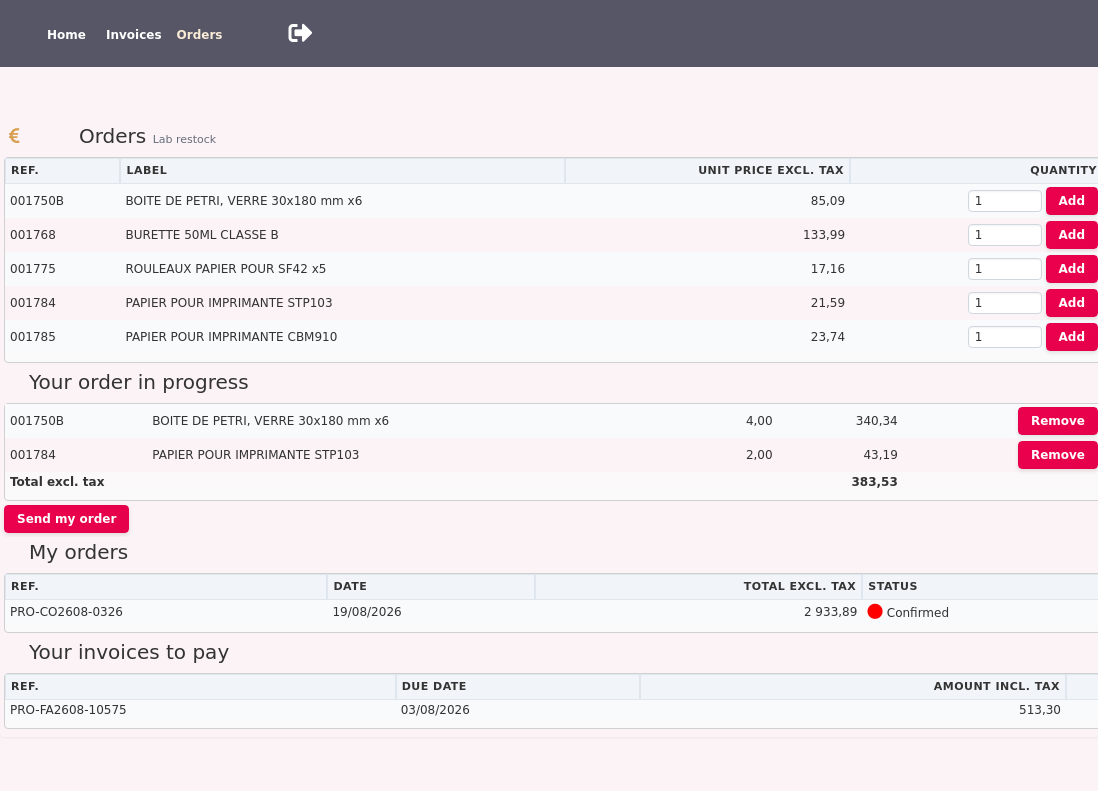
On their side, the message leaves no room for doubt: the order is recorded, and their supplier will confirm it. Nothing suggests it is already approved.
As for invoices, the online payment button appears whenever that payment method applies. Online invoice payment works exactly as it does from a link sent by email.
Nothing goes ahead without your approval
This is the first question everyone asks: “what if a customer orders something absurd?”
An order placed through the extranet portal therefore commits nothing. It lands in your usual list as a draft, with the catalogue name in the notes. Consequently, you check it, you adjust it, and then you approve it — or not. The customer order then follows its normal cycle.
Furthermore, the customer’s outstanding balance is checked when they send the order. If they have reached their limit, the order is still recorded, and the customer knows you will confirm it. So you decide yourself, never an automated rule. The chapter on customer outstanding balances explains how to set those limits.
Opening access for a customer with one invitation
On the customer record, the “Ordering portal” tab asks only for the essentials: the catalogue they will see. Their price level is already the one on their record — the same one your quotes and invoices apply — and your session’s default warehouse applies until you name another.
Then a button sends the invitation. The customer receives an email containing a signed link, opens that link, and chooses their own password.
As a result, no password ever travels by email, and you invent none. The link expires after seven days, works only once, and sending a new invitation automatically closes the previous one.
Viewing documents and settling invoices
The portal is not only about ordering. Summary dashboards show each customer the essentials you need to communicate. In addition, they download their own invoices.

Handling every document request takes up your team’s time. This extranet space makes your customers self-sufficient, around the clock.
You benefit in three ways:
- fewer requests: customers retrieve their own invoices;
- a modern image: you provide a genuine online customer space;
- controlled access: you choose what each customer can see.
The portal also pairs with electronic signatures: your customer signs their quote, then reorders in the same place.
Setting up your extranet portal
Setup takes just a few steps.
The access address
The address changes for your customers. Your usual https://ma_session.doliplus.com/htdocs/ becomes https://ma_session.doliplus.com/acces/ for the portal.
Permissions
First, set permissions for both internal and external users.
Internally, DoliPlus draws a line between two things: viewing and changing. An ordinary permission is enough to open the list of your catalogues, their prices, and each customer’s portal tab. You can therefore hand the day-to-day follow-up of your resellers to the sales rep who handles them, without handing over the keys to administration.
The actions that commit you stay with the administrator: creating a catalogue, revising prices, inviting a customer or withdrawing their access. Whoever only views sees the same screens, minus the buttons — so nothing promises them an action they could not carry out.
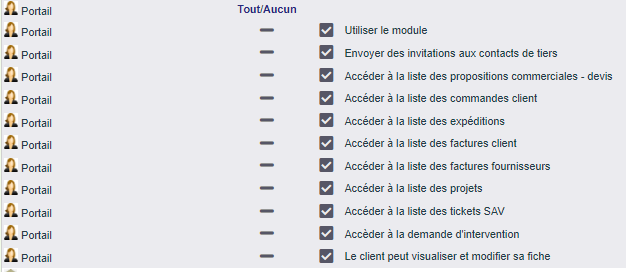
The customer record tab
Next, open the new tab on the customer record. It shows whoever opens it the catalogue attached to the customer and the price applied to them. The administrator, for their part, creates access there and sends login details to the relevant contact. As with the native function, access always starts from a customer contact.
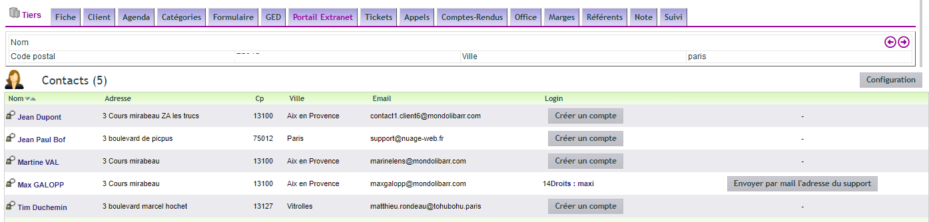
The configuration page
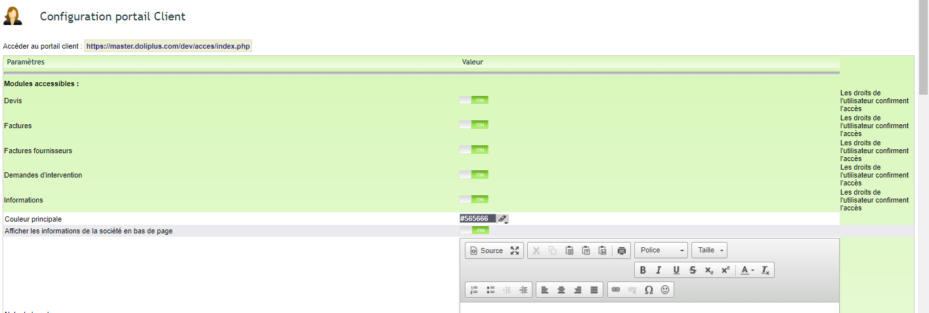
Finally, activate the pages reachable from the portal, set the footer and the other options. In multi-company setups, remember to activate the module on the master entity as well. Each of your companies then opens the portal to its own customers, with its own catalogue and prices: a customer followed by two of them finds the rates of the one that invited them.
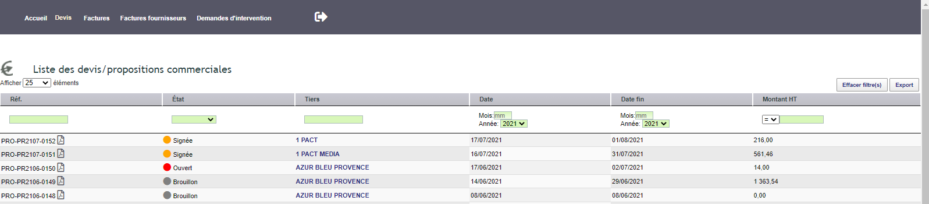
If a customer cannot get in
After three failed attempts, an anti-robot check appears for a quarter of an hour. Therefore it is not a breakdown: they should wait, or you send a fresh invitation.
If they cannot see the “Orders” section, check their access right and their link to a catalogue.
What the portal does not do
Better to say so plainly, because it avoids an expensive misunderstanding.
The extranet portal is not an online shop. There is no open sign-up, no anonymous visitor, and no cash payment at checkout. Every customer is a record in your own files, with a negotiated grid and an outstanding limit.
Selling to the general public is another trade, and DoliPlus covers it elsewhere: the PrestaShop connector links your webshop to the same ERP, with the same items and the same stock. The two sit together perfectly well — the shop for the public, the portal for your business customers and their negotiated prices.
It approves nothing for you, and it invents no price. What your customer sees comes from your catalogue or their grid, recalculated on every display — never frozen in a copy that would quietly go stale.
Finally, if your business needs more, our support team will study your specific requirements.
Further reading
- Price management: the right price, automatically — the negotiated grids of your customers.
- Customer outstanding balances — setting each customer’s limit.
- Online invoice payment — your customers pay from the portal.
- PrestaShop 9 connector — to sell to the general public too, from the same catalogue.
- Electronic signature: your signed quote becomes an order.
- Your DoliPlus CRM session with a public area — the public area of your session.
